C
ONFIGURING
THE
S
WITCH
5-28
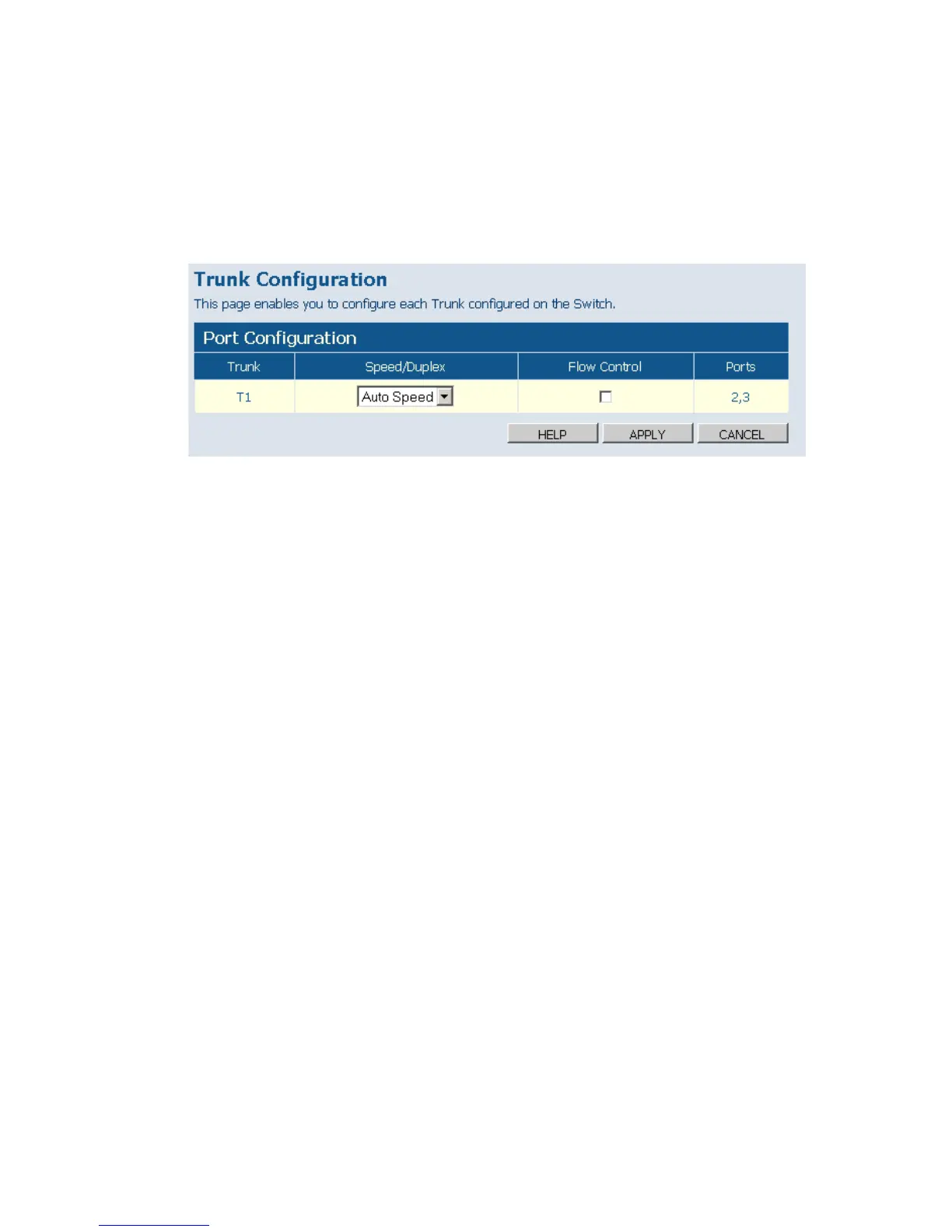
•Flow Control – Allows flow control to be enabled or disabled. When the
box is checked, flow control is enabled.
•Ports – Indicates which ports belong to the trunk.
Web – Click TRUNKS, Settings.
Figure 5-20 Trunk Configuration
VLAN Settings
This page allows you to create and delete VLANs (Virtual LANs) and to
change the VLAN membership and behaviour of individual ports. VLANs
are powerful, but can be difficult to set up properly. Each row of the table
corresponds to one port or trunk; trunked ports cannot be configured
individually.
Introduction to VLANs
VLANs are logical partitions of the physical LAN. You can use VLANs to
increase network performance or improve internal network security.
If the network has adequate performance and security for your current
needs, it is recommended that you leave the VLAN settings in the default
configuration. The default configuration is as follows:
• All ports are members of VLAN 1











 To Next Page