Access Point Setup
17
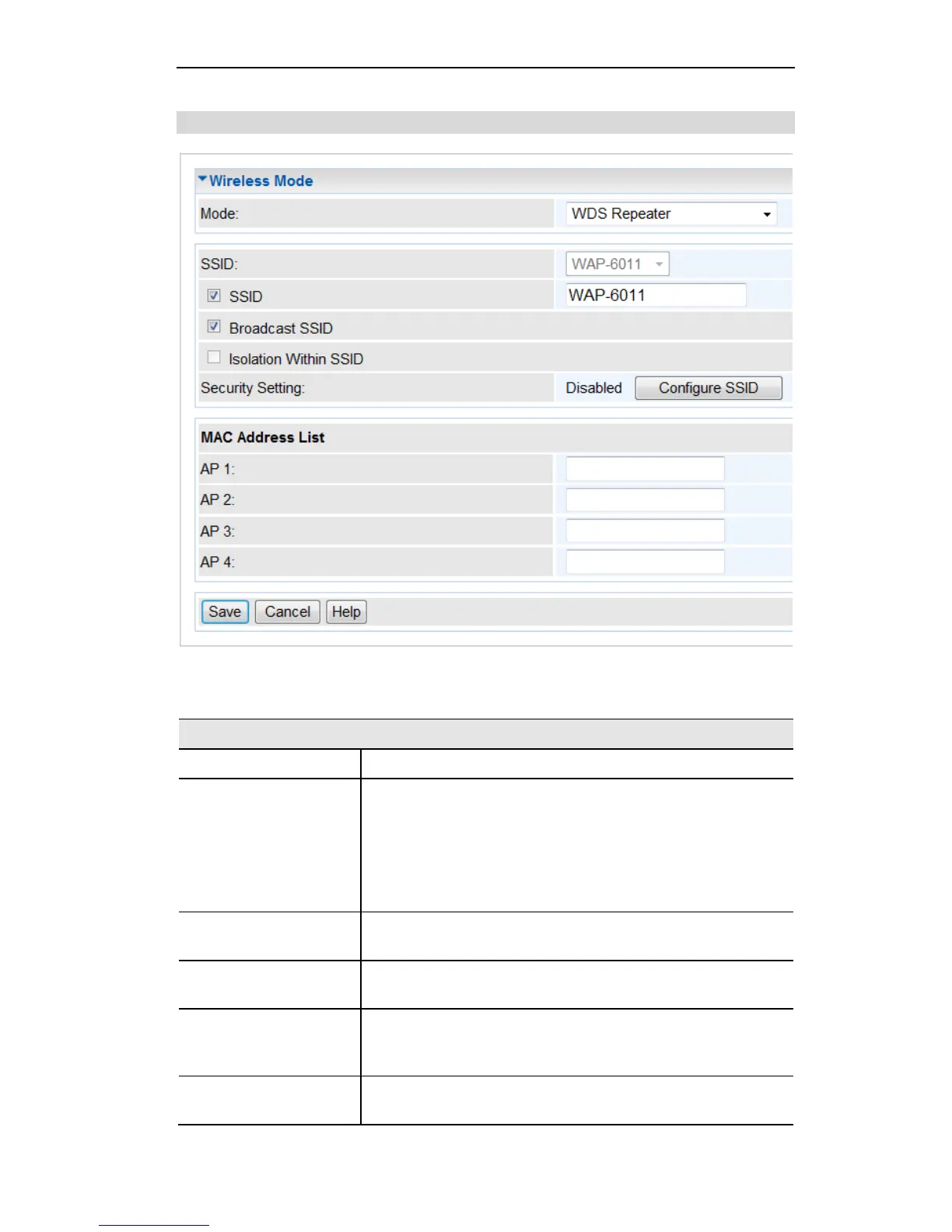
WDS Repeater
Figure 14: WDS Repeater
Enter the desired SSID. Each Profile must have a unique SSID.
If enabled, the Wireless ADSL Router will broadcast its SSID.
This allows PCs and other wireless stations to detect this Access
Point and use the correct SSID.
If disabled, PC users will have to manually enter the SSID and
other details of the wireless interface before they can connect to
this Access Point.
If Enabled, devices that have the same SSID will not be able to
see each other.
The current Wireless security is displayed. The default value is
Disabled.
Click this button to access the Wireless security sub-screen, and
view or change the settings. See the following section for de-
tails.
Enter the MAC address(es) of the AP(s) into the fields to allow
the following access points to be connected to the device.















 To Next Page