18
Wireless Screen
The Wireless ADSL Router's settings must match the other Wireless stations.
Note that the Wireless ADSL Router will automatically accept both 802.11b and 802.11g
connections, and no configuration is required for this feature.
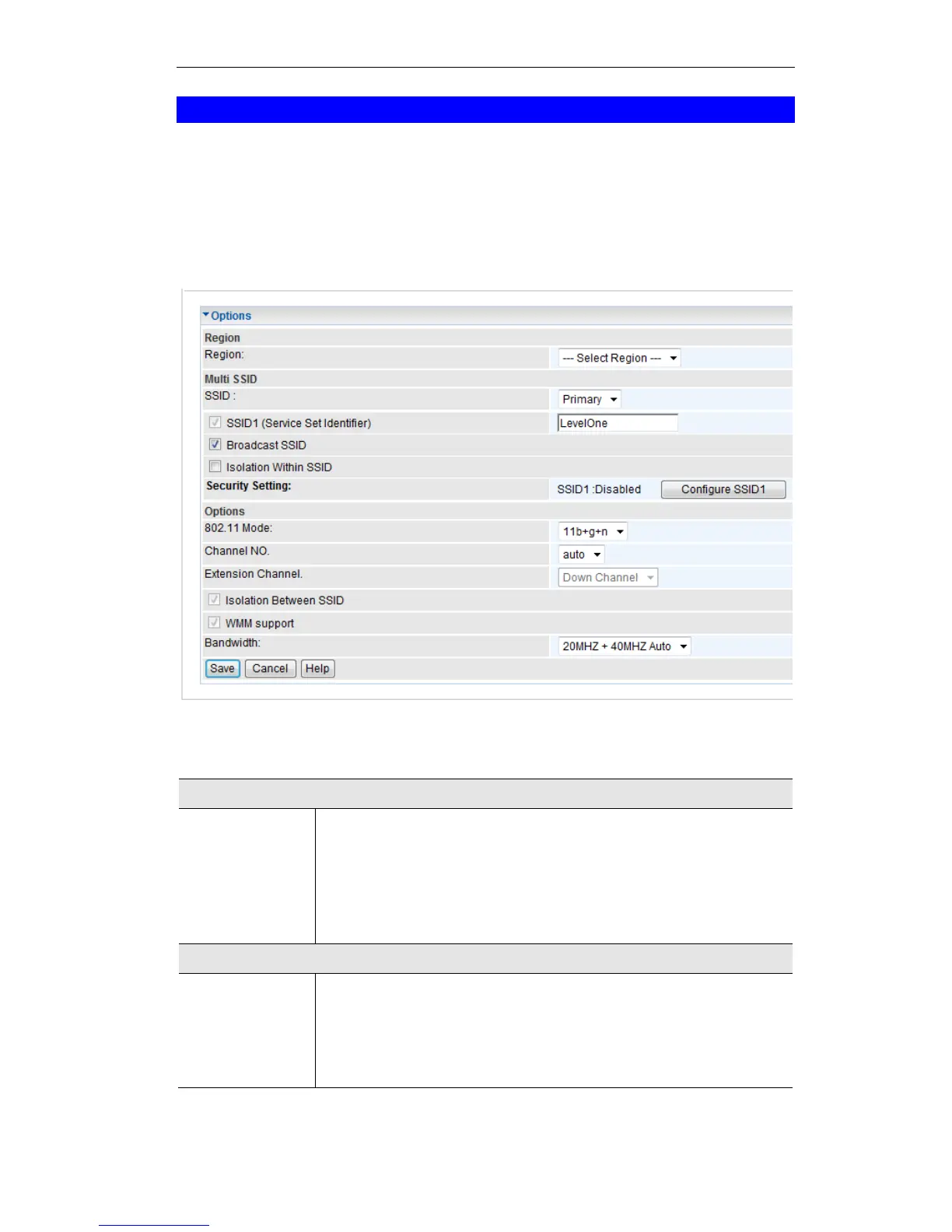
To change the Wireless ADSL Router's default settings for the Wireless Access Point feature,
use the Wireless link on the main menu to reach the Wireless screen. An example screen is
shown below.
Figure 10: Wireless Screen
Data - Wireless Screen
Select the correct domain for your location. It is your responsibility to
ensure:
That the Wireless ADSL Router is only used in domains for which
is licensed.
That you select the correct domain, so that only the legal channels
for that domain can be selected.
With Multiple SSIDs, you can have 2 SSIDs on one AP. For example, a
Guest SSID without encryption for visitors to have Internet access only,
and a Admin SSID with encryption for private use to secure your
company resources.
Select the desired SSID from the list to configure.















 To Next Page