Advanced Features
61
Access Control
This feature is accessed by the Access Control link on the Advanced menu.
Overview
The Access Control feature allows administrators to restrict the level of Internet Access availa-
ble to PCs on your LAN. With the default settings, everyone has unrestricted Internet access.
Restrictions are imposed by blocking "Services", or types of
connections. All common Services are pre-defined.
If required, you can also define your own Services.
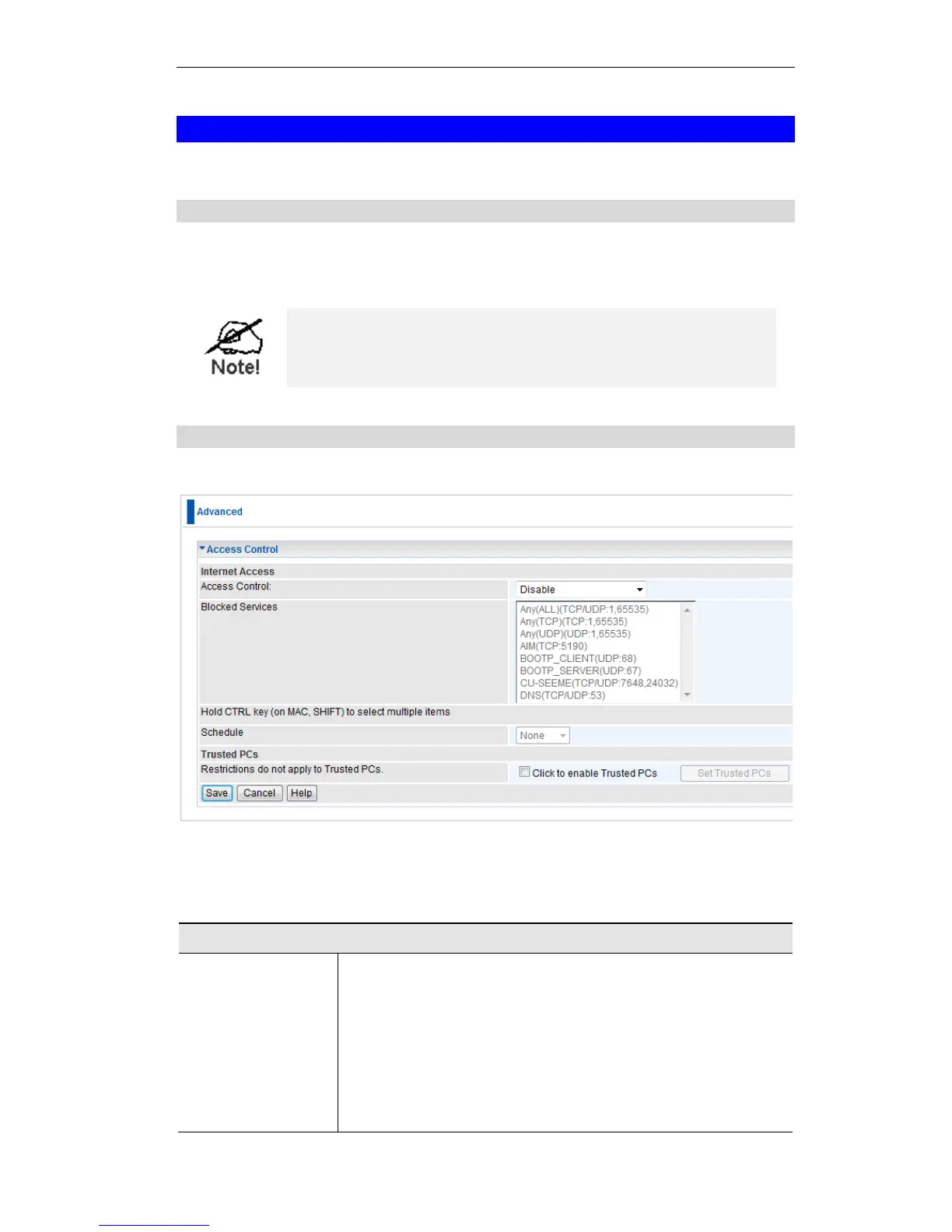
Access Control Screen
To view this screen, select the Access Control link on the Advanced menu.
Figure 53: Access Control Screen
Data - Access Control Screen
Select the desired options for the current group:
Disable - Nothing is blocked. Use this to create the least
restrictive group.
Block all Internet access - All traffic via the WAN port is
blocked. Use this to create the most restrictive group.
Block selected Services - You can select which Services are to
block. Use this to gain fine control over the Internet access for
a group.















 To Next Page