Advanced Administration
87
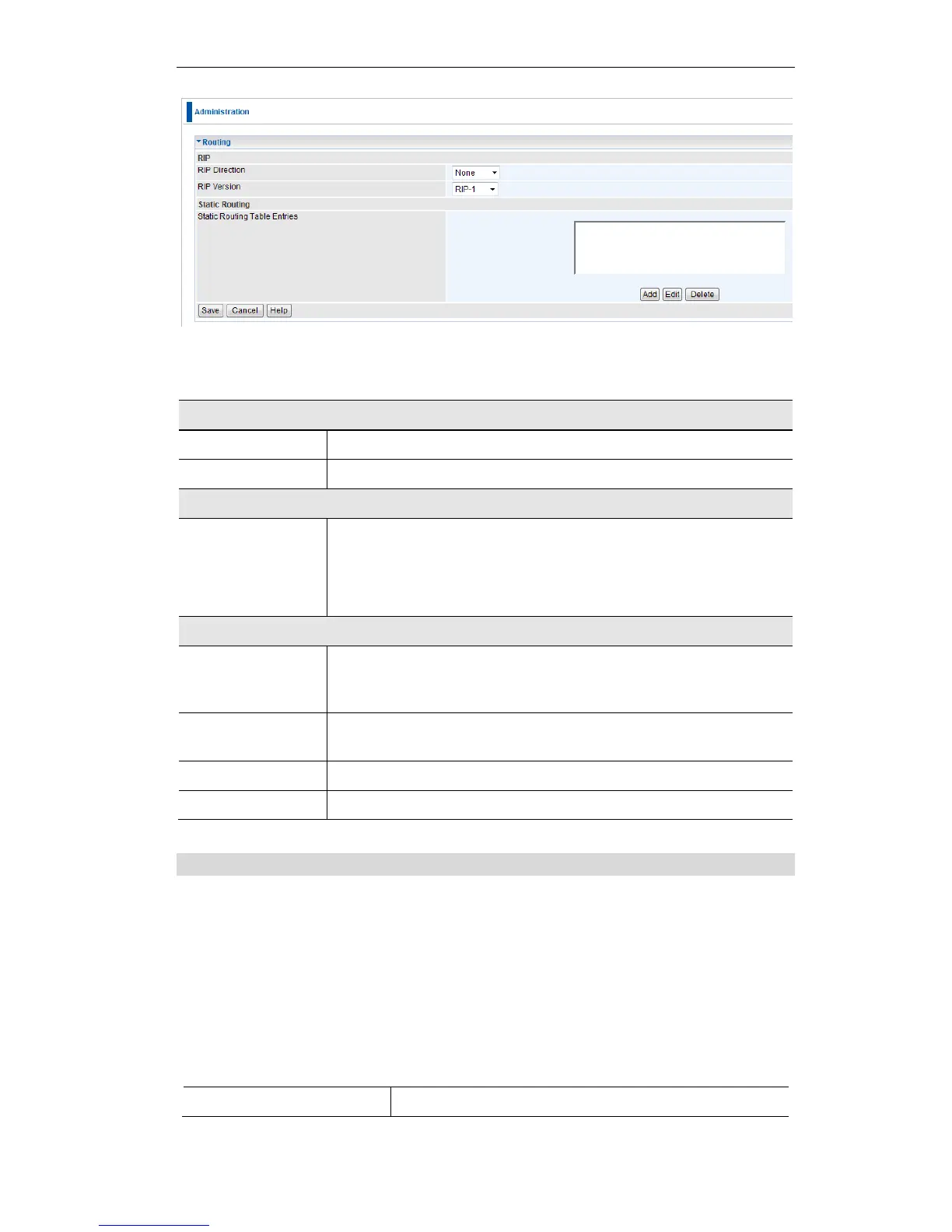
Figure 69: Routing Screen
Data - Routing Screen
Select the desired RIP Direction.
Choose the RIP Version for the Server.
Static Routing
Table Entries
This list shows all entries in the Routing Table.
This area shows details of the selected item in the list.
Change any the properties as required, then click the "Edit"
button to save the changes to the selected entry.
Add a new entry to the Static Routing table, using the data shown in
the "Properties" area on screen. The entry selected in the list is
ignored, and has no effect.
Update the current Static Routing Table entry, using the data shown
in the table area on screen.
Delete the current Static Routing Table entry.
Save the RIP setting. This has no effect on the Static Routing Table.
Configuring Other Routers on your LAN
It is essential that all IP packets for devices not on the local LAN be passed to the Wireless
ADSL Router, so that they can be forwarded to the external LAN, WAN, or Internet. To
achieve this, the local LAN must be configured to use the Wireless ADSL Router as the Default
Route or Default Gateway.
Local Router
The local router is the Router installed on the same LAN segment as the Wireless ADSL Router.
This router requires that the Default Route is the Wireless ADSL Router itself. Typically,
routers have a special entry for the Default Route. It should be configured as follows.
Normally 0.0.0.0, but check your router documentation.















 To Next Page