Setup
21
Wireless Security
This screen is accessed by clicking the "Configure SSID" button on the Wireless screen. There
are 6 options for Wireless security:
Disabled - no data encryption is used.
WEP - data is encrypted using the WEP standard.
WPA-PSK - data is encrypted using the WPA-PSK standard. This is a later standard than
WEP, and provides much better security than WEP. If all your Wireless stations support
WPA-PSK, you should use WPA-PSK rather than WEP.
WPA2-PSK - This is a further development of WPA-PSK, and offers even greater security,
using the AES (Advanced Encryption Standard) method of encryption.
WPA-PSK and WPA2-PSK - This method, sometimes called "Mixed Mode", allows
clients to use EITHER WPA-PSK OR WPA2-PSK.
802.1x - This uses the 802.1x standard for client authentication, and WEP for data encryp-
tion.
If this option is selected:
This Access Point must have a "client login" on the Radius Server.
Each user must have a "user login" on the Radius Server.
Each user's wireless client must support 802.1x and provide the login data when re-
quired.
All data transmission is encrypted using the WEP standard. You only have to select
the WEP key size; the WEP key is automatically generated.
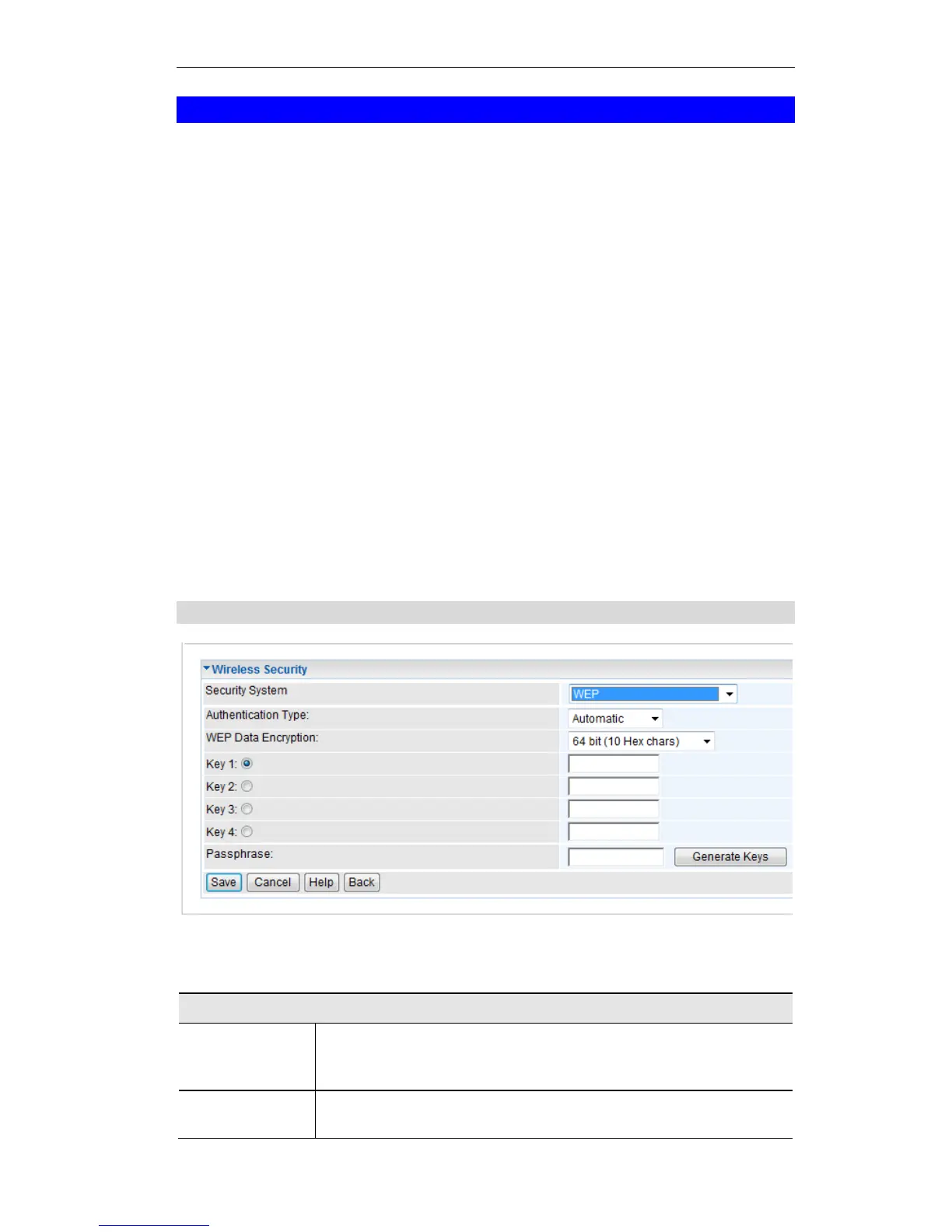
WEP Wireless Security
Figure 11: WEP
Data - WEP Screen
Normally, this should be left at the default value of "Automatic". If
changed to "Open System" or "Shared Key", ensure that your Wireless
Stations use the same setting.















 To Next Page