EasyManua.ls Logo

LevelOne WBR-6601 - QoS (Quality of Service) Configuration; QoS Screen Configuration

LevelOne WBR-6601
107 pages
Print Icon
To Next Page IconTo Next Page
To Previous Page IconTo Previous Page
Loading...
Advanced Features
71
QoS
The QoS (Quality of Service) feature allows you specify priorities for different traffic. Lower
priority traffic will be slowed down to allow greater throughput or less delay for high priority
traffic.
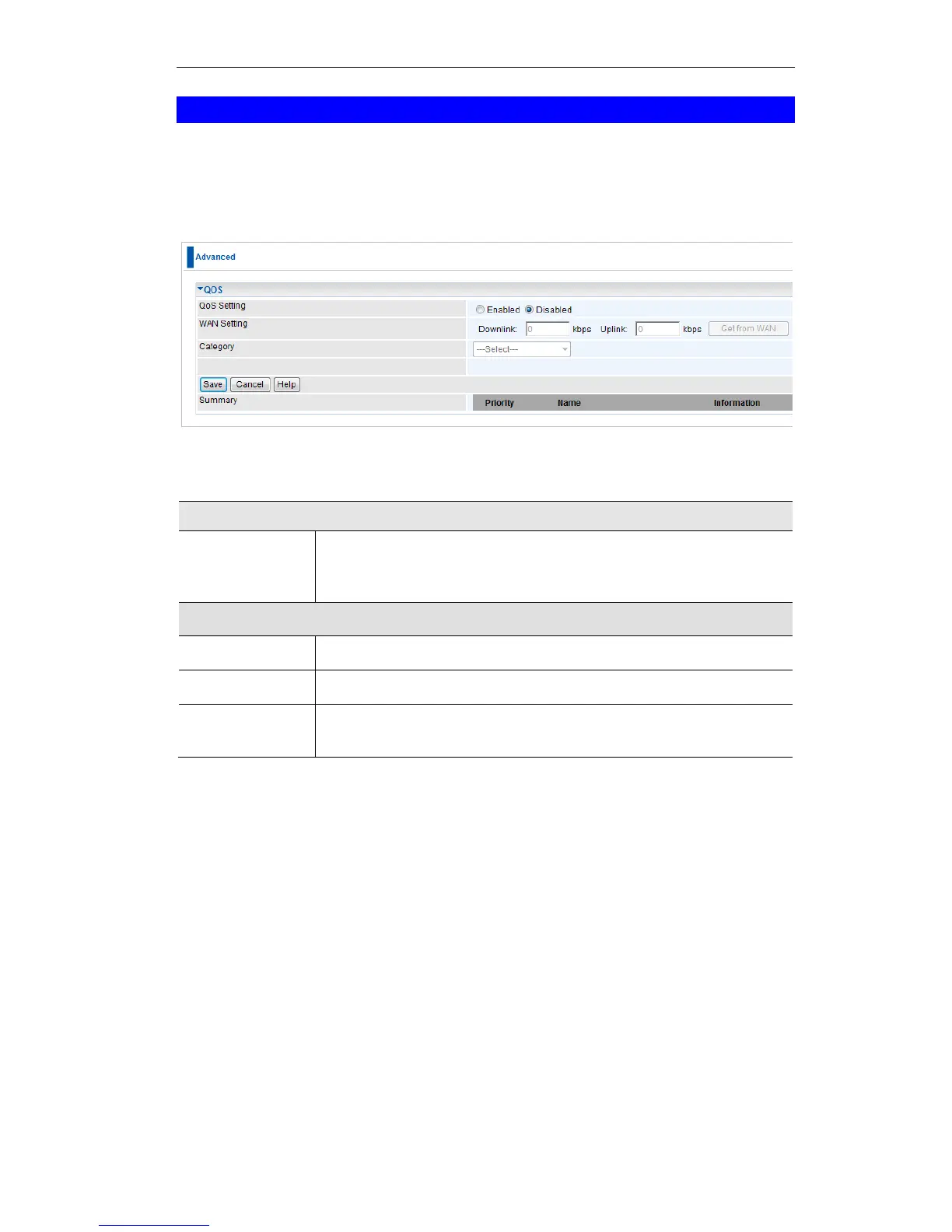
An example QoS screen is shown below.
Figure 61: QoS Screen
Data - QoS Screen
QoS Setting
QoS Setting
To disable QoS (Quality of Service), keep the default setting, Disable.
To enable QoS (Quality of Service), click Enable and follow these
instructions.
WAN Setting
Downlink
Enter the desired value for the DownStream Connection.
Uplink
Enter the desired value for the UpStream Connection.
Get from WAN
Click this button to get the values for DownStream and UpStream from
WAN.

Table of Contents

Other manuals for LevelOne WBR-6601

Related product manuals