Advanced Features
69
Port Forward
This feature allows you to make Servers on your LAN accessible to Internet users. Normally,
Internet users would not be able to access a server on your LAN because:
Your Server does not have a valid external IP Address.
Attempts to connect to devices on your LAN are blocked by the firewall in this device.
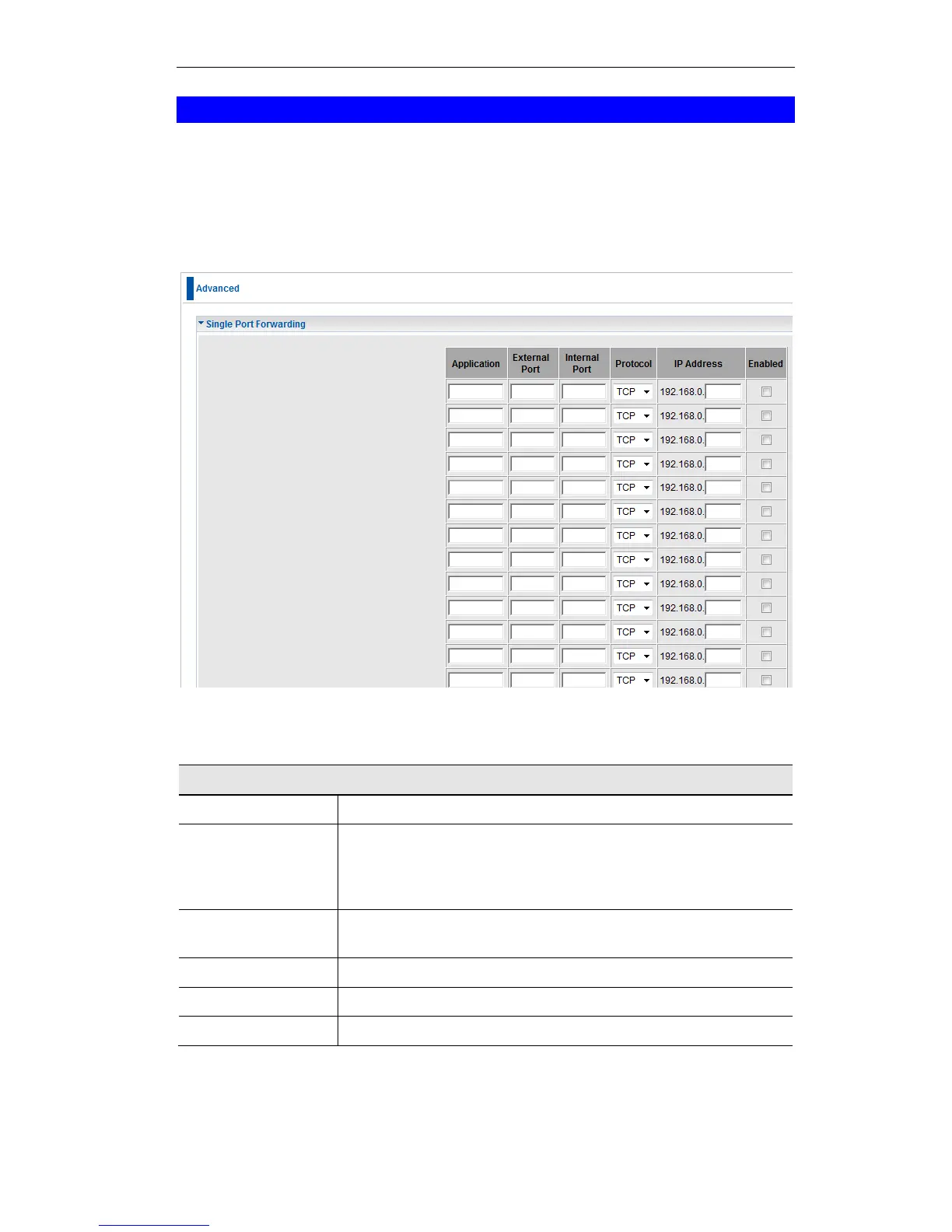
Figure 59: Single Port Forwarding Screen
Data - Single Port Forwarding Screen
Enter the desired application type.
Traffic from the Internet using this port number will be sent to the
Server. This is normally the same as the Internal Port Number. If it
is different, this device will perform a "mapping" or "translation"
function, allowing the server to use a different port to the clients.
Enter the port numbers which the Server software is configured to
use.
Select the protocol (TCP or UDP) used by the Server.
Enter the desired IP address.
Use this to Enable or Disable support for this Server, as required.















 To Next Page