Other Routers on the Local LAN
Other routers on the local LAN must use the Wireless ADSL Router's Local Router as the
Default Route. The entries will be the same as the Wireless ADSL Router's local router, with
the exception of the Gateway IP Address.
For a router with a direct connection to the Wireless ADSL Router's local Router, the
Gateway IP Address is the address of the Wireless ADSL Router's local router.
For routers which must forward packets to another router before reaching the Wireless
ADSL Router's local router, the Gateway IP Address is the address of the intermediate rou-
ter.
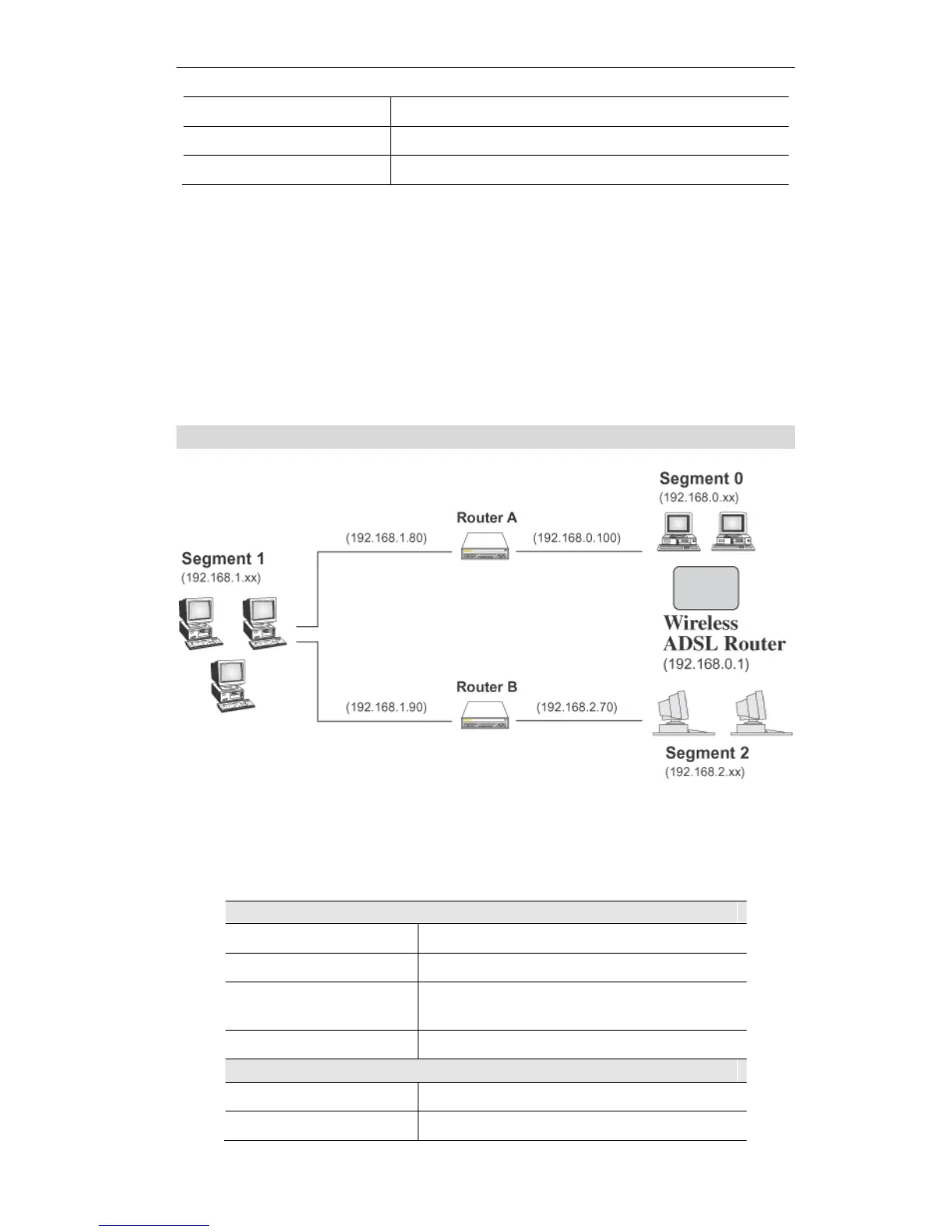
Static Routing - Example
Figure 70: Routing Example
For the Wireless ADSL Router's Routing Table
For the LAN shown above, with 2 routers and 3 LAN segments, the Wireless ADSL Router
requires 2 entries as follows.















 To Next Page