Setup
25
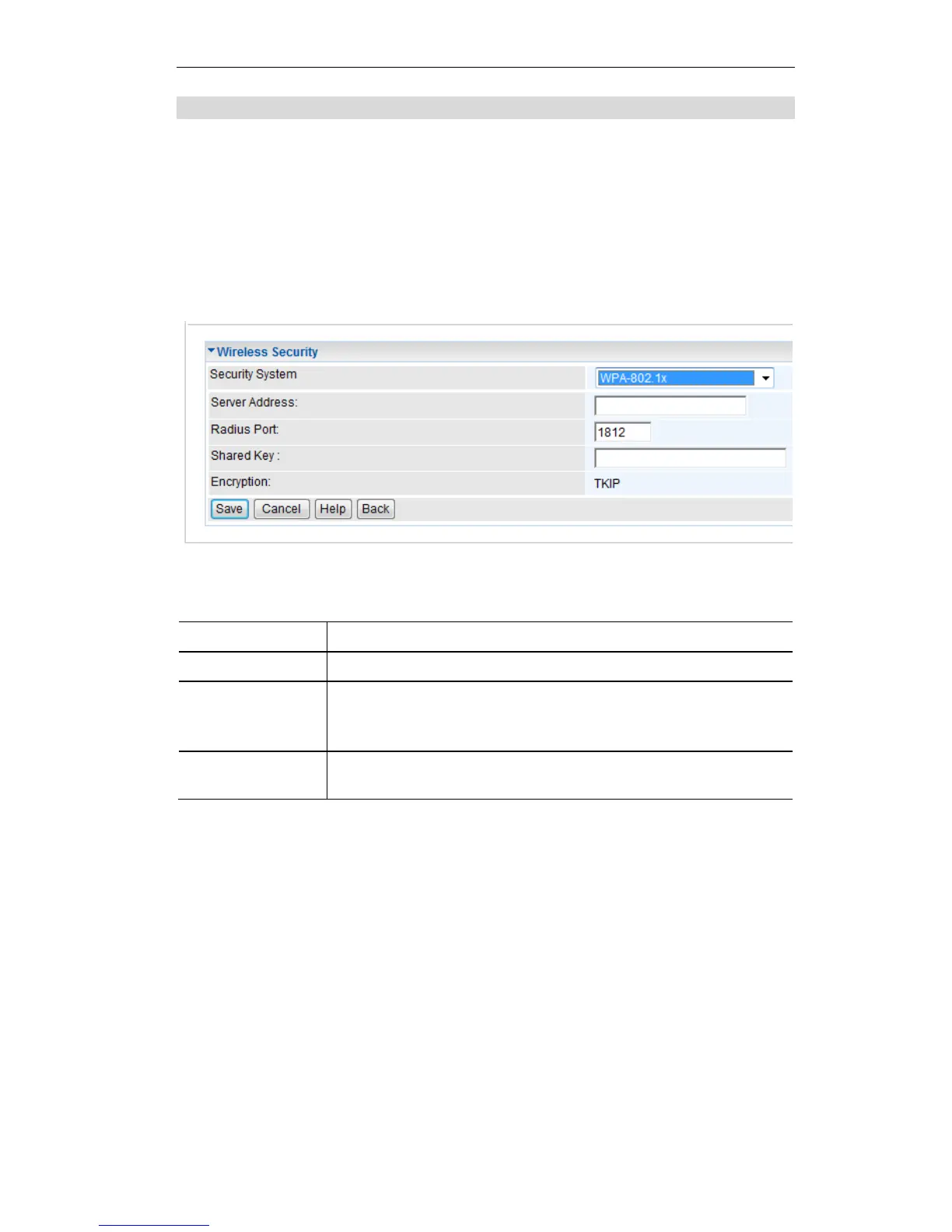
Security Settings - 802.1x
This uses the 802.1x standard for client authentication, and WEP for data encryption. If this
option is selected:
This Access Point must have a "client login" on the Radius Server.
Each user must have a "user login" on the Radius Server. Normally, a Certificate is used to
authenticate each user. See Chapter4 for details of user configuration.
Each user's wireless client must support 802.1x.
All data transmission is encrypted using the WEP standard. You only have to select the
WEP key size; the WEP key is automatically generated.
Figure 15: 802.1x Wireless Security Screen
Data - 802.1x Screen
Enter the shared key. Data is encrypted using a key derived from the
network key. Other Wireless Stations must use the same key. The key
must be from 8 to 63 characters in length.















 To Next Page