EasyManua.ls Logo

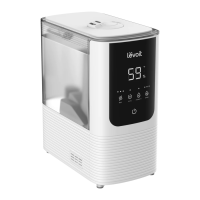
Levoit LUH-M101S-WEUR - User Manual

Levoit LUH-M101S-WEUR
272 pages
Print Icon
To Next Page IconTo Next Page
Loading...
EN
1
Table of Contents
Package Contents

Safety Information

Controls
Remote Control
Getting Started
VeSync App Setup

Care & Maintenance
Troubleshooting
VeSync App Troubleshooting
Warranty Information
Customer Support
1 × 
3 × Aroma Pad (1 Pre-Installed)
2 × Cleaning Brush
1 × Screwdriver
4 × Screw
1 × Stand
1 × Cable Winder
1 × Remote Control
1 × Quick Start Guide
1 × User Manual
1
1
2
5
6
7
7
8
9
12
14
17
18
18

Package Contents
Model LUH-M101S-WEUR
Power Supply AC 220–240V, 50/60Hz
Rated Power 27.5W
Water Tank
Capacity
2.2 gal / 10 L
Max Mist
Ouput
350 mL/h
Max Runtime
100 hours on low mist
setting
Note: 




Noise Level < 28dB

Range
300–600 ft² / 27–55 m²
Dimensions
8.4 x 10.0 x 28.7 in /
21.4 x 25.3 x 72.8 cm
Weight 6.4 lb / 2.9 kg
Wi-Fi® Fre-
quency Range
2412–2472 MHz
Maximum transmit
power: 17 dBm (E.I.R.P)
Bluetooth®
Frequency
Range
2402–2480 MHz
Maximum transmit
power: 10 dBm (E.I.R.P)
Note:





Questions and Answers

  • J
    Jordan WoodSep 9, 2025
    Why does the essential oil in my Levoit Humidifier have little smell?
    • R
      robert71Sep 9, 2025
      If the essential oil in your Levoit Humidifier has little or no smell, try adding more essential oil. For best results, use pure essential oil.
  • K
    kristinweaverSep 12, 2025
    What to do if the area around my Levoit LUH-M101S-WEUR is damp?
    • B
      Brooke WhiteSep 12, 2025
      If you notice dampness or condensation around your Levoit Humidifier, the humidity may be too high. Try turning down the mist level, turning off the humidifier, or opening a door or window to the room. Ensure proper airflow by opening a window or moving the humidifier to a well-ventilated room. Also, make sure the water tank is properly in place and wipe off any excess water from the tank and base when filling.
  • E
    eileen67Sep 14, 2025
    Why is the humidity level not changing with my Levoit LUH-M101S-WEUR?
    • T
      tiffanywyattSep 14, 2025
      If the humidity level isn’t changing in your room while using the Levoit Humidifier, try using a higher mist level setting. Keep in mind that, depending on your environment, the humidifier may take longer to humidify your air. Check if the room is not larger than the humidifier’s effective range (300–600 ft² / 27–55 m²).
  • M
    Mackenzie BenderSep 15, 2025
    Why does my Levoit Humidifier display an incorrect humidity percentage?
    • T
      Theresa CochranSep 16, 2025
      The room may be larger than the humidifier’s effective range. Move to a room smaller than 300–600 ft² / 27–55 m². Moisture may have built up inside the humidity sensor. Make sure the nozzle is facing away from the aroma box so that mist does not settle on the sensor inside the aroma box. Turn off the humidifier, remove the aroma box, and allow the sensor to air dry. If the humidifier is placed within 12 inches / 30 cm of a wall or in a corner, the humidity sensor cannot provide a proper reading for the relative humidity in the room. The humidity sensor will give an improper reading if it is exposed to dust. Avoid using the humidifier in dusty rooms. Avoid using tap water in the humidifier as this can increase dust in the air.

Levoit LUH-M101S-WEUR Specifications

General IconGeneral
BrandLevoit
ModelLUH-M101S-WEUR
CategoryHumidifier
LanguageEnglish

Related product manuals