EasyManua.ls Logo

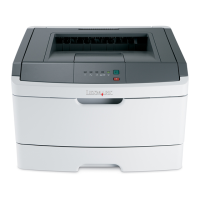
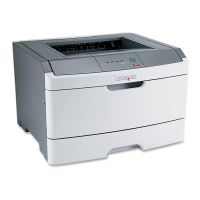
Lexmark E220 - User Manual

Lexmark E220
89 pages
Print Icon
To Next Page IconTo Next Page
Loading...
www.lexmark.com
Users Reference
September 2003
E220 Printer

Table of Contents

Other manuals for Lexmark E220

Questions and Answers

  • K
    Kelly FrenchAug 29, 2025
    How to stop toner from smearing on Lexmark E220 output?
    • L
      lallisonAug 29, 2025
      If toner smears or rubs off the page when using your Lexmark Printer, try a different kind of paper, such as paper designed for copiers. If you are printing on special media, such as card stock or labels, be sure you selected the correct paper type in the printer driver. You can also try changing the media weight to a heavier setting and the texture to a rougher setting. To change these settings, install the Local Printer Setup Utility from the drivers CD.
  • K
    Kelsey WilsonAug 28, 2025
    Why are there vertical or horizontal streaks on my Lexmark E220 Printer output?
    • M
      Miranda ParkerAug 29, 2025
      If vertical or horizontal streaks appear on the page when printing with your Lexmark Printer, replace the print cartridge.
  • M
    Michael SharpAug 27, 2025
    How to fix toner smudges on Lexmark E220 output?
    • D
      david87Aug 27, 2025
      If toner smudges are appearing on the front or back of pages printed from your Lexmark Printer, make sure the paper is straight and unwrinkled. If the issue persists, replace the print cartridge.
  • M
    marcus58Aug 27, 2025
    Why are the characters light or blurred on my Lexmark E220?
    • J
      Jerome PhillipsAug 27, 2025
      If you are seeing light or blurred characters when printing with your Lexmark Printer, it could be due to a few reasons. The print cartridge may be getting low on toner. If you do not have a replacement cartridge, remove the print cartridge, shake it from side to side to use the remaining toner, and then reinstall it. Ensure that you are using recommended print media. If you are printing on special media like card stock or labels, make sure you selected the correct paper type in the printer driver. The printer might also be detecting a print cartridge error, in which case you should replace it.
  • M
    michellelivingstonAug 25, 2025
    What to do if paper doesn't feed from tray 1 in my Lexmark E220 Printer?
    • S
      solisrobinAug 26, 2025
      If paper fails to feed from tray 1 on your Lexmark Printer, remove the paper from tray 1 and fan the paper. Make sure tray 1 is selected from the printer driver, and do not overfill the tray.
  • D
    Daniel JacksonAug 25, 2025
    What to do if my Lexmark Printer is on but not printing?
    • B
      Barbara Smith MDAug 25, 2025
      If your Lexmark Printer is on but nothing is printing, make sure the print cartridge is installed and that the parallel or USB cable is firmly plugged into the connector on the back of the printer. Press and release Continue to print a menu settings page to determine if the problem is with the printer or the computer. If you can print a menu settings page, the problem is in the computer or the software application. If you cannot print a menu settings page, call for service.

Lexmark E220 Specifications

General IconGeneral
BrandLexmark
ModelE220
CategoryPrinter
LanguageEnglish

Related product manuals