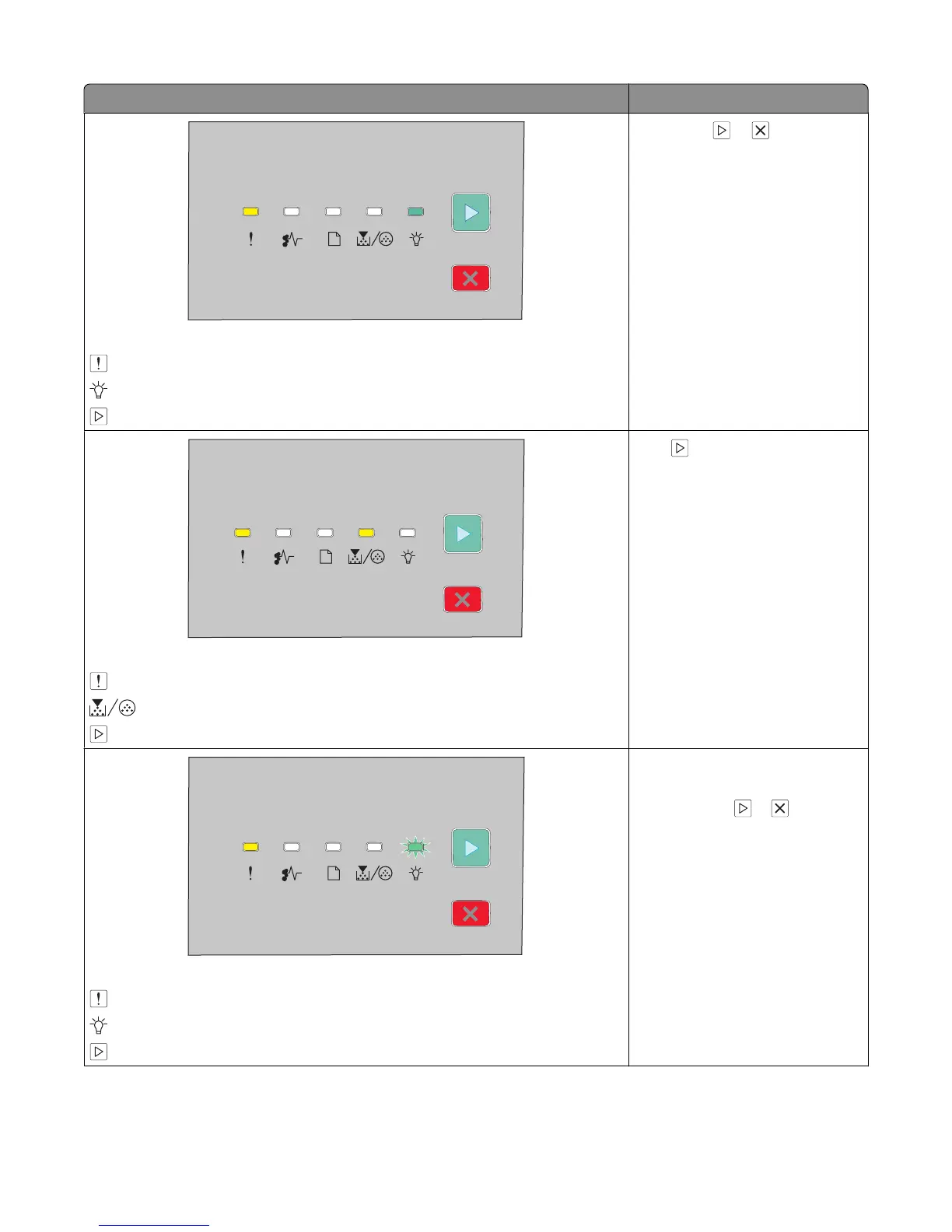
Light sequences What you can do
Complex page, some data may not have printed
- On
- On
- On
Press either or to clear the
light sequence.
Insufficient memory to collate job
- On
- On
- On
Press to print the remaining
pages of the job.
Insufficient memory to support Resource Save feature
- On
- Blinking
- On
• Install additional printer
memory.
• Press either or to clear the
light sequence. Job will be
printed without Resource Save.
Interpreting the printer control panel lights
37





 To Next Page