Finish
AUDIO
315
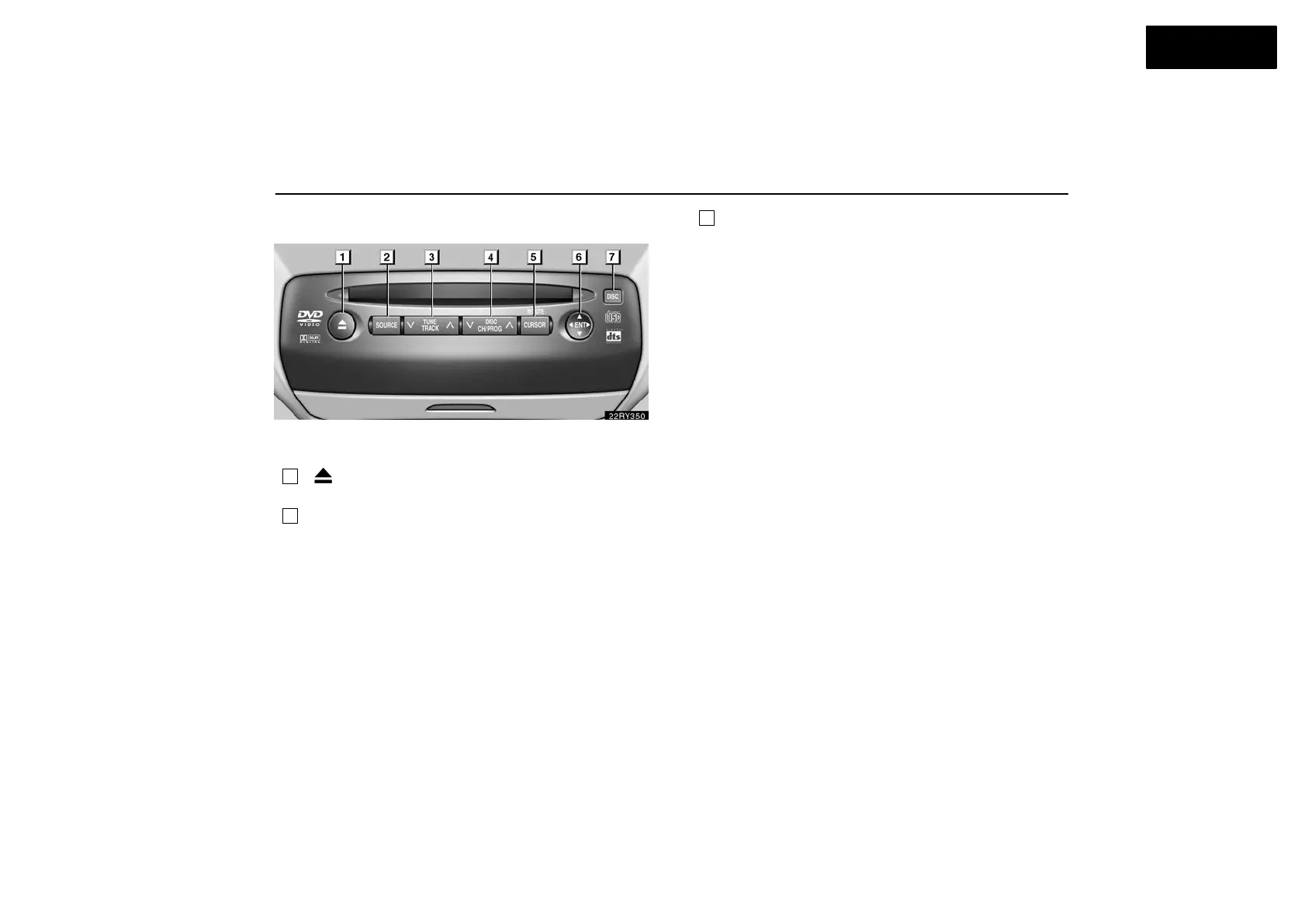
Buttons on the DVD player unit
The rear seat entertainment system can be operate with the
switches on the DVD player.
1
“ ” (eject) switch: Use this switch to eject the disc
from the DVD player.
2
“SOURCE” switch: Push this switch to turn on the rear
seat entertainment system.
To change the audio mode, turn on the system and push the
source switch until the mode you desire is displayed. If a tape
or disc is not inserted, the “TAPE”, “CD” and “DVD” modes are
skipped.
3
“TUNE/TRACK” switch: Use this switch to tune or seek
(radio mode), fast forward or rewind (“TAPE” mode),
select a desired track (“CD” mode) or select a desired
chapter/track (“DVD” mode).
Radio mode: Use this switch to tune or seek.
To tune, repeatedly push this switch briefly until your desired
station is found.
To seek, push and hold this switch until you hear a beep.
The radio will begin seeking up or down the band for a
station, and will stop on reception.
TAPE mode: Use this switch to fast forward or rewind a tape,
or for automatic program selection.
To skip forward or rewind using automatic program
selection, push this switch briefly. By using automatic
program selection, you can skip up to 9 programs at a time.
For details, see page 276 or 296.
To fast forward or rewind the tape, push and hold this switch
until you hear a beep. To stop fast forwarding or rewinding,
push and hold the same side of the switch until you hear a
beep.



 To Next Page