Finish
AUDIO
366
Selecting the video mode
The audio machine connected to the input terminal
adapter can be played in the video mode.
1
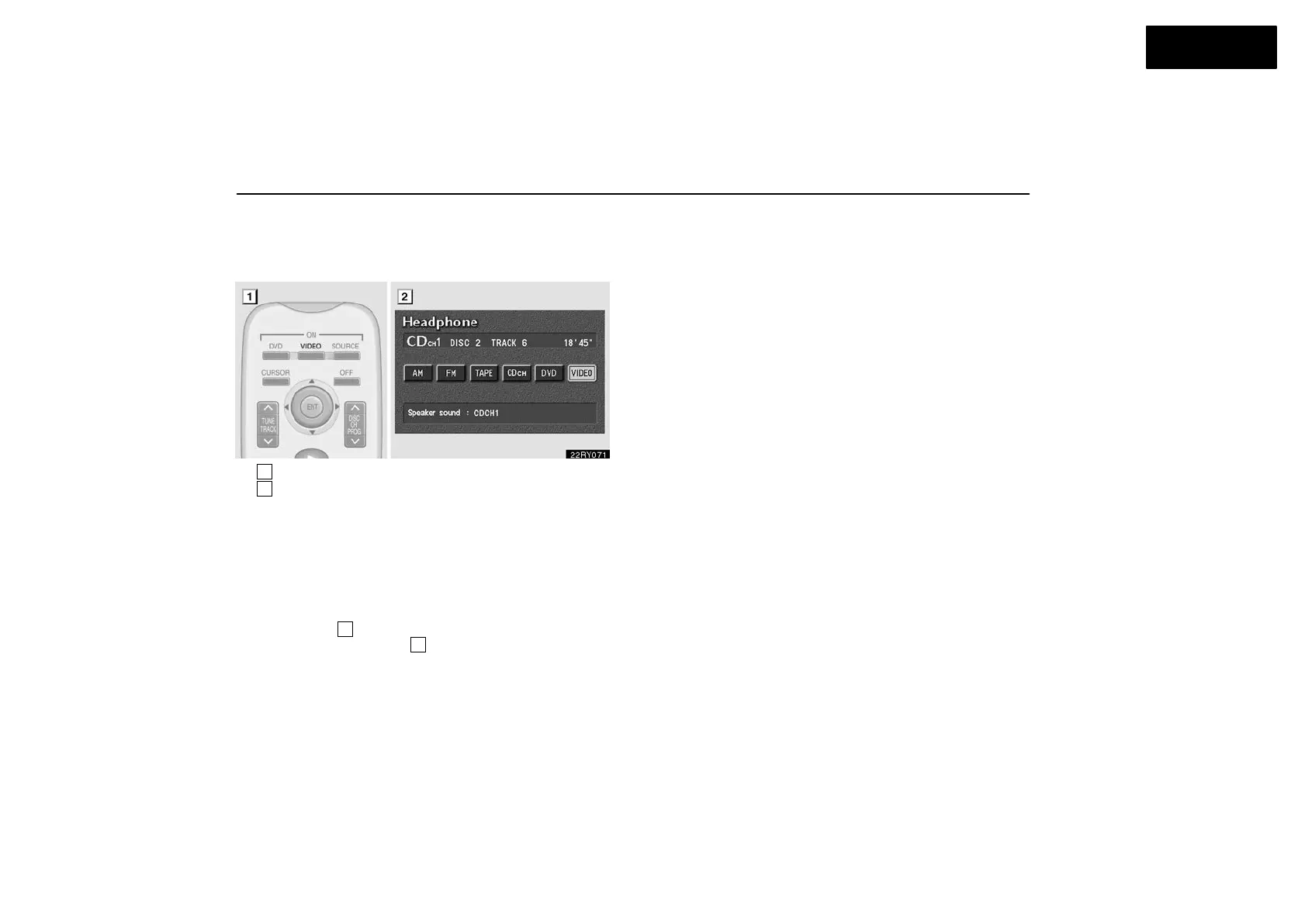
Remote control button (without navigation system)
2
Screen switch
With navigation system —
You can select the video mode on the mode selection
screen mentioned above. Using joy stick and the “ENT”
button, select the video mode.
Without navigation system —
To select the video mode, push the “VIDEO” button on the
remote control
1
. You can also select the video mode on
the mode selection screen
2
mentioned above. Using joy
stick and the “ENT” button, select the video mode.
DVD video disc information
(a) DVD player and DVD video discs
This DVD player conforms to NTSC color TV formats. DVD
video discs conforming to other formats such as PAL or
SECAM cannot be used.
Region codes: Some DVD video discs have a region code
indicating where you can use. If the DVD video disc is not
labeled “ALL” or “1”, you cannot use it in this DVD player. If you
attempt to play an inappropriate DVD video disc in this player,
“REGION CODE ERROR” appears on the screen. Even if the
DVD video disc does not have a region code, in some cases
you cannot use it.



 To Next Page