STARTING AND DRIVING
408
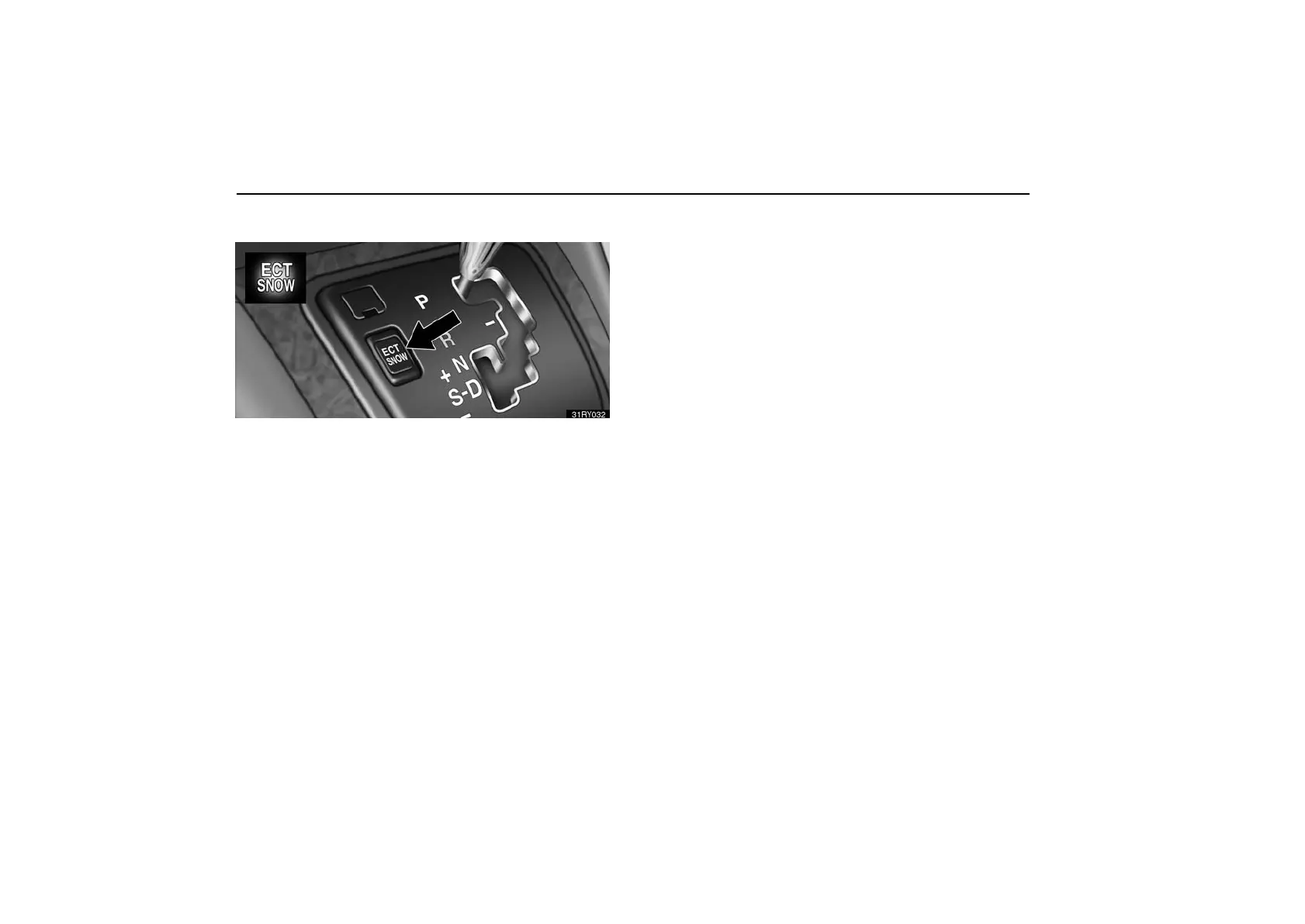
(h) Driving in snow mode
Use this mode when starting your vehicle in ice or snow.
To set the snow mode, push the switch. In the “ECT SNOW”
indicator on the instrument cluster is on. To cancel the snow
mode, push the switch again. The “ECT SNOW” indicator light
will go off when the snow mode is cancelled.
If the engine is turned off with the snow mode is on, the snow
mode is cancelled when the engine is restarted.
REAR VIEW MONITOR SYSTEM
The rear view monitor system assists the driver by
displaying an image of the rear of the vehicle while
backing up. The displayed image on the screen is a
horizontally reversed mirror image of the inside rear view
mirror.
To display the rear view image on the screen, place the
selector lever in the “R” position when the ignition switch
is in the “ON” position.
If you move the selector lever out of the “R” position, the screen
returns to the previous screen. Operating another function of
the navigation system will display another screen.
The rear view monitor system is a supplemental device
intended to assist back up. When backing up, be sure to check
behind and all around the vehicle visually.



 To Next Page