107
3-3. Route guidance
3
Navigation system
ferry, the route guidance shows a sea
route. After traveling by ferry, the current
position may be incorrect. Upon recep-
tion of GPS signals, it is automatically
corrected.
During the route guidance, the route
can be changed to detour around a
section of the route where a delay is
caused by road repairs, an accident,
etc.
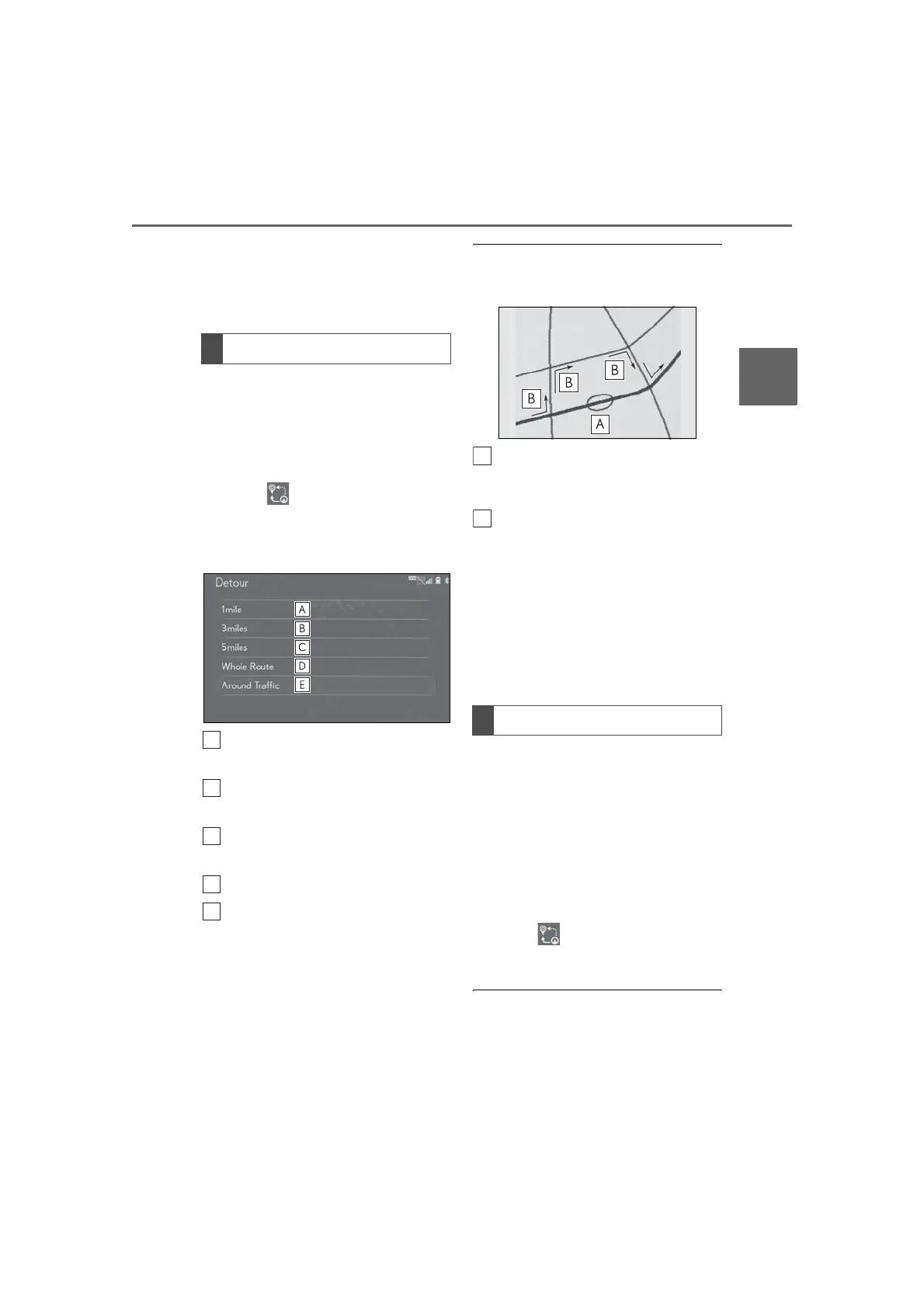
1 Select on the map screen.
2 Select “Detour”.
3 Select the desired detour distance.
Select to detour within 1 mile of the
current position.
Select to detour within 3 miles of
the current position.
Select to detour within 5 miles of
the current position.
Select to detour on the entire route.
Select to make the navigation sys-
tem search for the route based on
traffic congestion information
received from traffic information.
*
(P.89)
*
: This function is not available in some
countries or areas.
● This picture shows an example of how the
navigation system would guide around a
delay caused by a traffic jam.
This position indicates the location of a
traffic jam caused by road repairs, an
accident, etc.
This route indicates the detour sug-
gested by the navigation system.
● When the vehicle is on a freeway, the
detour distance selections are 5, 15 and
25 miles (or 5, 15 and 25 km if units are
in km).
● The navigation system may not be able to
calculate a detour route depending on
the selected distance and surrounding
road conditions.
When a freeway and a surface road
run in parallel, the navigation system
may show the guidance route going on
the freeway while driving on the sur-
face road, or vice versa.
If this happens, you can instantly
choose the adjacent road for the route
guidance.
1 Select on the map screen.
2 Select “Adjacent Road”.
● When there is no adjacent road, this
screen button will not be displayed.
Detour setting
Adjacent road



 To Next Page