268
8-2. Setup
8-2.Setup
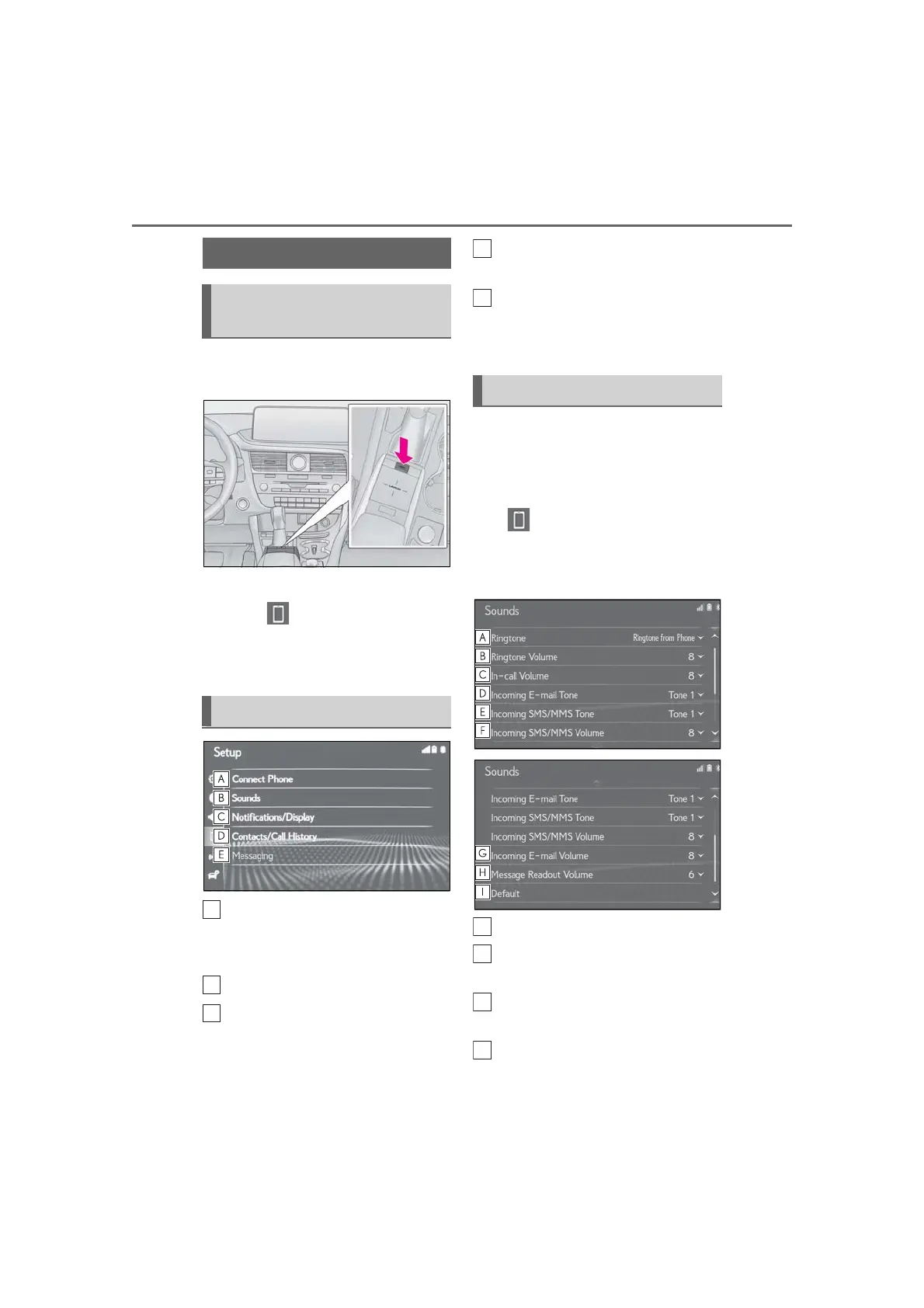
1 Press the “MENU” button on the
Remote Touch.
2 Select “Setup”.
3 Select “Phone” on the sub
menu.
4 Select the desired item to be set.
Connecting a Bluetooth
®
device
and editing the Bluetooth
®
device
information (P.49, 53)
Sound settings
*
(P.268)
Notifications/display settings
*
(P.269)
Contact/call history settings
*
(P.270)
Message settings
*
(P.276)
*
: This operation cannot be performed
while driving.
The call and ringtone volume can be
adjusted. A ringtone can be selected.
1 Display the phone settings screen:
“MENU” button “Setup”
“Phone”
2 Select “Sounds”.
3 Select the desired item to be set.
Select to set the desired ringtone.
Select “-” or “+” to adjust the ring-
tone volume.
Select “-” or “+” to adjust the default
volume of the other party’s voice.
Select to set the desired incoming
e-mail tone.
Phone settings
Displaying the phone settings
screen
Phone settings screen
Sounds settings screen



 To Next Page