159
4-4. Audio/visual remote controls
4
Audio/visual system
4-4.A udio/v isual re mote c ontrols
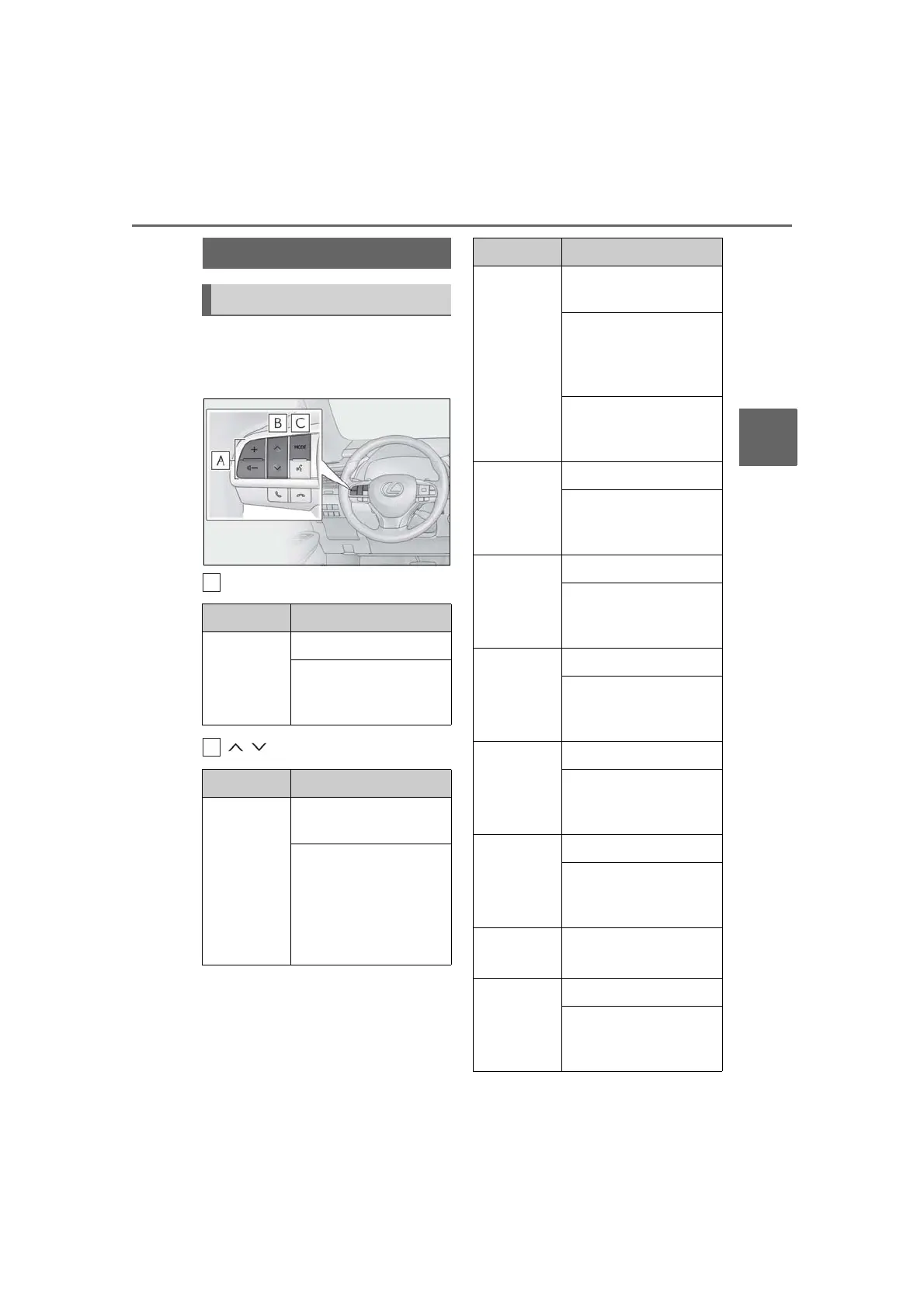
Some parts of the audio/visual system
can be adjusted using the switches on
the steering wheel.
Volume control switch
switch
Steering switches
Steering switch operation
Mode Operation/function
All
Press: Volume up/down
Press and hold (0.8 sec. or
more): Volume up/down
continuously
Mode Operation/function
AM/FM
Press: Preset channel
up/down
Press and hold (0.8 sec. or
more): Seek up/down
Press and hold (1.5 sec. or
more): Seek up/down con-
tinuously while the switch is
being pressed
SXM
Press: Preset channel
up/down
Press and hold (0.8 sec. or
more): Seek for stations in
the relevant program
type/channel category
Press and hold (1.5 sec. or
more): Fast channel
up/down
CD
Press: Track up/down
Press and hold (0.8 sec. or
more): Fast for-
ward/rewind
MP3/WMA/
AAC disc
Press: File up/down
Press and hold (0.8 sec. or
more): Fast for-
ward/rewind
DVD
*1
Press: Chapter up/down
Press and hold (0.8 sec. or
more): Fast for-
ward/rewind
USB
*2, 3
Press: File/Track up/down
Press and hold (0.8 sec. or
more): Fast for-
ward/rewind
iPod/
iPhone
*3
Press: Track up/down
Press and hold (0.8 sec. or
more): Fast for-
ward/rewind
Android
Auto
*2
Press: Track up/down
Bluetooth
®
audio
*2, 3
Press: Track up/down
Press and hold (0.8 sec. or
more): Fast for-
ward/rewind
Mode Operation/function



 To Next Page