30
2-1. Basic information before operation
cases, remove what was set on the touch-
pad and operate it after waiting about 30
seconds. If there still no reaction, turn off
the engine switch <power switch> and
then turn it to ACCESSORY or IGNI-
TION ON mode <ON mode> again.
● Clean the touchpad frequently, as the
reaction of the touch operation may
worsen if the touchpad is dirty. In order to
prevent malfunctions when cleaning the
touchpad, turn the engine switch <power
switch> off.
Operations are performed by touching
the touchpad with your finger.
● Setting for the touchpad, such as move-
ment speed of the pointer, can be
changed. (P.68)
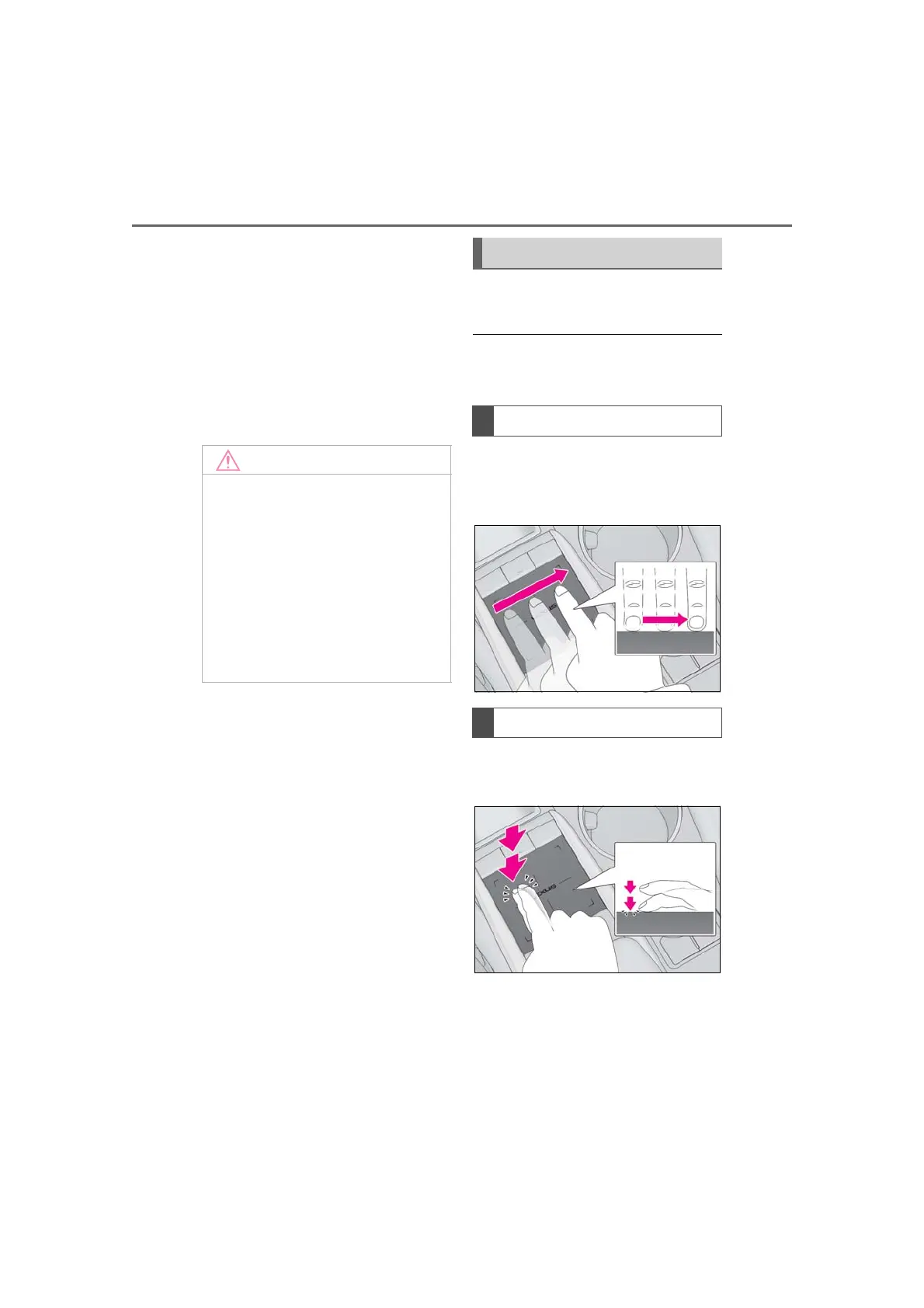
Trace the pad surface while maintain-
ing contact with the touchpad.
Moving the cursor and the pointer.
Tap the touchpad twice, quickly.
Selecting the button on the screen.
● Do not allow the Remote Touch to
come into contact with food, liquid,
stickers or lit cigarettes as doing so
may cause damage.
● Do not subject the Remote Touch to
excessive pressure or strong impact as
doing so may cause damage.
● Do not push the touchpad with a
strong force or use a sharp pointed
object to operate the pad, as it is possi-
ble to cause damage.
Touchpad gestures
Trace
Double tap



 To Next Page