59
2-2. Connectivity settings
2
Basic function
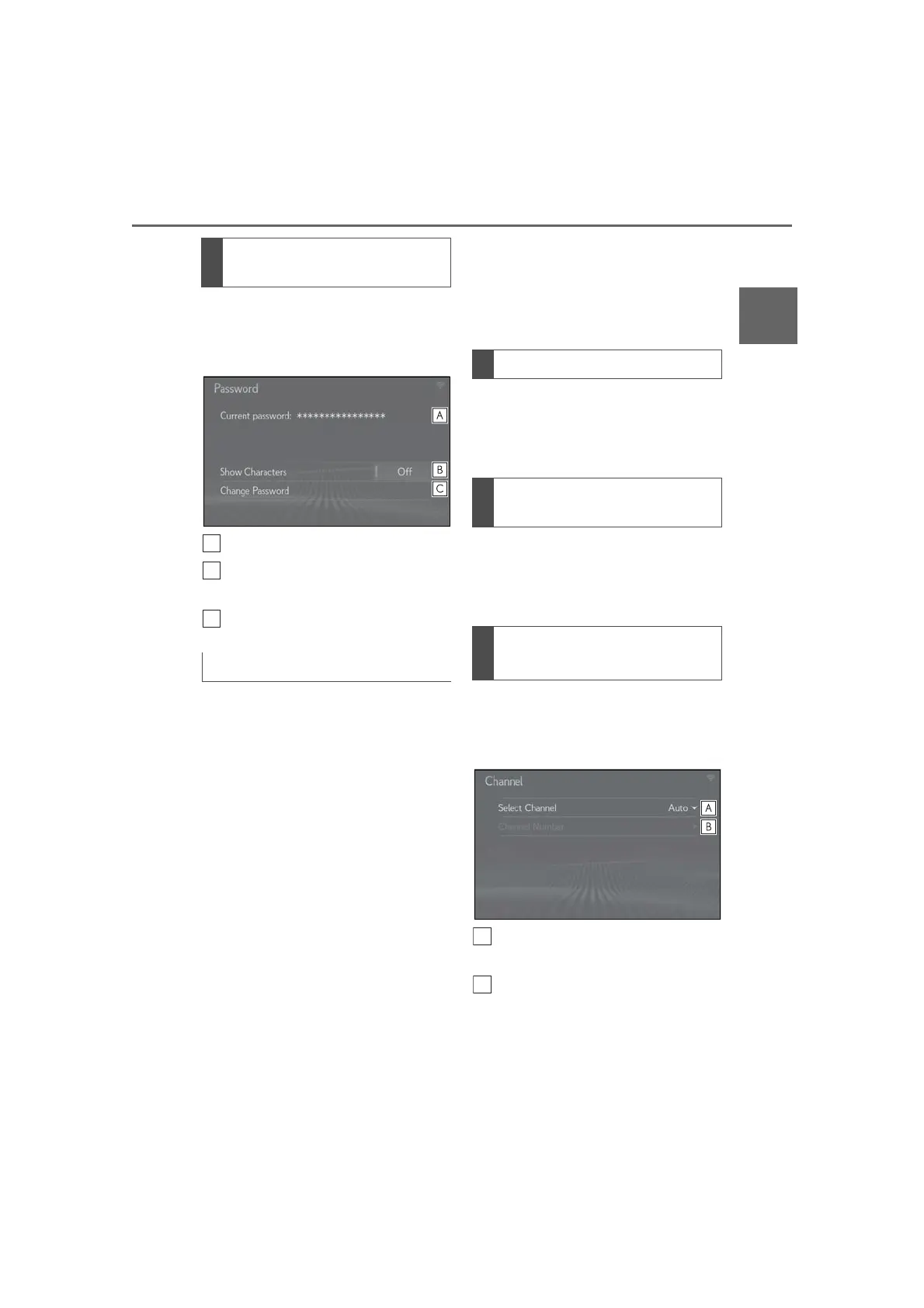
1 Select “Password”.
2 Check that the following screen is
displayed.
Displays the password
Select to display/hide the entered
password.
Select to change the password.
1 Select “Change Password”.
2 Enter the desired password and
select “OK”.
When setting/changing a password,
observe the following guidelines to
help prevent the password from
being cracked by a third party:
• Use an 8-character or longer password
consisting of letters and numbers.
(Non-ASCII characters will not be rec-
ognized by the system.)
• Change the password regularly.
• If you write the password down, do not
leave it somewhere where it would be
visible.
• Do not use the same or a similar pass-
word to that for other accounts.
• Avoid using easy to identify words, such
as your vehicle’s model name or license
plate number, simple dictionary words,
or words with simple obfuscation, such
as c@t (for cat), as your password.
1 Select “Security”.
2 Select the desired security proto-
col.
1 Select “Access Point Name”.
2 Enter the desired access point
name (SSID) and select “OK”.
1 Select “Channel”.
2 Check that the following screen is
displayed.
Select to change the channel selec-
tion to automatic/manual.
When “Manual” is selected, select
to change the channel.
Checking/changing the pass-
word
Changing the password
Changing the security protocol
Changing the access point name
(SSID)
Selecting a Wi-Fi
®
connection
channel



 To Next Page