GG
When even a single back up file exists in the initialized USB HDD (from the USB HDD Format menu)
through ‘Copy to USB HDD’ from the ‘Recorded TV’, the access to the USB Backup is allowed.
GG
If Manual or Instant Record operates while a recorded program is transferring from USB HDD to Recorded
TV, Copying will pause.
Then, press the
EENNTTEERR
button, and ‘--%’ will be displayed in Record message, and after recording is com-
pleted, Copying will continue again.
GG
Playback is not available while recording along with USB Backup.
GG
CCooppyy ttoo RReeccoorrddeedd LLiisstt
:Restores the Recorded Program
to the internal HDD.
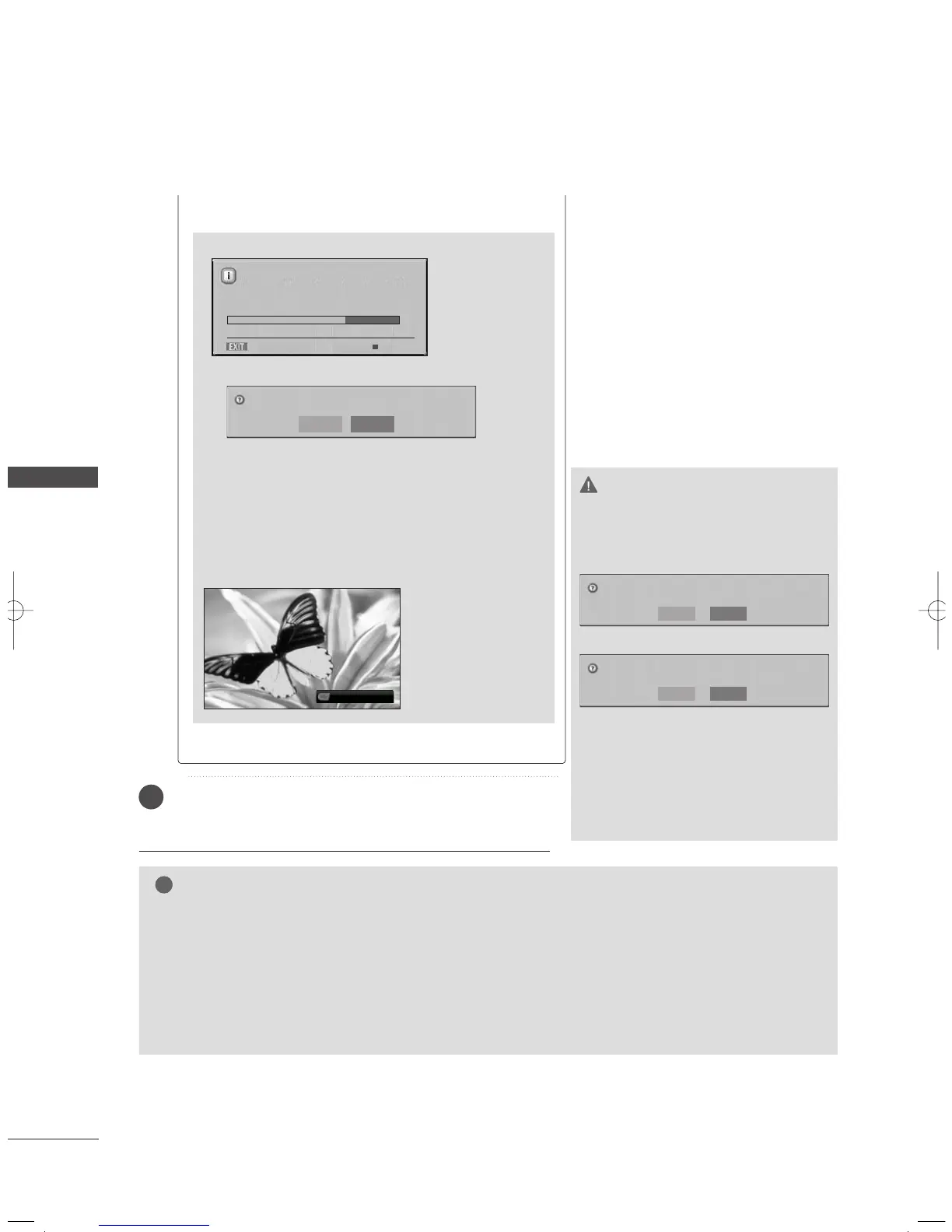
<HDD Backup process screen>
■
if you press the
AA
button, this message is displayed.
■
When 'Yes’ is selected, the backup is cancelled and is
converted back to input mode. If more than two files
are transferred, the transferred file is stored, and the
backup operations on the files in progress of transferring
and scheduled for backup are cancelled.
■
When ‘No’ is selected, returns to the backup process
screen.
GG
CCaanncceell
: Close the pop-up menu.
While backup is being
performed in the back-
ground, the status of
the copy progress can
be checked by pressing
the ‘ENTER’ button.
Copying 0%( 0/0 )
Do you really want to cancel the backup?
Yes No
USB backup is started.
Copying to Recorded List. (1/1)
Close Stop
75%
CAUTION
GG
If you turn the power off on Copying
or recording, this message is displayed
as shown below.
<Copying>
<Copying and recording>
GG
If you selects No, Copying stops and
then power is off.
GG
If you selects Yes, Copying continues
and the power is turned off.
GG
If you press the EXIT button to
disappear this message.
Powering off during USB HDD backup.
Continue HDD backup?
Yes
No
Powering off while recording and HDD backup.
Continue recording and HDD backup?
Yes
No
MFL36546204en_2 12/31/07 2:05 PM Page 66



 To Next Page