20
ENG
ENGLISH
USING THE MONITOR
Using the Input List
1
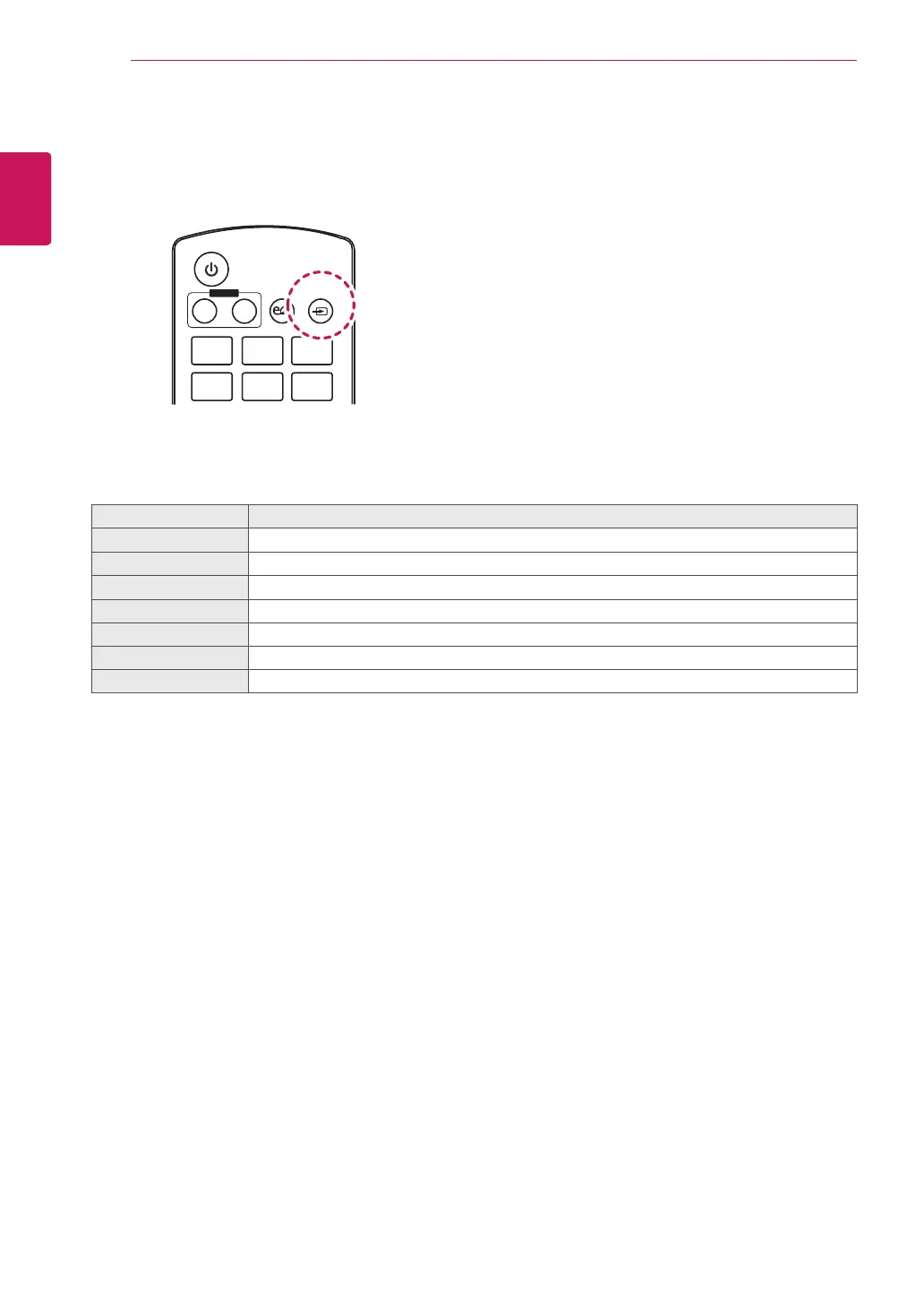
Press
INPUT
to access the
INPUT LIST
.
Input source Description
AV
Watch video from a VCR or other external devices.
RGB
View a PC display on the screen.
HDMI1
Watch contents in a PC, DVD of Digital set-top box other high definition devices.
HDMI2
Watch contents in a PC, DVD of Digital set-top box other high definition devices.
Display Port
Watch contents in a PC, DVD of Digital set-top box other high definition devices.
DVI-D
View a PC display on the screen.
SuperSign
Views the Media Player display on the screen.
2
Press the Navigation buttons to scroll to one of the input sources and press
OK
.
INPUT
ENERGY
SAVING
ON
OFF
. , !
ABC
DEF
GHI
JKL
MNO
PQRS
TUV
1/a/A
- * #
WXYZ
CLEAR
MONITOR
POWER


 To Next Page