30
ENG
ENGLISH
ENTERTAINMENT
Remote
Button
Description
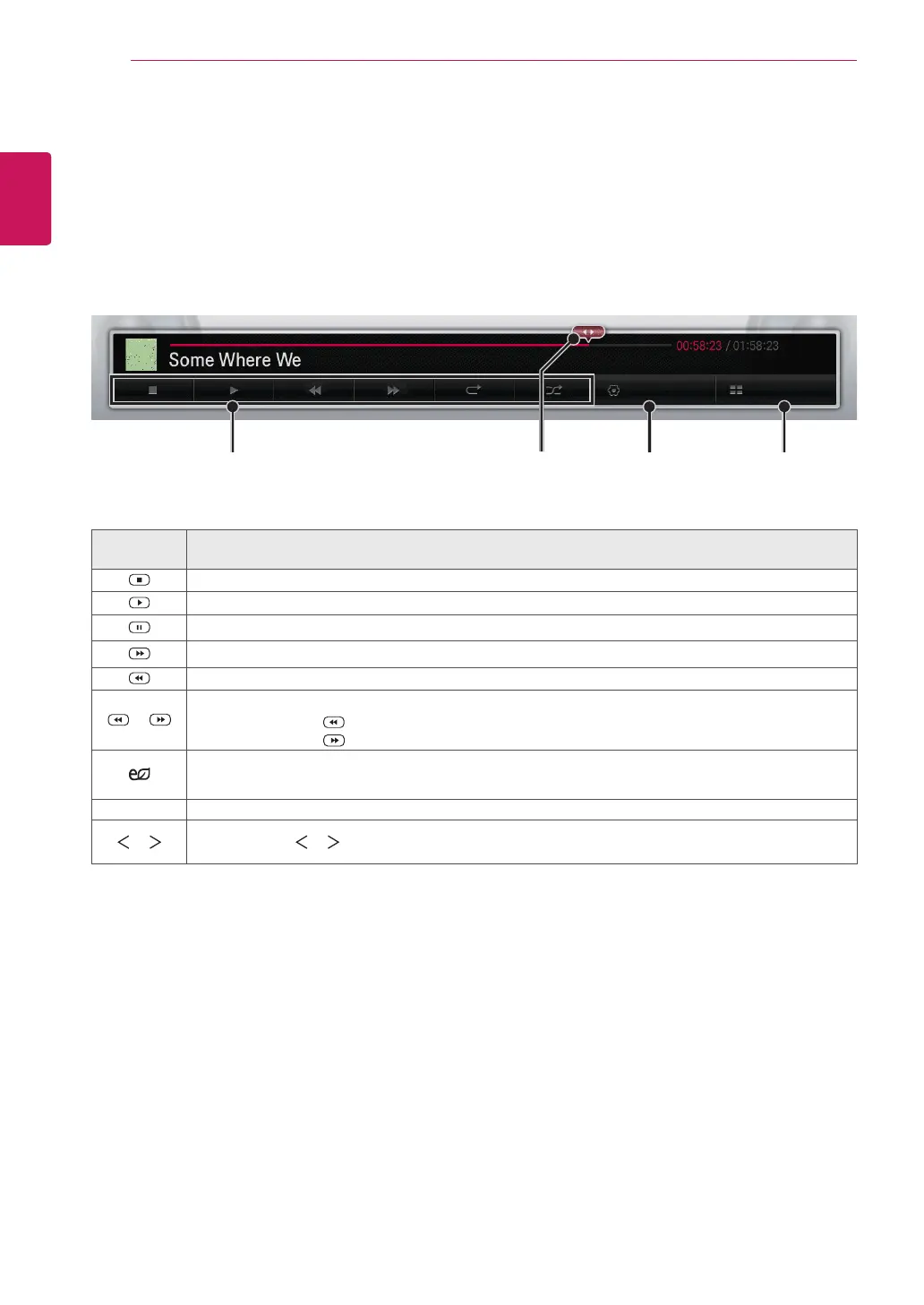
Stops playback
Plays a music file
Pauses or resumes playback
Skips to the next file
Skips to the previous file
or
When playing,
When you press the button, the previous music file will be played.
When you press the button, the next music file will be played.
ENERGY
SAVING
Reduces power consumption by adjusting peak screen brightness.
MENU Show the Option menu.
or
When using the or button during playback a cursor indicating the position can be played.
Sets options.Selects the desired point
and plays
Returns to the
list
Plays
Option List
Listening to music
Controls playback and sets options while playing music.
1
In the
MY MEDIA
screen, press the Navigation button to scroll to
MUSIC
and press
OK
.
2
Press the Navigation buttons to scroll to the file you want and press
OK
.


 To Next Page