27
ENG
ENGLISH
ENTERTAINMENT
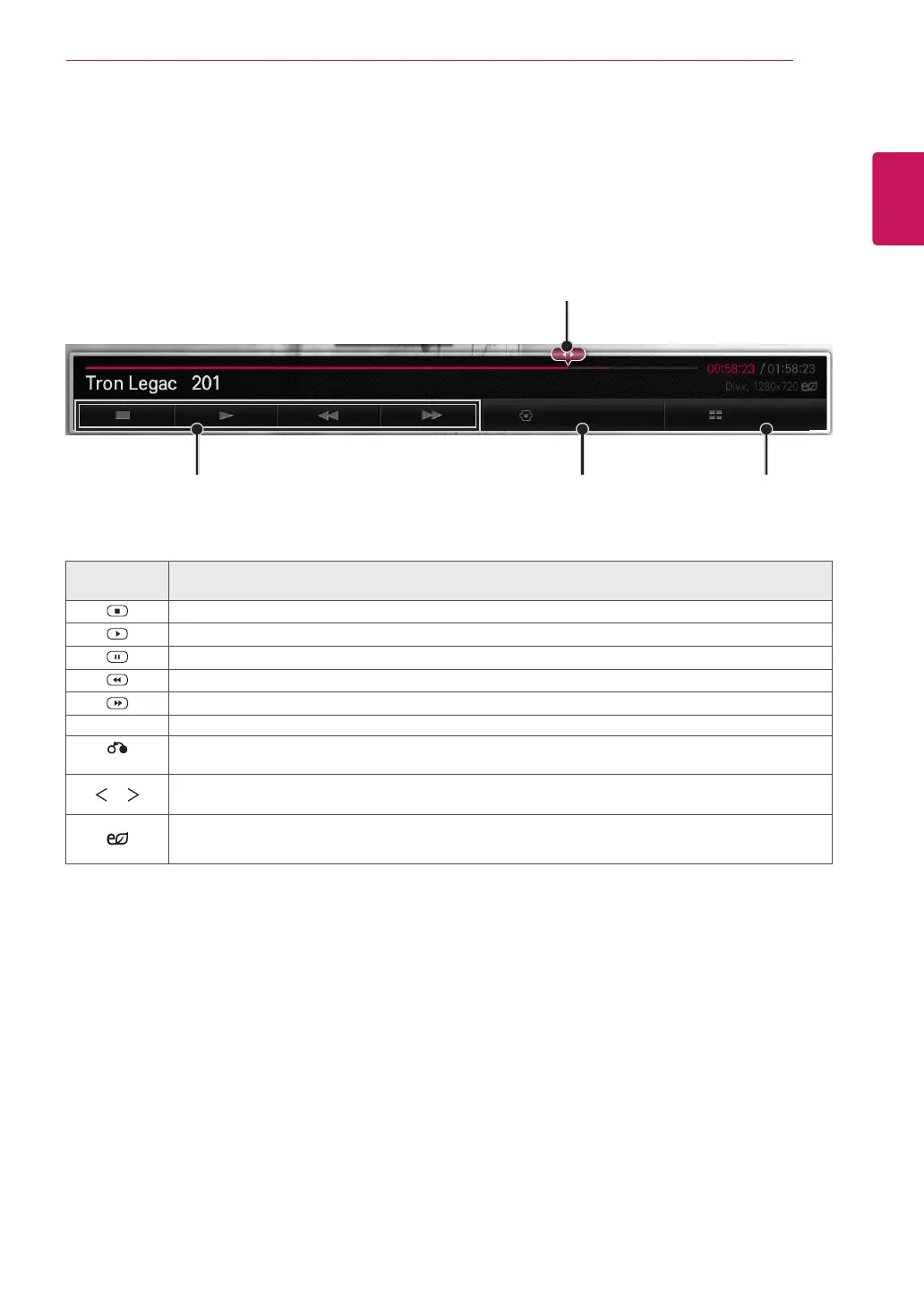
Plays
Sets options.
Selects the desired point and plays.
Stops playback
and returns to
the list.
Option List
Remote
Button
Description
Stops the playback
Plays a video
Pauses or resumes the playback
Scans backward in a file
Scans forward in a file
MENU Show the Option menu.
BACK
Return to Movie List.
or
Skips to specific points in a file during playback. The time of a specific point will appear on the status
bar. In some files, this function may not work properly.
ENERGY
SAVING
Reduces power consumption by adjusting peak screen brightness.
Playing video
Controls playback and sets options while viewing videos.
1
In the
MY MEDIA
screen, press the Navigation button to scroll to
Video
and press
OK
.
2
Press the Navigation buttons to scroll to the file you want and press
OK
.


 To Next Page