40
ENG
ENGLISH
CUSTOMIZING SETTINGS
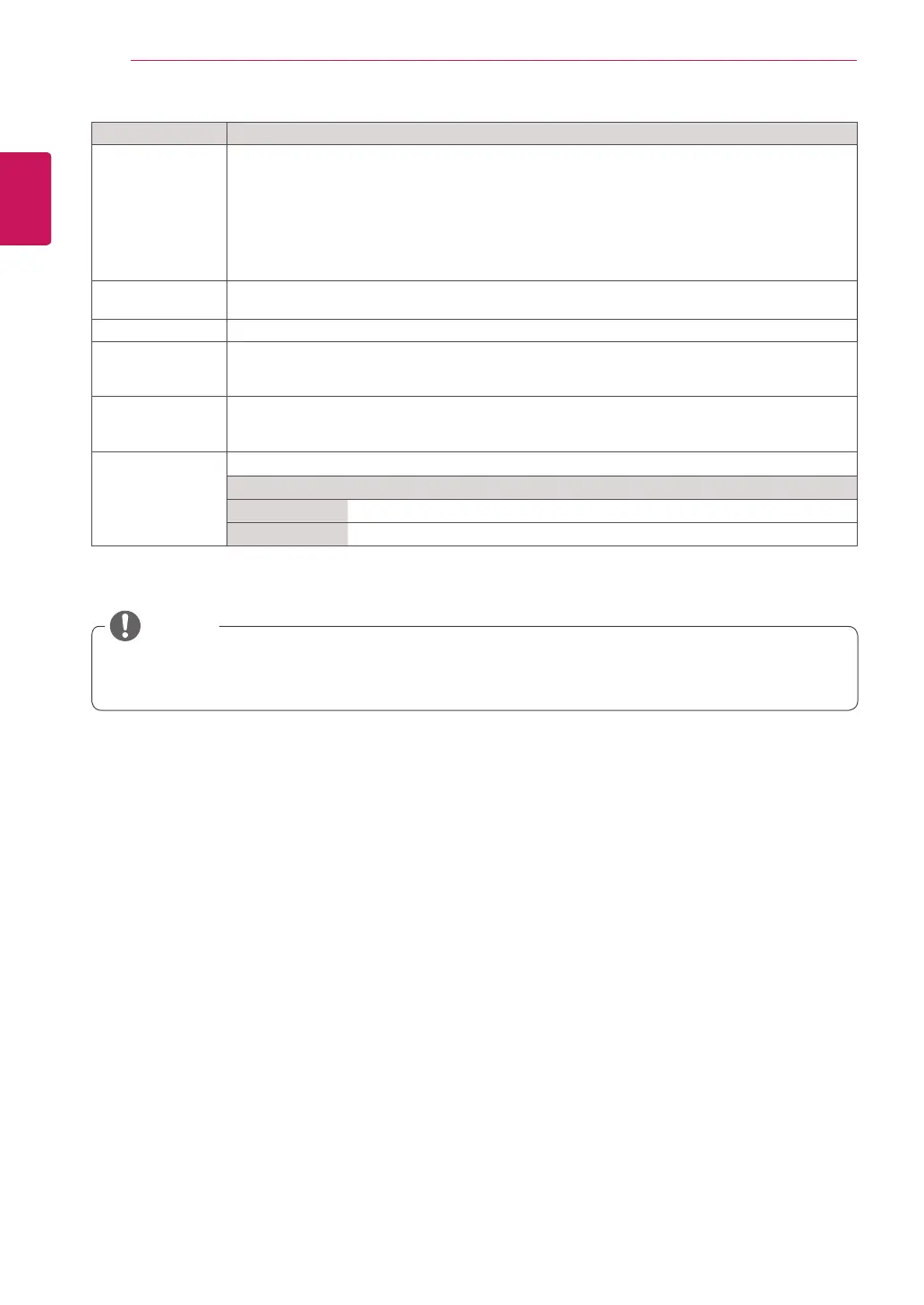
Setting Description
DivX(R) VOD Registers or releases DivX.
Checks DivX Registration Code for playing DivX-protected videos.
Register at
http://vod.divx.com
.
Uses Registration Code to rent or purchase movies at
www.divx.com/vod
.
* Rented/purchased DivX files cannot be played if the DivX Registration Code of a different device
is used. Use only the DivX Registration Code granted to this device.
* Converted files not conforming to the DivX Codec Standard may not play or may produce
abnormal images and sound.
SimpLink SimpLink is a feature that enables you to control and manage various multimedia devices
conveniently using the Monitor remote control.
Initial Setting Deletes all optional settings and returns to initial default mode.
Set ID You can assign a unique Set ID NO (name assignment) to each product when several products
are connected for display. Specify the number (1 to 255) using the button and exit. Use the
assigned Set ID to individually control each product using the Product Control Program.
PC Power Control Controls the power of the monitor with Media Player turned on.
On
: Turns on or off the monitor with Media Player on.
Off
: Turns on or off the whole system.
Interface Select Sets communication with Media Player and the connected PC.
Option
RS232C Communicates with the connected PC in serial mode.
SuperSign Communicates with Media Player.
NOTE
The
ISM Method
function does not work properly in
Portrait Mode
.
84WS70BS does not support the
Portrait Mode
function.



 To Next Page