11
ENG
ENGLISH
ASSEMBLING AND PREPARING
2
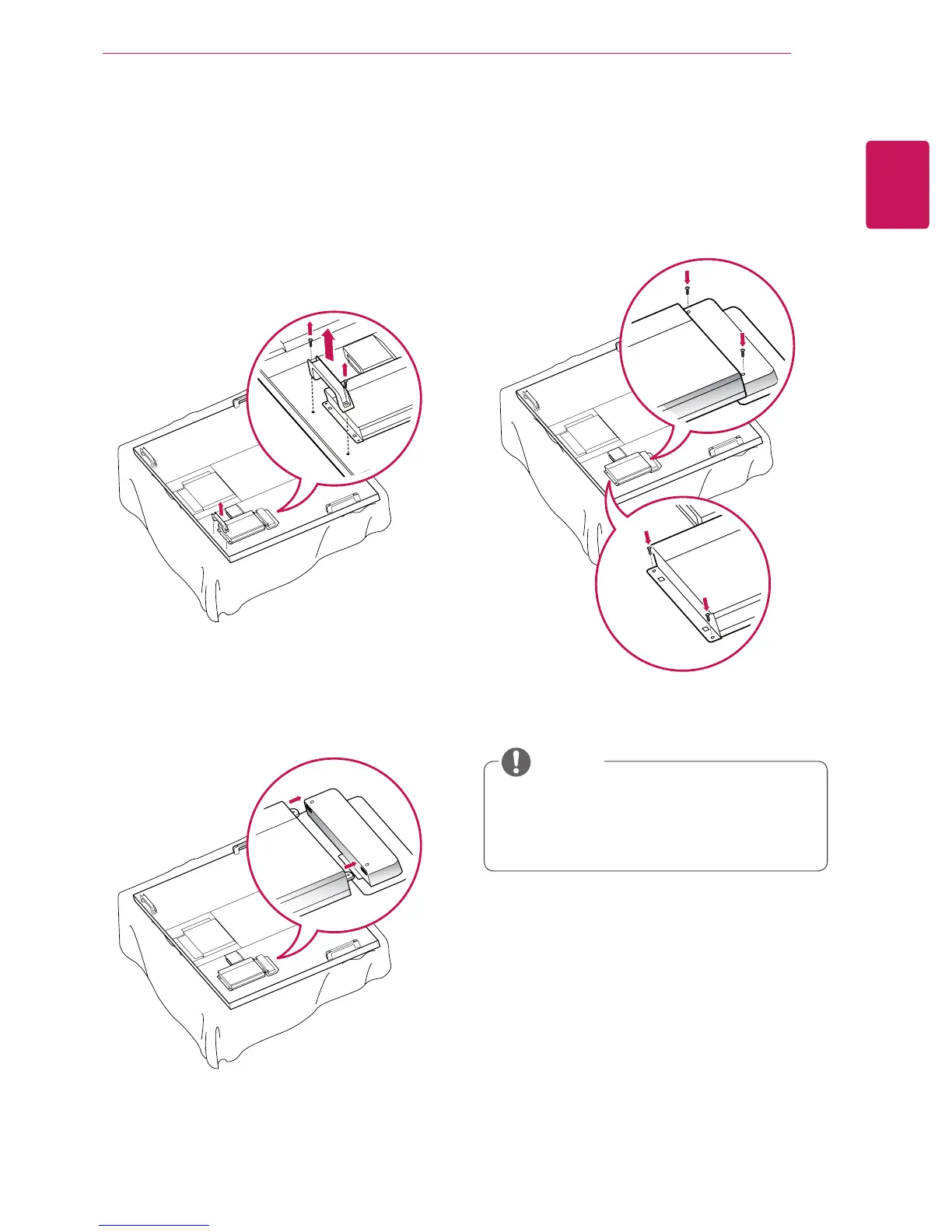
To mount the Media Player, push it into the
special compartment located on the back of the
monitor.
3
Attach the Media Player using the four provided
screws.
Connecting the Media
Player
1
Place a soft cloth on the table and put the set
with the screen facing downward. Remove the
handle at the bottom of the section where the
Media Player is mounted on the set.
y
Use the screws provided with the product
(diameter 3.0 mm x pitch 0.5 mm x length 6.0
mm).
NOTE


 To Next Page