50
ENG
ENGLISH
MAKING CONNECTIONS
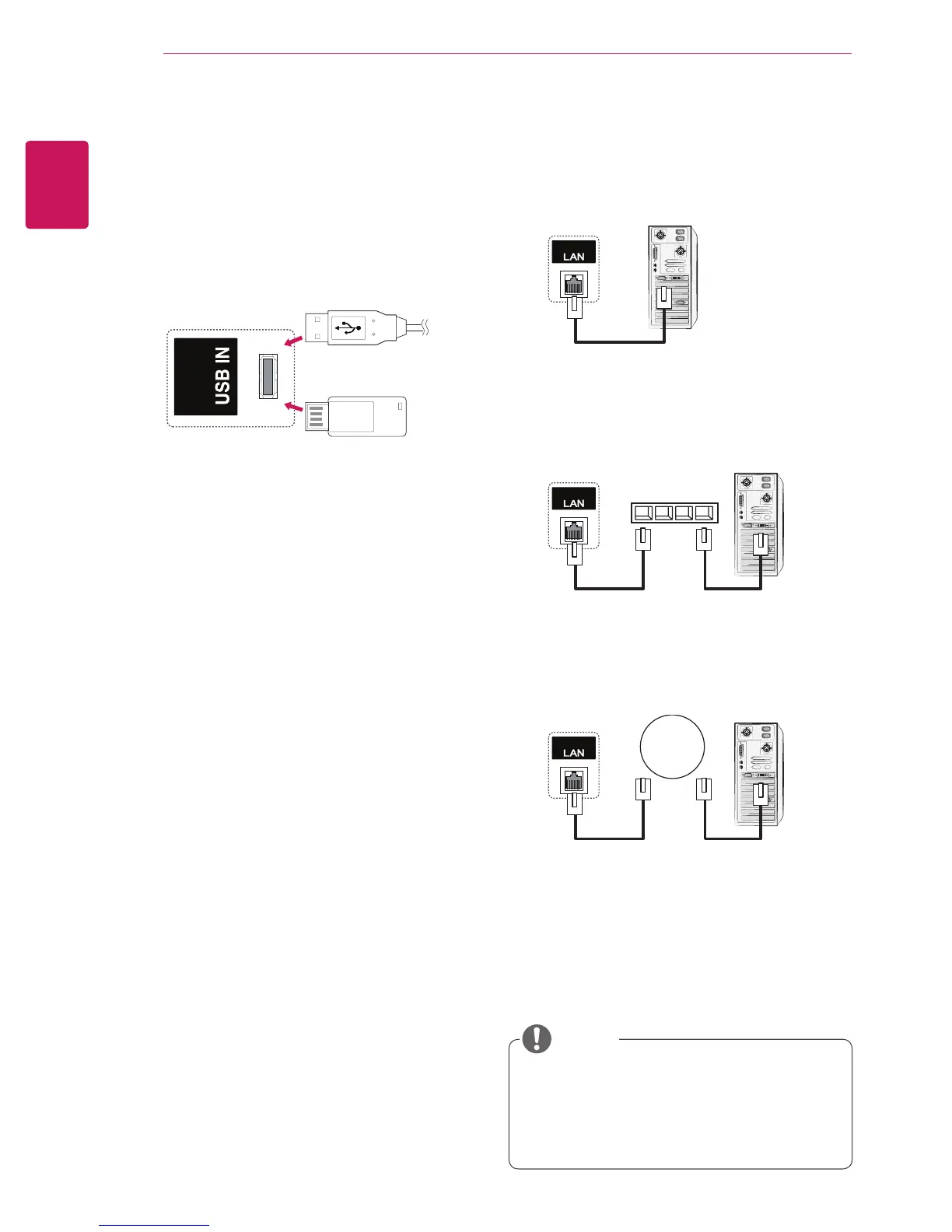
Connecting to the LAN
A
Connect PC to monitor directly.
B
Using a router (Switch)
PC
Monitor
LAN
Monitor
PC
LAN
Monitor
PC
LAN
Switch
C
Using the Internet.
Connecting to a USB
Connect a USB storage device such as s USB
flash memory, external hard drive, MP3 player or
a USB memory card reader to the Monitor and
access the USB menu to use various multimedia
files.
or
y
Using LAN establishes communication
between your PC and the monitor and
enables you to use the OSD menus on the
PC as well as on the monitor.
NOTE


 To Next Page