28
ENG
ENGLISH
ENTERTAINMENT
Using My Media
Provides video/ photo/ music files on your Monitor by connecting to a USB device
1
Connecting a USB device.
2
Press
INPUT
to access the
INPUT LIST
.
3
Press the Navigation buttons to scroll to USB device and press
OK
.
4
Press the Navigation buttons to scroll to the
VIDEO/ PHOTO/ MUSIC
you want and press
OK
.
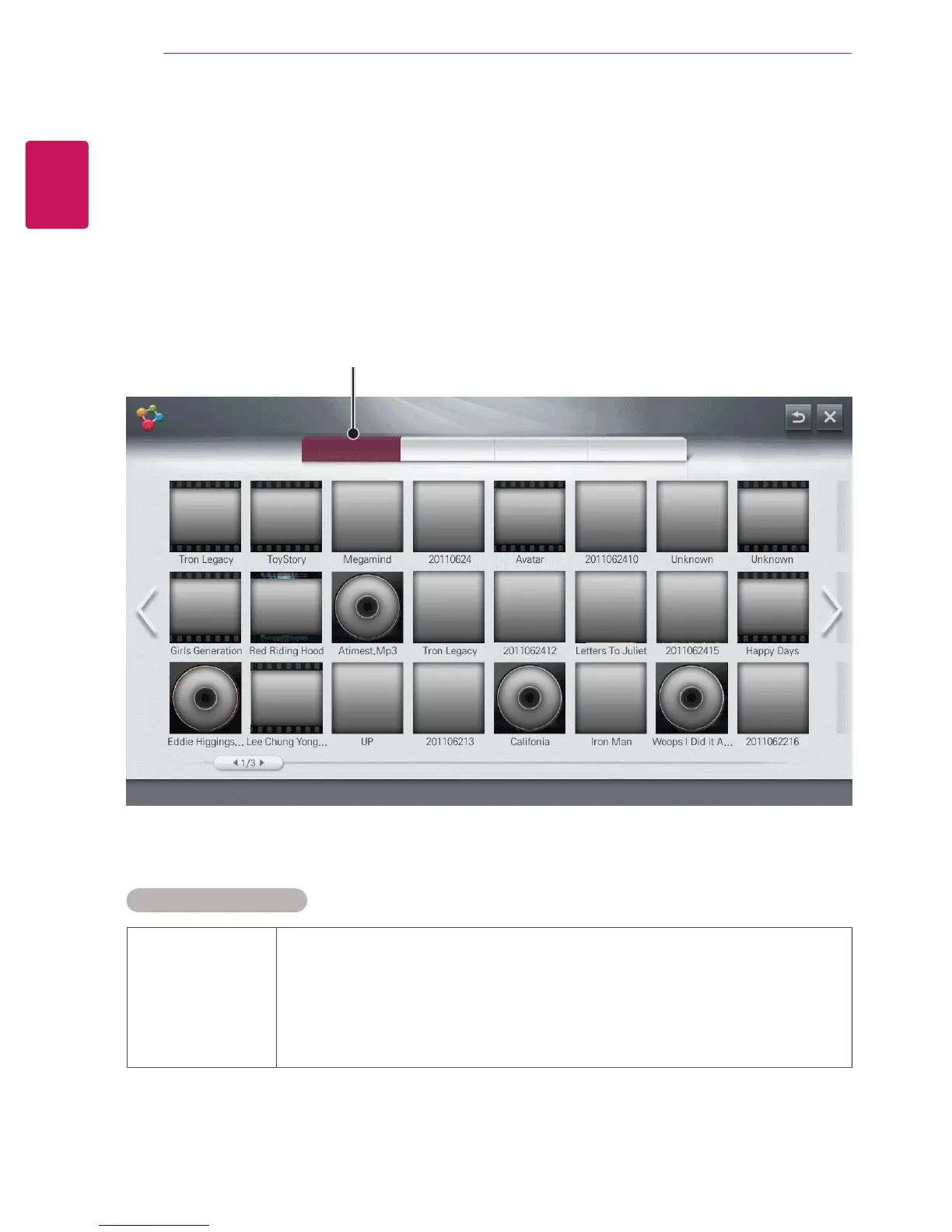
Displays video/ photo/ music files on all devices connected to the Monitor.
ALL VIDEOS PHOTOS MUSIC
MY MEDIA
Contents Type
Supported File Formats
Supporting file Maximum data transfer rate :
20 Mbps (megabits per second)
External subtitle formats supported :
*.smi, *.srt, *.sub (MicroDVD, SubViewer 1.0/2.0), *.ass, *.ssa,
*.txt (TMPlayer), *.psb (PowerDivX)
Internal subtitle formats supported :
XSUB (supports internal subtitles generated from DivX6)


 To Next Page