35
ENG
ENGLISH
CUSTOMIZING SETTINGS
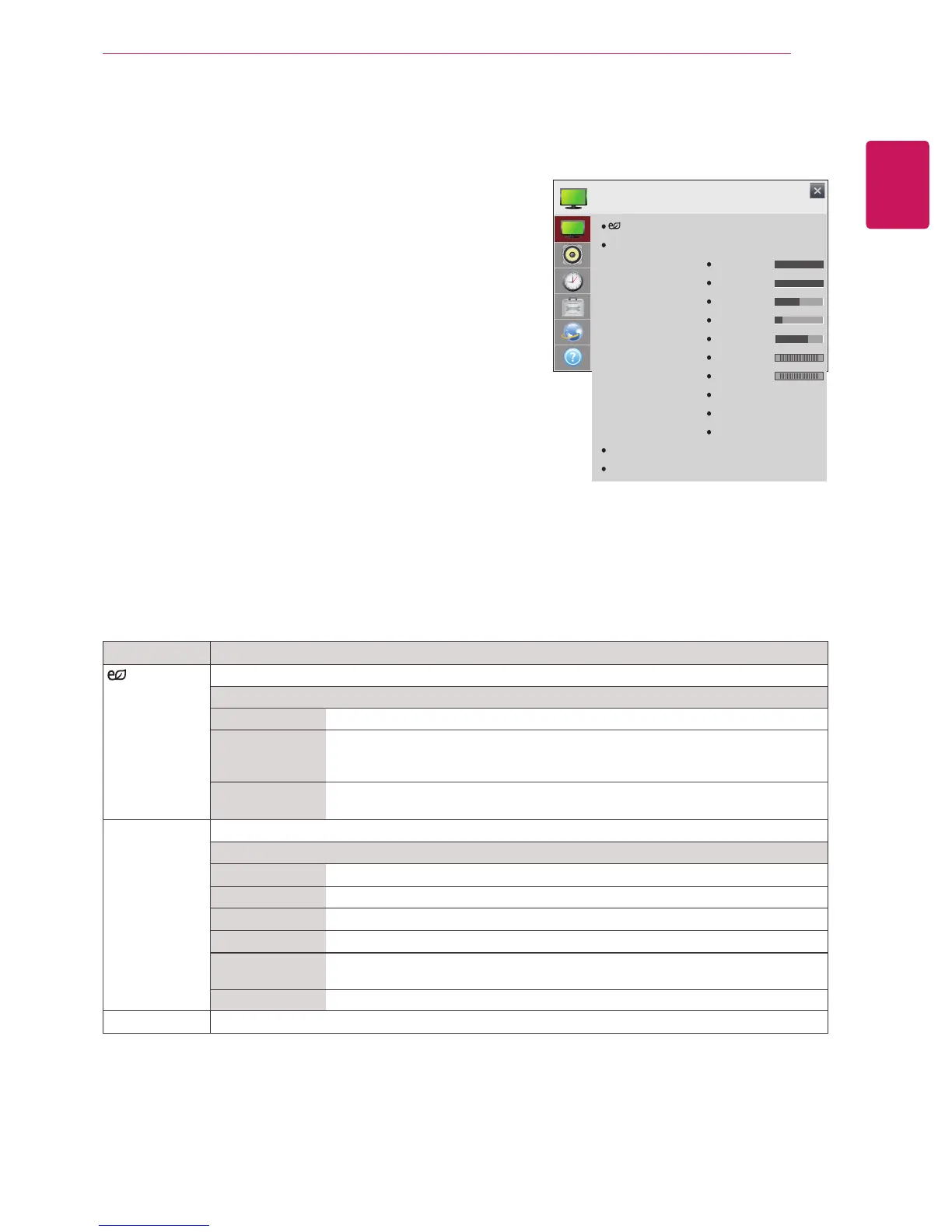
PICTURE Settings
1
Press the navigation buttons to scroll to
PICTURE
.
2
Press the navigation buttons to scroll to the setting
or option you want and press
OK
.
- To return to the previous level, press
BACK
.
3
When you are finished, press
EXIT
.
When you return to the previous menu, press
BACK
.
The available
PICTURE
settings are described in the following:
Setting Description
Energy Saving
Reduces power consumption by adjusting screen brightness.
Level
Off
Turns off Energy Saving mode.
Minimum/
Medium/
Maximum
Applies the pre-set Energy Saving mode.
Screen off
Screen is turned off after 3 seconds and only sound is played.
Press any button on the remote control to turn the screen back on.
Picture Mode
Selects the picture mode optimized for the viewing environment or the programme.
Mode
Vivid
Heightens contrast, brightness and sharpness to display vivid images.
Standard
Displays images in standard levels of contrast, brightness and sharpness.
Cinema Displays images that have been optimized for movies.
Game Displays images that have been optimized for game.
Expert1, 2 Menu for adjusting picture quality that allows experts and amateurs to enjoy the
best Monitor viewing.
Touch
Optimizes the video image for touch features.
Aspect Ratio
Changes the image size to view images at its optimal size.
CUSTOMIZING SETTINGS
PICTURE
Energy Saving
Picture Mode
Aspect Ratio
Screen (RGB-PC)
: Off
: Touch
Backlight
Contrast
Brightness
Sharpness
Color
Tint
Color Temp.
Advanced Control
Picture Option
Picture Reset
: 16:9
100
100
50
10
60
0
C50
R G
W C


 To Next Page