40
ENG
ENGLISH
CUSTOMIZING SETTINGS
-
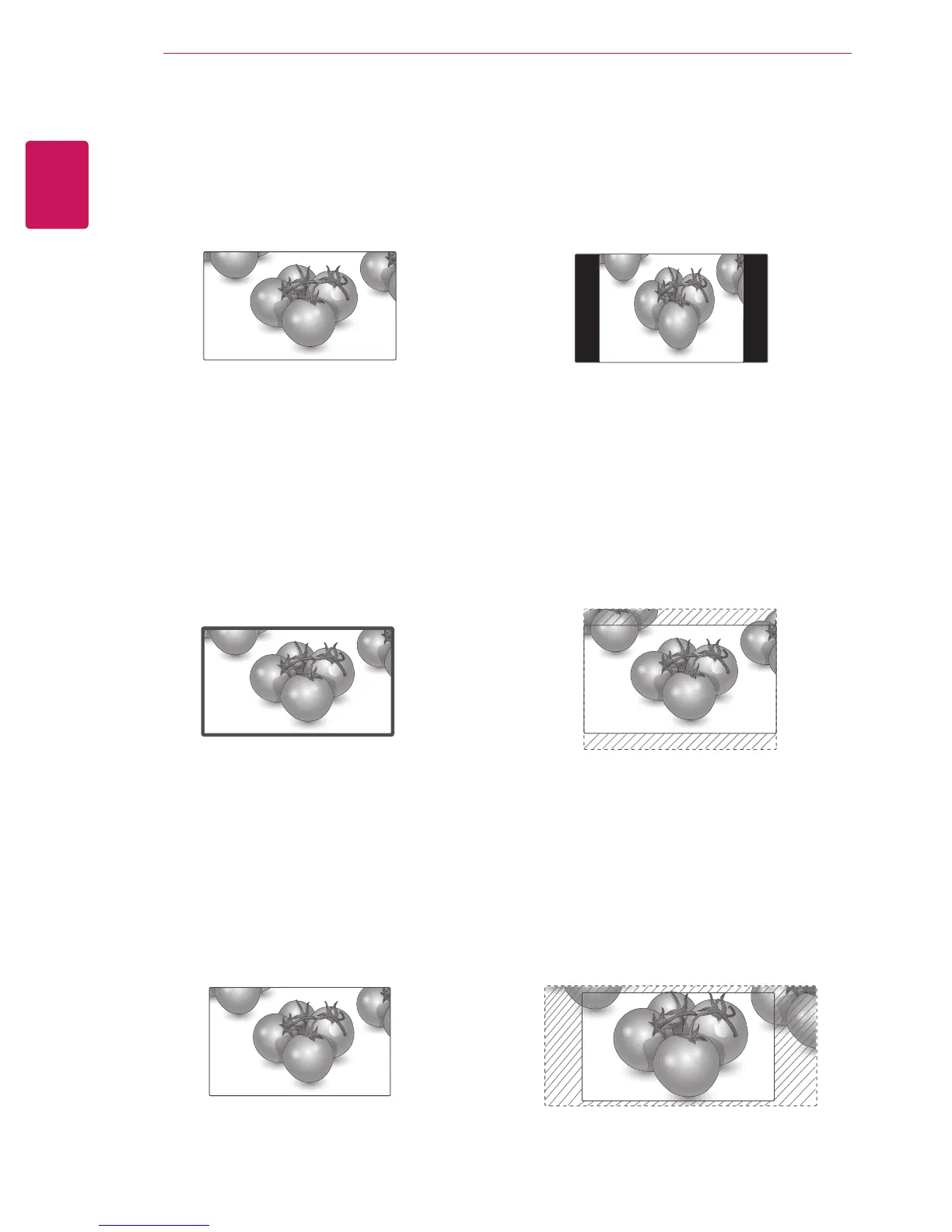
4:3
: This selection will allow you to view a
picture with an original 4:3 aspect ratio, black
bars will appear on both the left and right of the
screen. This may cause image retention around
the border of the black bars.
-
Zoom
: This selection will allow you to view the
picture without any alteration, while filling the
entire screen. However, the top and bottom of
the picture will be cropped.
-
Cinema Zoom 1 - 16
: Choose Cinema Zoom
when you want to enlarge the picture in correct
proportion.
Note: When enlarging or reducing the picture,
the image may become distorted.
-
16:9
: This selection will allow you to adjust the
picture horizontally, in linear proportion, to fill the
entire screen (useful for viewing 4:3 formatted
DVDs).
-
Just Scan
: This Selection will allow you view
the picture of best quality without loss of original
picture in high resolution image. Note: If there is
noise in original Picture, You can see the noise
at the edge.
-
Set By Program
: Depending on the input
signal, screen aspect ratio changes to 4:3 or
16:9.
Just Scan
Set By Program


 To Next Page