25
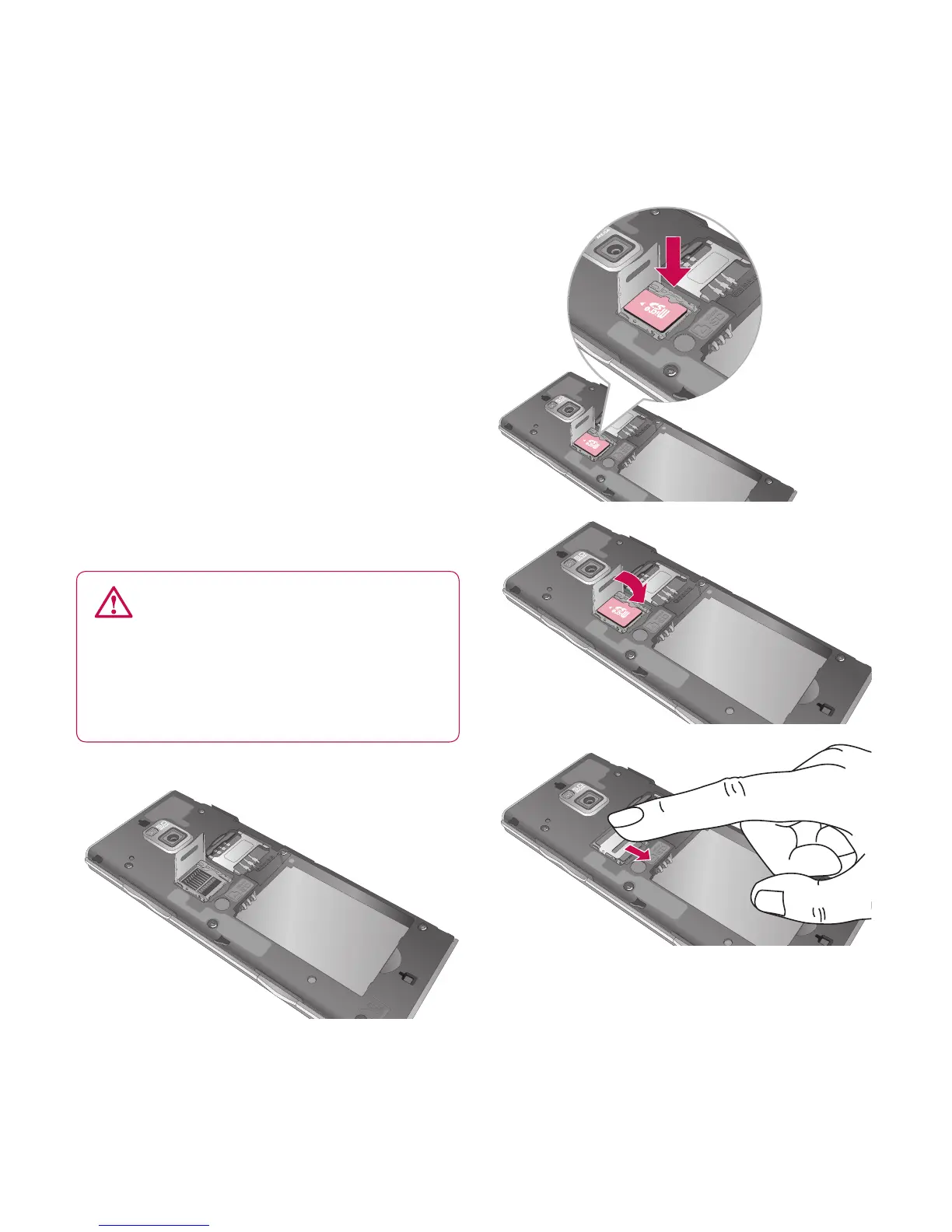
Installing a memory card
You can expand the available
memory space on your phone by
using a memory card (microSD).
NOTE: A memory card is an optional
accessory.
Slide the memory card into the slot
at the top, until it clicks into place.
Make sure the gold contact area is
facing downwards.
WARNING: Slide the
memory card into the slot,
otherwise the card may be
damaged.
Memory card



 To Next Page