57
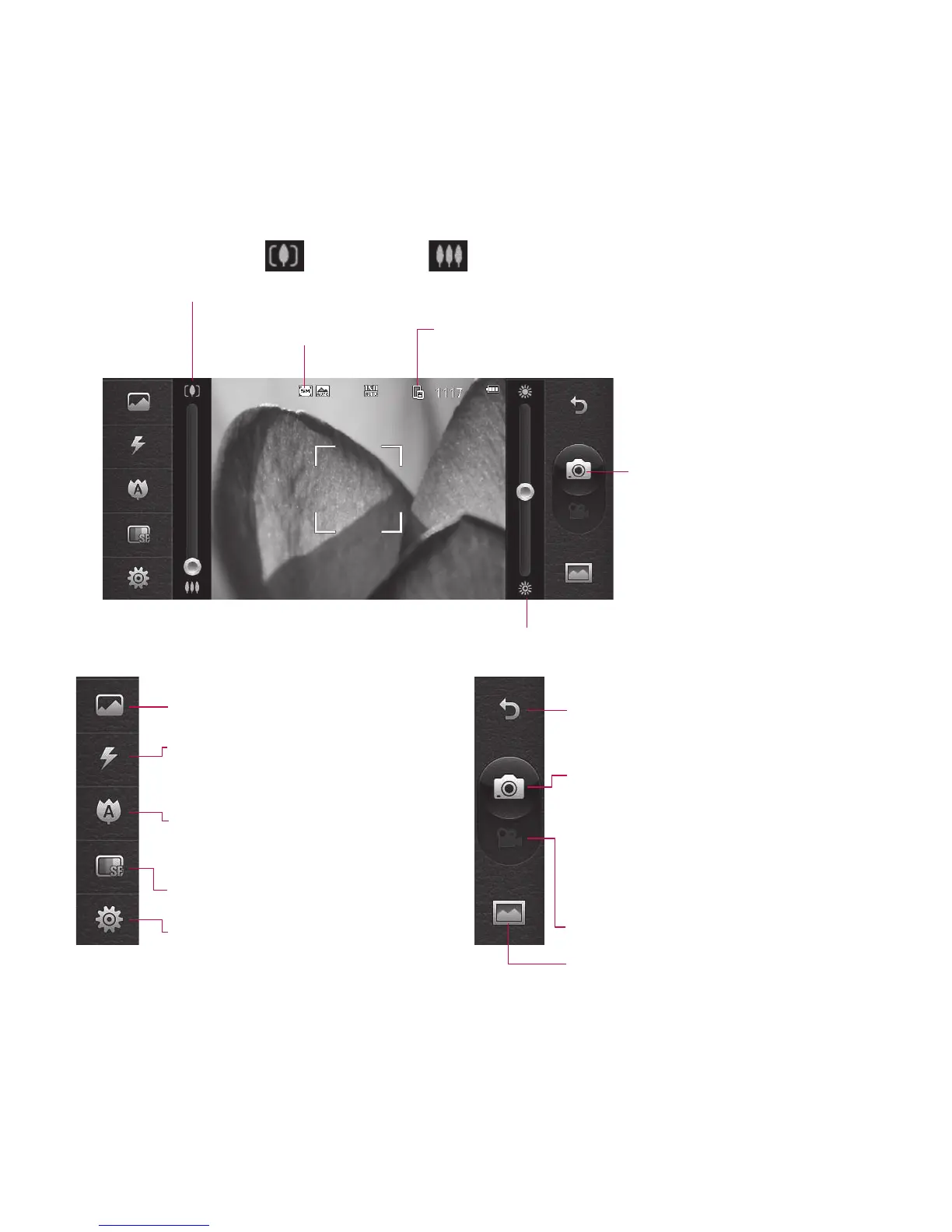
Getting to know the viewfinder
Brightness - See Adjusting the Brightness.
Zoom - Touch to zoom in or to zoom out.
Alternatively you can use the side volume keys.
Image size
Saving to handset memory/
external memory
Touch to take a picture
Touch to access Scene mode.
Flash status - Set or turn off
the flash.
Macro - Switch on take close
up shot.
Quality (Normal/Fine/Super fine)
Settings - Touch this icon to
open the settings menu. See
Using the advanced settings.
Back - Touch here to return to the
home screen.
Camera mode
1. Camera mode is selected.
2. Touch to take picture
3. Drag down to switch to video
camera
Video
Gallery



 To Next Page