66 LG BL40 | User Guide
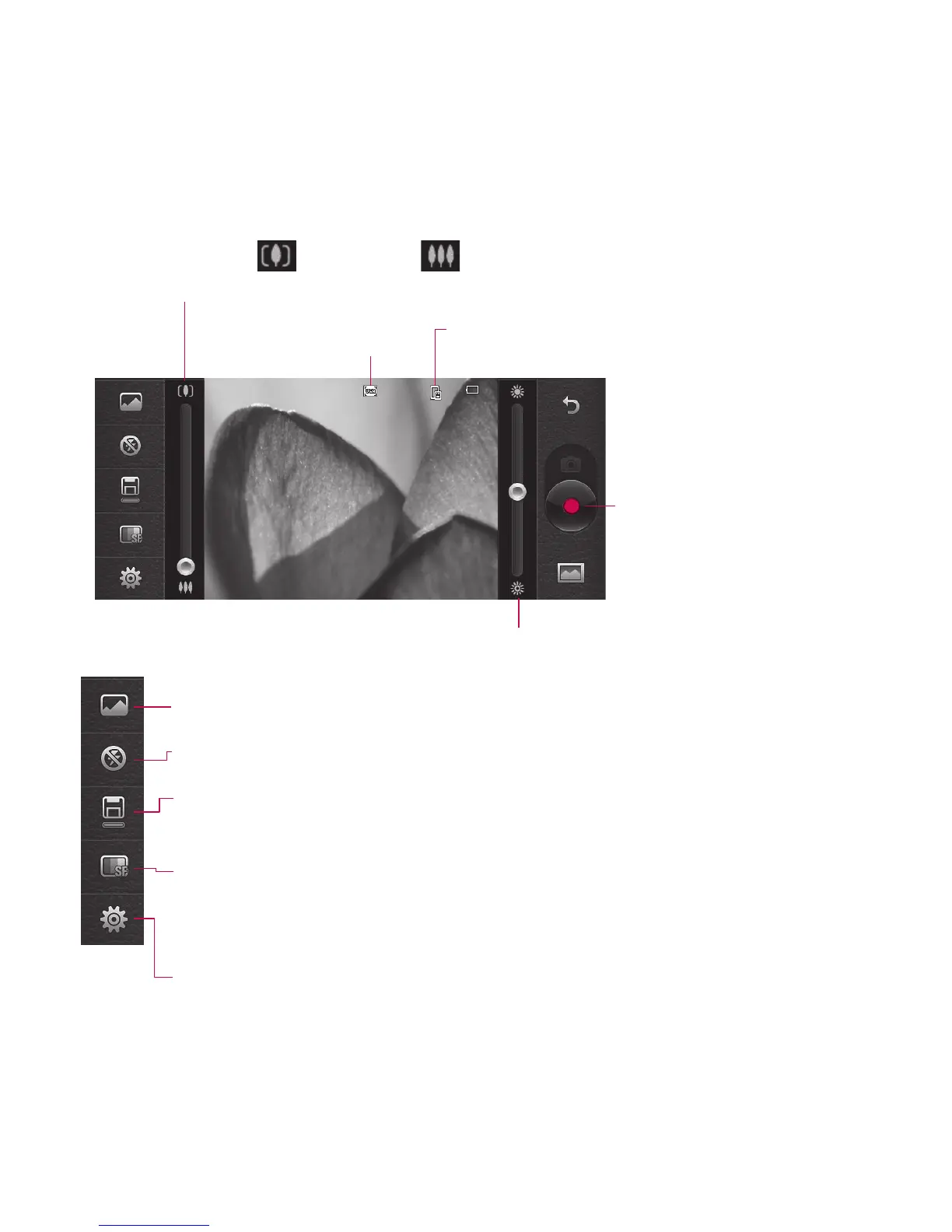
Getting to know the viewfinder
Brightness - See Adjusting the Brightness.
Zoom - Touch to zoom in or to zoom out.
Alternatively you can use the side volume keys.
Video Size
Saving to handset memory/
external memory
Touch to recording a video
Touch to access Scene mode.
Flash status - Set or turn off the flash.
Duration - Set a duration limit for your video. Choose between Normal
and MMS to limit the maximum size to send the video as an MMS.
Quality - Choose between Super fine, Fine and Normal. The finer the
quality, the sharper the video will be. The file size will increase as a result,
meaning you’ll be able to store fewer videos in the phone’s memory.
Settings - Touch this icon to open the settings menu. See Using the
advanced settings.
Video camera



 To Next Page