27
User Interface Guide
Due to our policy of continuous product innovation, some specifications may change without notification.
©LG Electronics U.S.A., Inc., Englewood Cliffs, NJ. All rights reserved. “LG” is a registered trademark of LG Corp.
CONFIGURATION SCREENS
Setback Setup
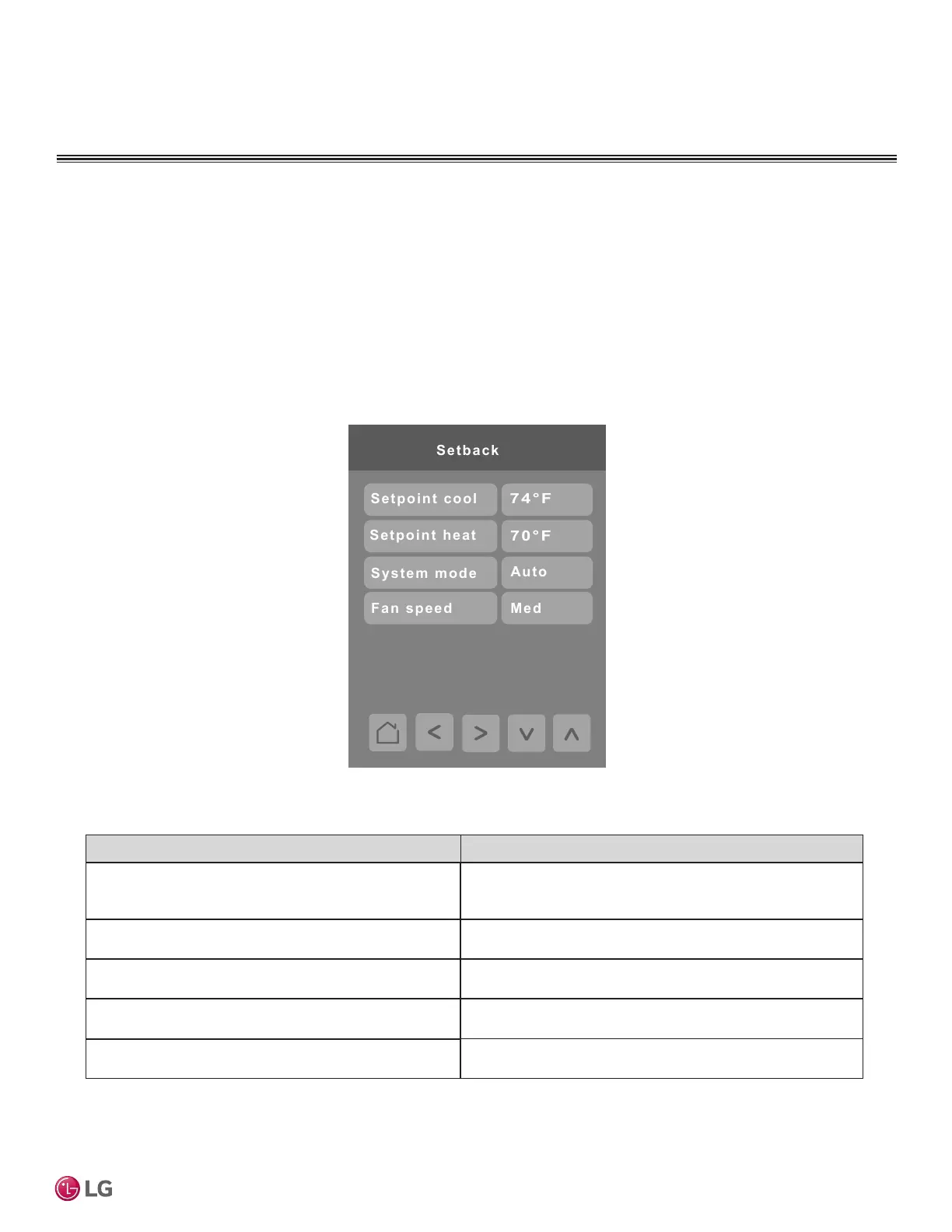
Press the Setback Setup button on the Building Manager screen to display the Setback Setup screen. Setback parameters
including set points, system mode, and fan speed are configured on this screen.
Setback Operation
If the controller is in Setback mode and the user changes the Mode, Fan Speed or Set Points, the controller exits Setback
mode and keeps settings as applied by the user until the next scheduled event occurs. Setback mode can also be exited if
the user presses the Setback mode button again from the Operation Mode screen while in Setback mode. The setback icon
on the Operation Mode screen will indicate if that mode is active or not.
Parameter Parameter Settings
Setpoint (Single Setpoint) Range: Heating Mode: 60-86 °F
Cooling Mode: 64-86 °F
Default value: 72°F
Setpoint cool (Dual Setpoint) Range: 52-99 °F
Default value: 78°F
Setpoint heat (Dual Setpoint) Range: 40-90 °F
Default value: 68°F
System mode Choices: Auto, Dry, O, Cool, Heat, Fan
Default value: Auto
Fan Speed Choices: Low, Medium, High, Auto
Default value: Medium
Default Parameters are dependent on if the controller is in Single Setpoint Mode or Dual Setpoint Mode.


 To Next Page