50
MultiSITE CRC 1 Controller
Due to our policy of continuous product innovation, some specifications may change without notification.
©LG Electronics U.S.A., Inc., Englewood Cliffs, NJ. All rights reserved. “LG” is a registered trademark of LG Corp.
CONFIGURATION SCREENS
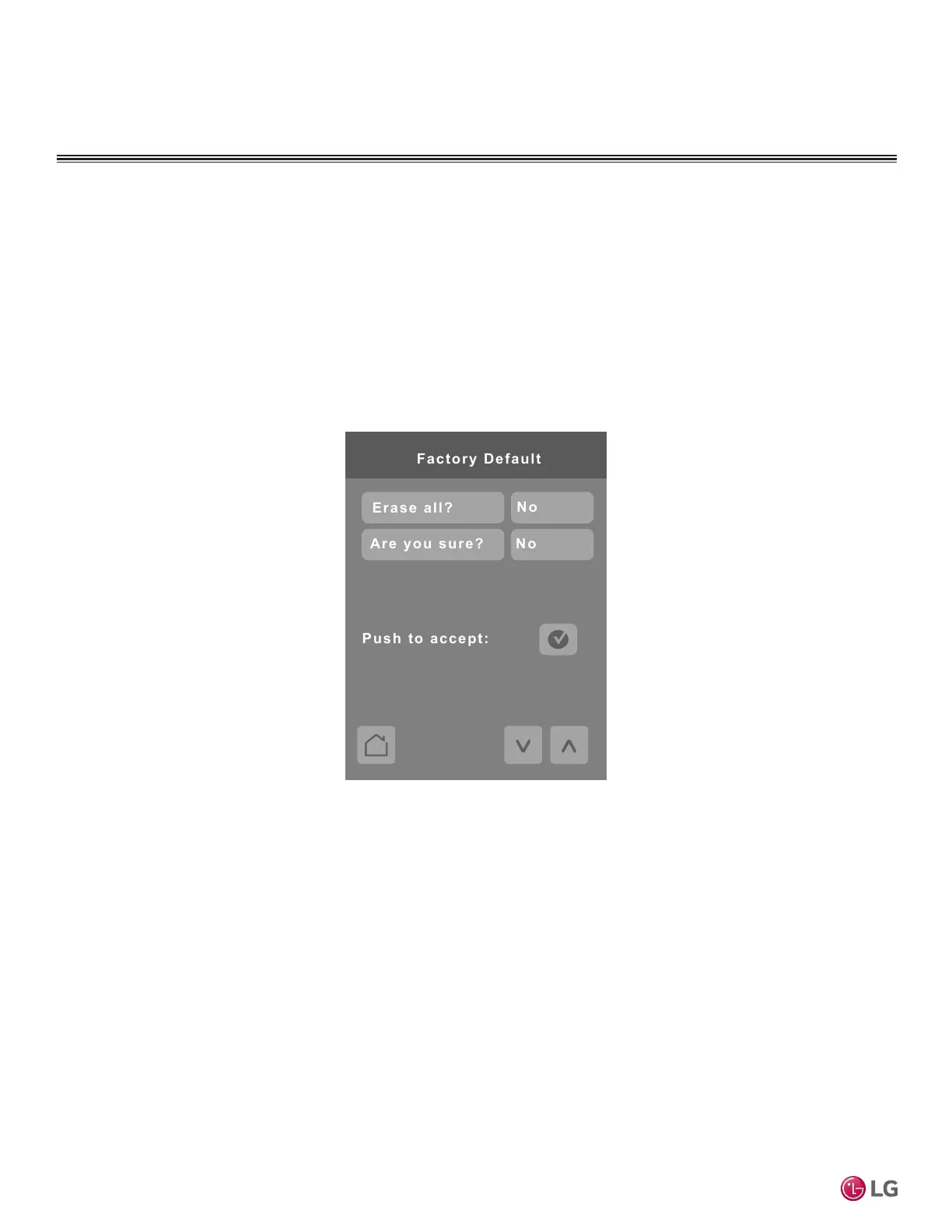
Factory Default
Answering Yes to both parameters and tapping ‘push to accept’ erases all values and sets the controller
to factory default values.
Note:
Once in the Factory Default screen, if user proceeds with this step, all schedules and current controller set-
tings, along with time and date will be cleared. There is no way to recover settings once a Factory Default has
been performed.
Please wait at least ve (5) minutes after performing a Factory Default reset for synchronization to complete
between the IDU and the remote controller.


 To Next Page