35
User Interface Guide
Due to our policy of continuous product innovation, some specifications may change without notification.
©LG Electronics U.S.A., Inc., Englewood Cliffs, NJ. All rights reserved. “LG” is a registered trademark of LG Corp.
CONFIGURATION SCREENS
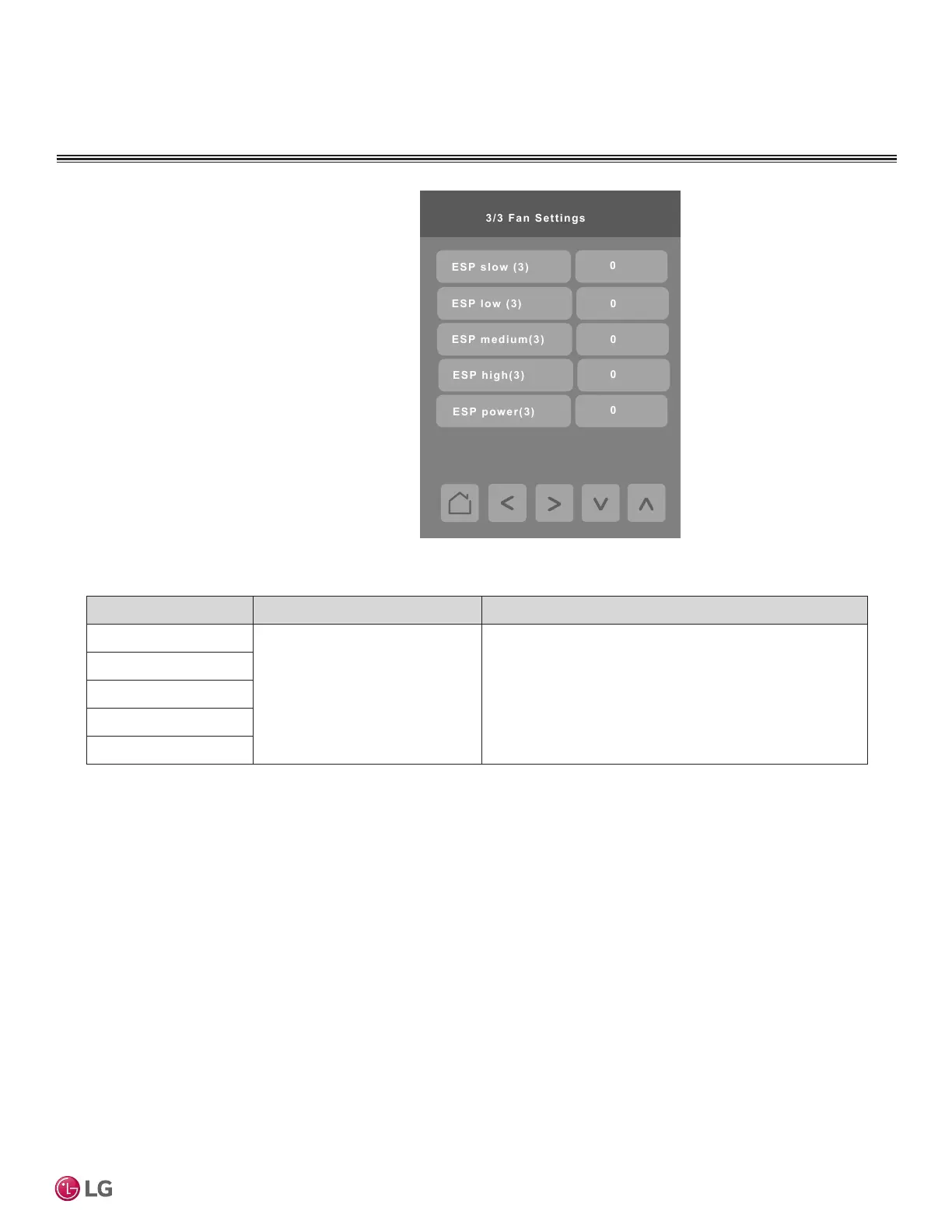
Fan Settings
Press the Fan Settings button on the Installer screen
to display the Fan Settings screen.
Press the right arrow button to display the second
page of the Fan Settings screen.
Press the right arrow button on the second Fan
Settings screen to display the third page of the Fan
Settings screen.
Note:
Refer to the IDU’s engineering manual for static
pressure values.
Parameter Parameter Settings Denition
ESP slow (3) Refer to ducted indoor unit
engineering manual for specic
values
For ducted indoor units only. Provides granular adjustment
in static pressure. Function codes 5, 6, and 32 cannot be
used when Fan Settings ESP is used.
To use function codes 5, 6, and 32 for fan settings, all
settings on this screen must be zero (0).
ESP low (3)
ESP medium (3)
ESP high (3)
ESP power (3)


 To Next Page