Planner Phone Settings Games
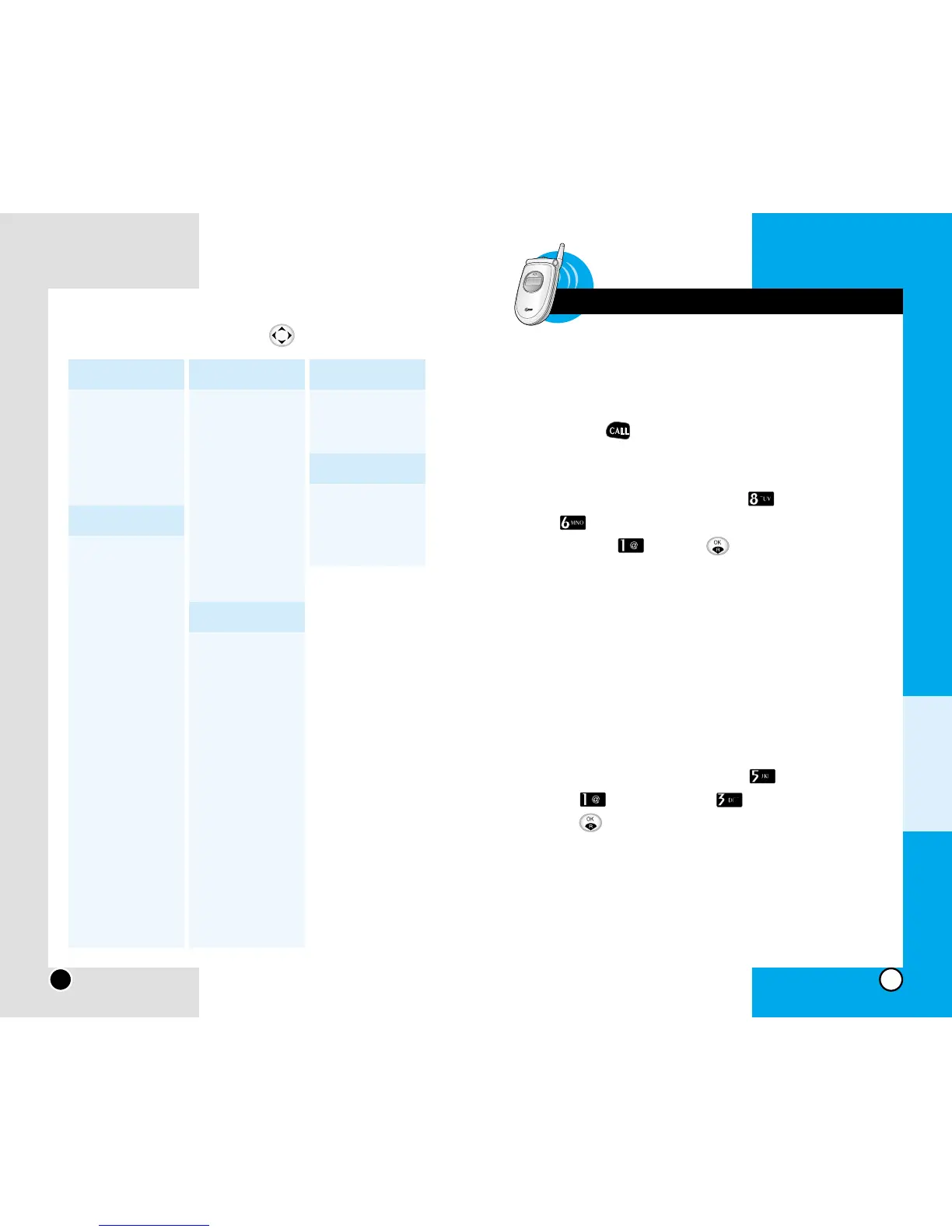
1. Scheduler
2. Alarm Clock
3. Calculator
4. World Clock
Call Settings
1. Auto Answer
• Deactivate
• Ans. Machine
• Driving Mode
2. Record Answer
3. Voice Box
4. Call Duration
• Last Call
• All Calls
• Dialled Calls
5. Call Answer
• Open folder
• Press key
6. Voice Privacy
• Standard
• Enhanced
7. Clear Voice
• Deactivate
• Activate
1. Data Rate
• 115,200
• 230,400
• 19,200
2. Modem/Fax
• Deactivate
• Modem
• Fax
3. Select Line
• Line 1
• Line 2
4. Phone Info
Security
1. Privacy
• Deactivate
• Activate
2. Phone Lock
• Deactivate
• Power-on
• Now
3. Reject All Calls
• Deactivate
• Activate
4. Emergency
Numbers
5. Security Code
6.
Clear Call History
1. X-ship
2. Poshong
R World
1. R-Menu
2. Multimedia
3. Reset R-Menu
Chapter 7 Frequently Asked Questions
Q : How do I view the list of outgoing calls,
incoming calls and missed calls?
A : Press .
Q : How do I clear all call history ?
A : Press Soft Key 1 Menu Security
Clear Call History Enter your Lock
code Yes
Q : How do I view all numbers stored in memory?
A : Press Soft Key 2 twice.
Q : How many events can I add to the schedule ?
A : Total of 80 events.
Q : How do I clear past schedule stored in
Scheduler?
A : Press Soft Key 1 Menu Planner
Scheduler Clear Past
Sel Soft Key 1 Del
Q : How many Speed Dial numbers can I store?
A : Total of 99 numbers.
Chapter 7
Frequently Asked Questions
Frequently asked questions


 To Next Page