14
PREPARATION
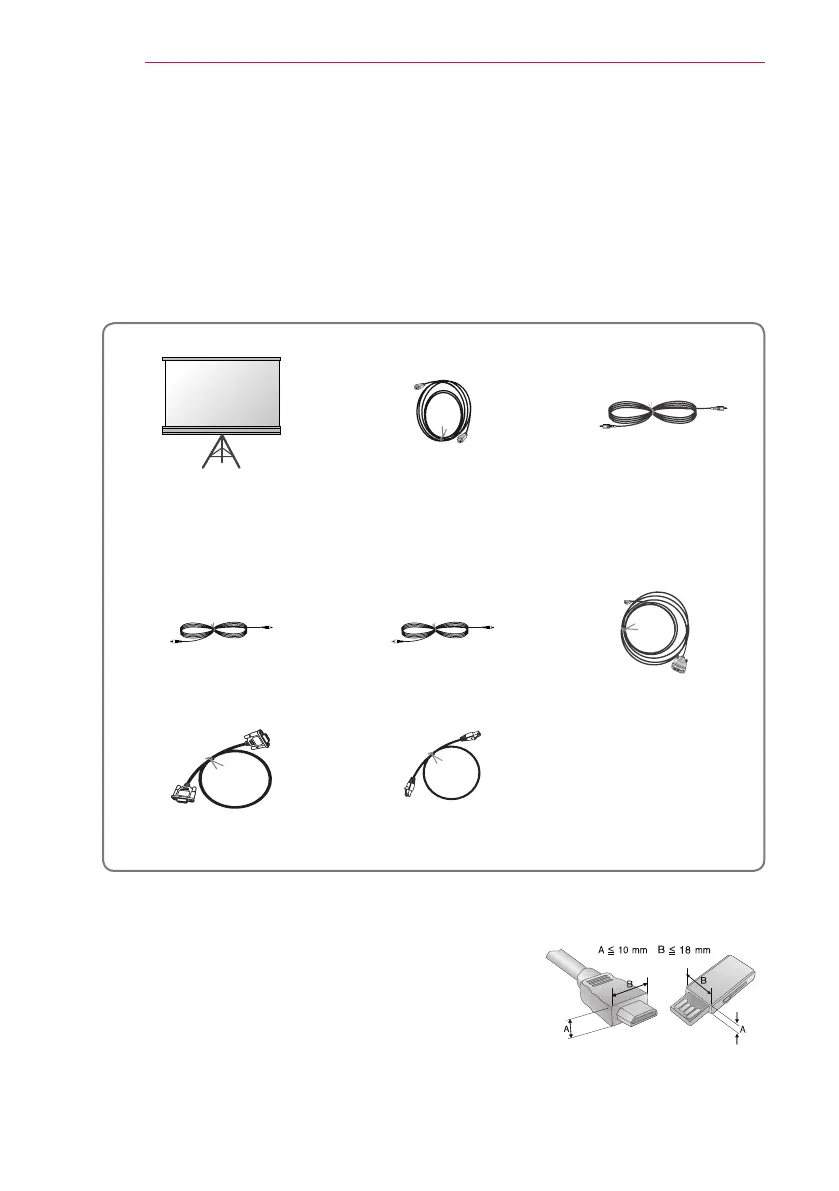
Optional Extras
To purchase optional accessories, visit an electronics store or online shopping site or
contact the retail store where you purchased the product. Optional accessories are
subject to change without prior notice.
Projection Screen HDMI Cable
PC Audio Port Connection
Cable
Video Cable Audio Cable HDMI to DVI cable
RS232C cable LAN cable
y
When connecting an HDMI or USB cable, or connecting
a USB flash drive to the HDMI or USB port, use a
product that has a width of 18 mm or less and a height
of 10 mm or less. If the USB cable or USB flash drive
does not fit the USB ports of the projector, use an
extension cable that supports USB 2.0.


 To Next Page