49
MAGICAL MIRRORING
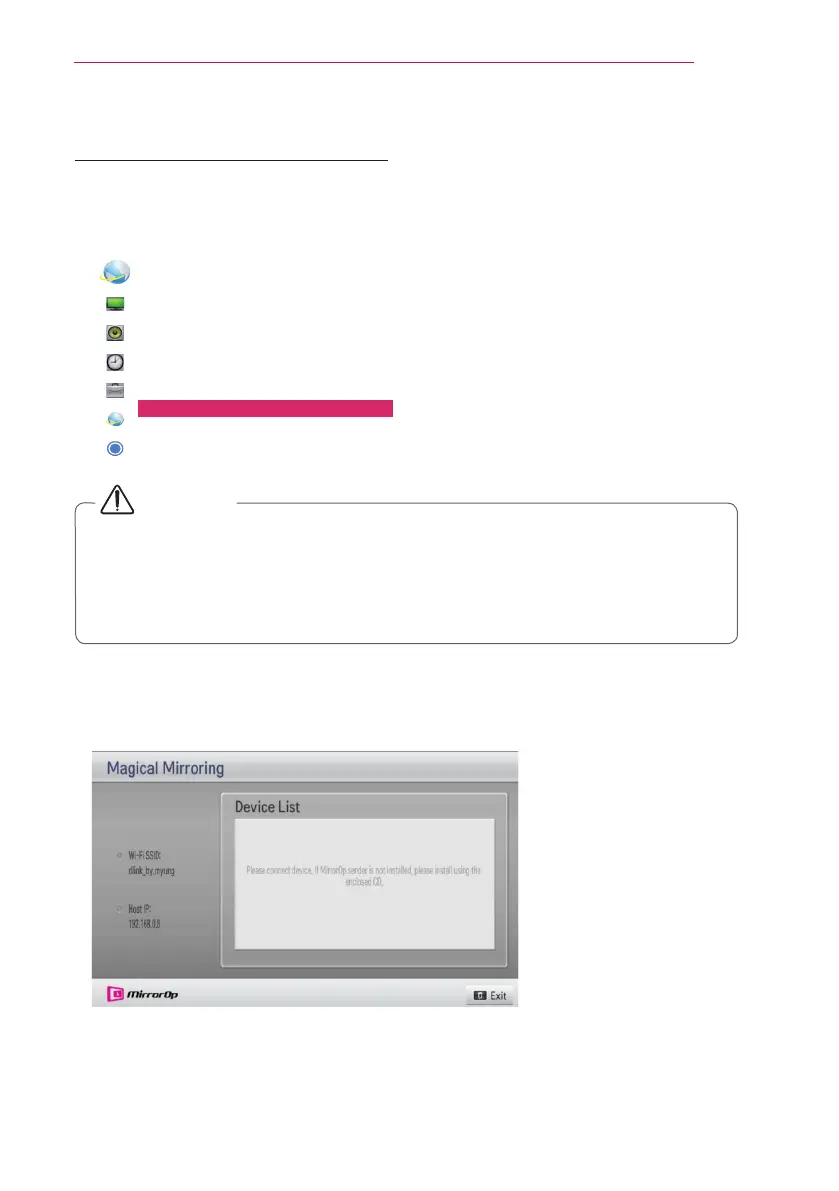
Running Magical Mirroring
1 Select Magical Mirroring from the NETWORK.
NETWORK
• Network Connection
• Network Status
• Wi-Fi Direct
• Intel(R) WiDi
• Smart Share Setting
• Magical Mirroring
• eZ-Net Manager
CAUTION
y
Magical Mirroring is available only when a network is connected.
y
When Magical Mirroring is running, only the following buttons are available on the
remote control and control panel: Power, Volume, Previous and Exit.
y
When Magical Mirroring is running, XGA (1024 x 768) is recommended for the
screen resolution. A video and audio may not play properly at a high resolution.
2 After running Magical Mirroring, execute the MirrorOp Sender program in the PC on
a standby screen as follows.


 To Next Page