68
CONNECTING DEVICES
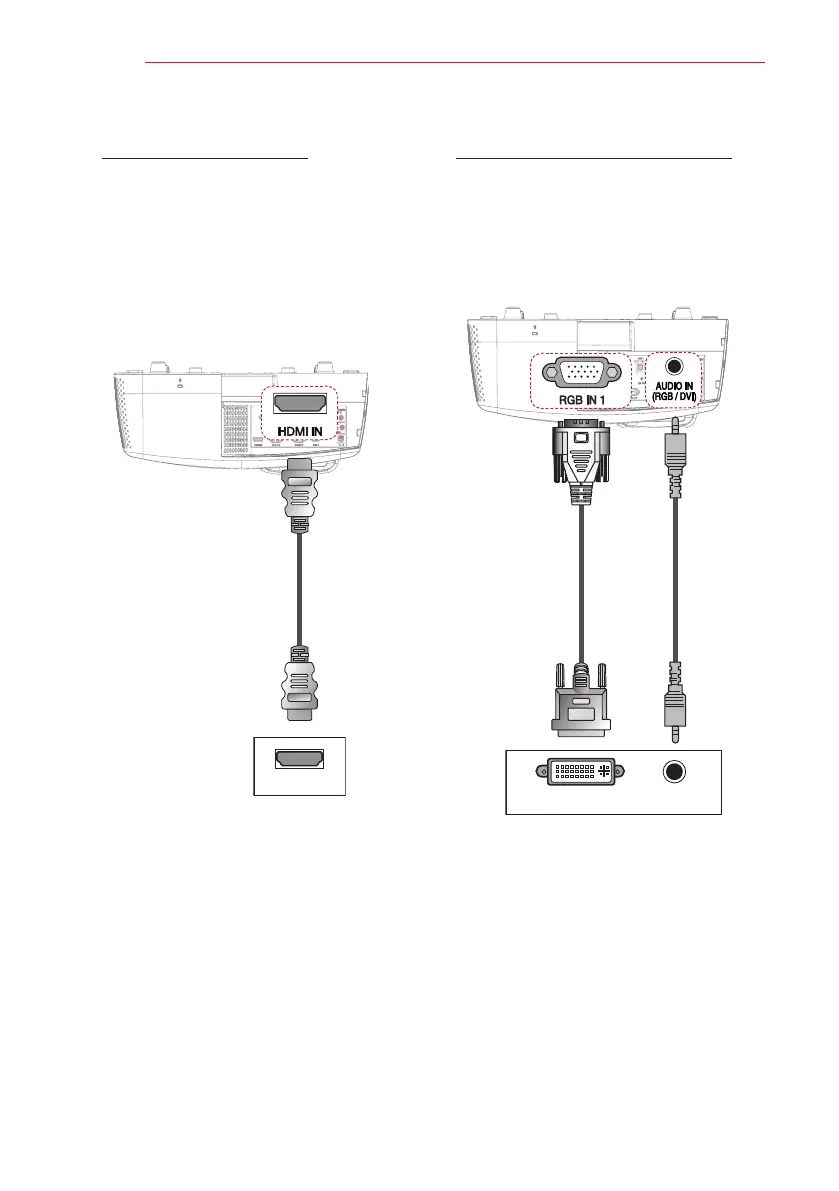
HDMI Connection
With an HDMI cable, you can enjoy
high quality picture and sound
. Connect
the projector's HDMI IN port to the
HDMI
output port.
Press the INPUT button on the remote
control to select HDMI.
* Optional Extras
+'0,
RGB to DVI Connection
Connect the projector's RGB IN 1 or
RGB IN 2 port to the DVI OUT port.
To output the audio, connect the PC to
the projector using an audio cable.
* Optional
Extras
(Video)
* Optional
Extras
(Audio)
DVI OUT AUDIO OUT


 To Next Page