40
SMARTSHARE
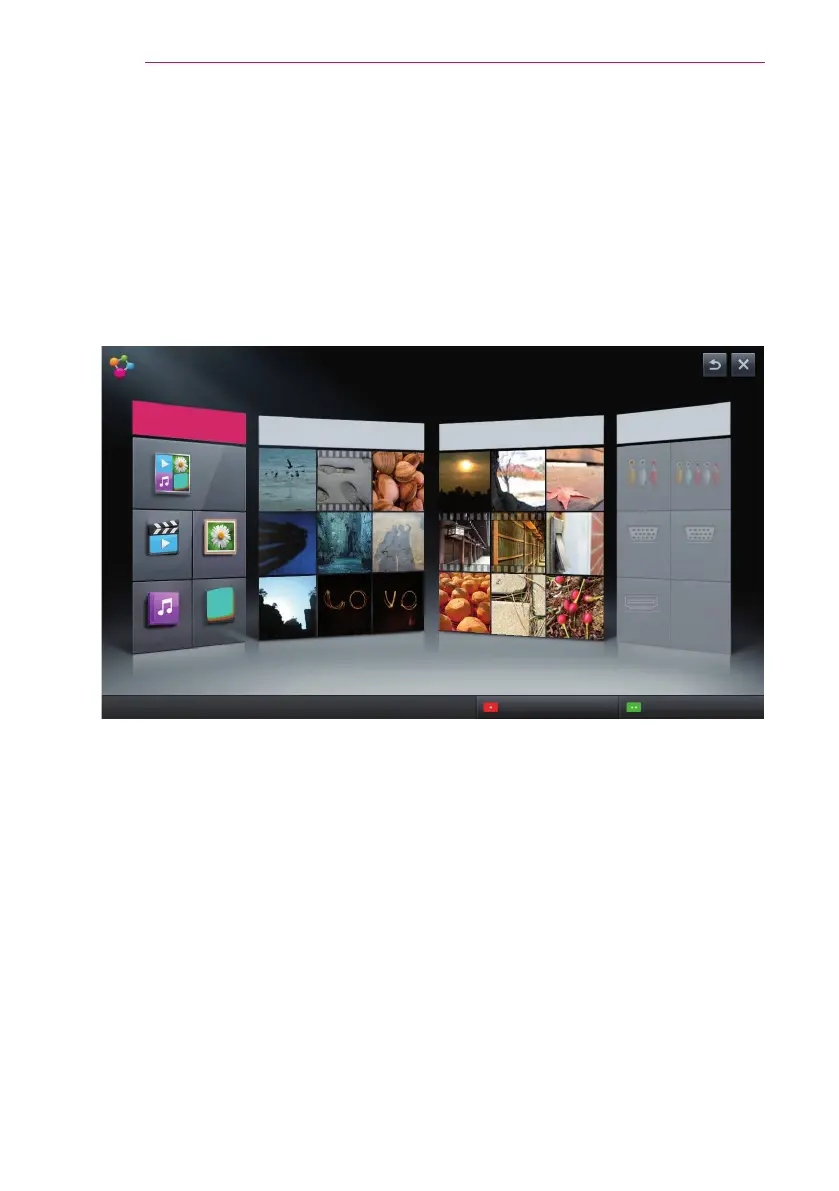
Using SmartShare™
Press the USB button on the remote control.
You can watch the photo, music, video and document on the projector by connecting
a USB or home network (DLNA). The photo, music, video and document les of all
devices connected to the projector are displayed. (For the document les, only those in
the devices connected via USB are displayed.)
SMART SHARE
Contents Type
More...
Recently Watched
More...
Newly Added
More...
Linked Device
More...
Connecting guide
Settings
You can hide specific devices' contents at Settings > Privacy.
All
VIDEOS
MUSIC
PHOTOS
File Viewer
AV
RGB-PC1
HDMI
Component
RGB-PC2


 To Next Page