18
PREPARATION
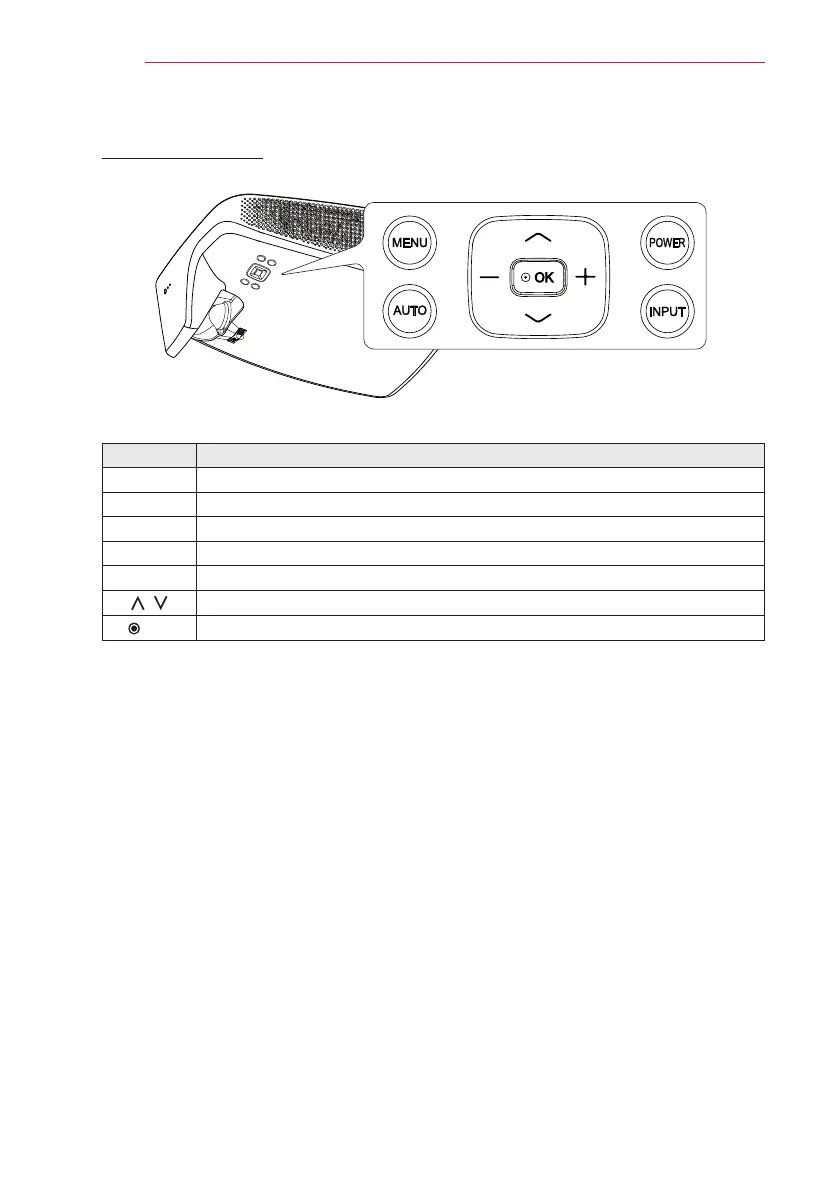
Control Panel
Button Description
POWER Turns the projector on or off.
MENU Displays or closes the Settings menu.
AUTO Adjusts the picture position and minimizes image shaking.
INPUT Selects the input signal (RGB, component, HDMI and external input).
-, + Adjusts the volume level, or enters a sub menu and changes the settings.
,
Moves between menus and changes the settings.
OK Shows the current mode and saves changes to the settings.


 To Next Page