52
MAGICAL MIRRORING
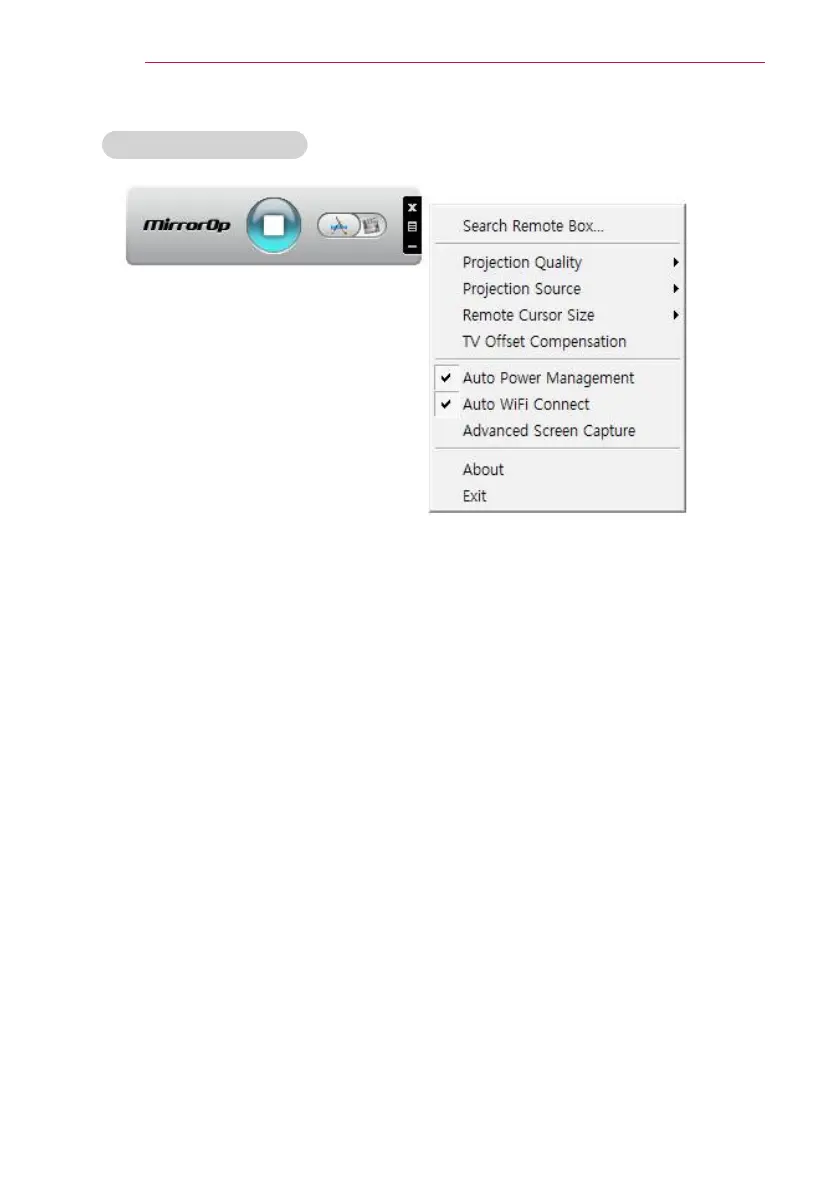
Configuring MirrorOp
- Search Remote Box
y
Select this option to search devices available on the connected network.
- Projection Quality
y
Select this option to change the projected image quality. If the network connection is
good, select the Best; if not, Normal.
- Projection Source
y
Select this option to set the screen to show through the projector. The default value
is Main Screen. If Virtual Extended Screen is selected, it displays the desktop's
extended screen.
- Remote Cusor Size
y
Select this option to adjust the size of the mouse cursor. (1x, 2x, 3x)


 To Next Page