77
INTERACTIVE FUNCTION
(For SA565 only)
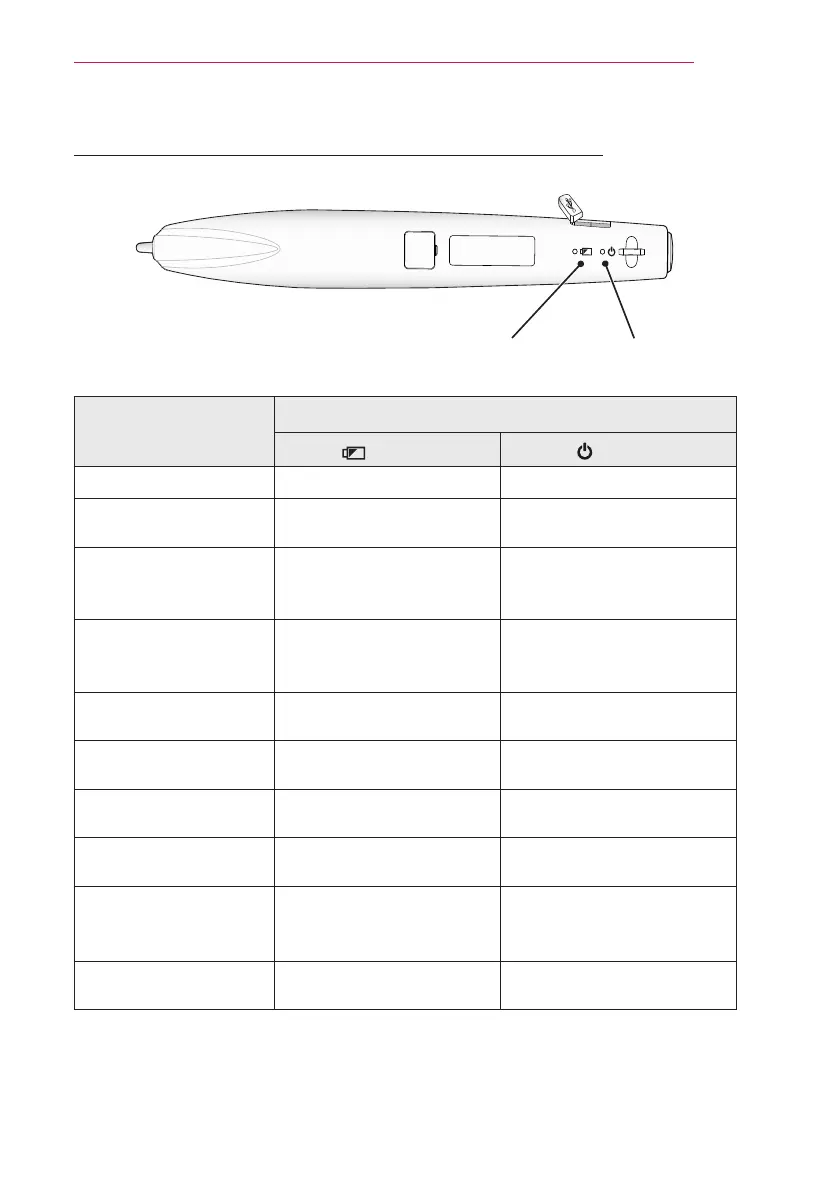
Description of LED Interactive Pen Indicators
LED 1 LED 2
Pen Operation
LED Indicators
(LED 1) (LED 2)
Charging battery The green light is on -
Battery charging
required
The red LED ashes once
every four seconds.
-
Open Mode
- Searching a projector
to connect
-
The green light quickly
ashes twice per second.
Fixed Mode
- Searching a projector
to connect
-
The green light ashes
twice at xed intervals every
second.
Attempting to pair -
The green light ashes very
quickly.
Enter Open mode, or
pairing is complete
-
The green light slowly ashes
three times.
Pairing failed -
The red light slowly ashes
ve times.
The pen is connected to
the projector
-
The green light ashes every
three seconds.
When the pen is pointing
the projector screen
-
The red light is on or ashing
quickly.
Entering low power
mode
The red light has ashed
once.
The red light has ashed
once.
y
LED 1 relates to the battery for the interactive pen and LED 2 relates to the operation status
of the interactive pen.


 To Next Page