EasyManua.ls Logo

LG SA560 - User Manual

LG SA560
96 pages
Print Icon
To Next Page IconTo Next Page
Loading...
Owner's Manual
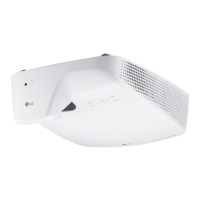
LASER PROJECTOR
SA560
SA565
Please read the safety information carefully before using the product.
www.lg.com

Table of Contents

Questions and Answers

Summary

SAFETY INSTRUCTIONS

General Safety Precautions

Explains warning and caution symbols and their meanings.

Rain and Moisture Warning

Advises against exposing the projector to rain or moisture to prevent fire or electric shock.

PREPARATION

Included Accessories

Lists and illustrates all included accessories for the projector.

REMOTE CONTROL

Remote Control Operation

Describes the buttons and functions of the projector's remote control.

USING THE PROJECTOR

Initial Setup Guide

Step-by-step instructions for the initial setup process of the projector.

Focus and Screen Image Adjustment

Guides on adjusting focus and positioning the image for clarity.

Watching Projector Operation

Details on how to operate the projector while watching content.

Keystone Function Adjustment

Instructions on using the Keystone function to correct image distortion.

ENTERTAINMENT

Network Settings

Configuration for connecting the projector to a network.

Wireless Network Connection

Details on connecting the projector to a wireless network.

SMARTSHARE

MAGICAL MIRRORING

Running Magical Mirroring

Guide to initiating and using the magical mirroring feature.

CUSTOMIZING SETTINGS

SETUP Menu Overview

Explains the main menu categories for customizing projector settings.

Picture Settings

Adjusting image quality parameters like brightness, contrast, and mode.

Picture Quality Adjustments

Detailed adjustments for picture quality including contrast, sharpness, and color.

Advanced Picture Controls

Fine-tuning picture settings like contrast, color, and resolution.

White Balance & Color Management

Adjusting white balance, color settings, and system management.

Sound Settings

Adjusting audio modes, EQ, volume, and microphone settings.

TIME Settings

Configuring sleep timers, auto-off, and presentation timers.

OPTION Settings

General customization options like language, caption, PJT mode, and Keystone.

NETWORK Settings

Configuring wireless and wired network connections for the projector.

CONNECTING DEVICES

Connecting External Devices Overview

Diagram showing various devices that can be connected to the projector.

Connecting to Media Players

Instructions for connecting HD receivers, DVDs, or VCRs via HDMI or HDMI-DVI.

PC Connection

How to connect a PC to the projector, including Plug & Play.

HDMI Connection

Connecting a laptop or device via HDMI for high-quality output.

AV Connection

Connecting external devices using AV input ports for video and audio.

Component Connection

Connecting external devices via component ports for vivid images.

Connecting to a Laptop

Connecting the projector to a laptop for various functions.

INTERACTIVE FUNCTION

Connecting Interactive Pen to PC

Steps to connect the interactive pen and dongle to the PC.

Troubleshooting Interactive Pen

Common problems and solutions related to the interactive pen function.

MAINTENANCE

Updating Software

How to check for and install software updates for the projector.

LG SA560 Specifications

General IconGeneral
BrandLG
ModelSA560
CategoryProjector
LanguageEnglish

Related product manuals