Page 13
www.licor.com/bio
Routine Maintenance
CAUTION: Remove the tray and its contents from the instrument prior to any maintenance that requires moving or tilt-
ing the instrument.
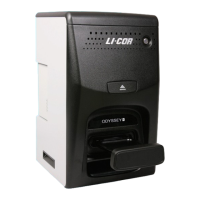
The Odyssey
®
Fc Imager requires only minimal maintenance. However, as with any equipment utilizing electrical volt-
ages, there is a danger of fire or electrical shock if the equipment is not properly maintained. Disconnect power before
servicing. LI-COR Biosciences recommends that you routinely inspect the system. The following are some general
maintenance guidelines:
• Clean the exterior case parts with warm water and a damp cloth.
• Clean the imaging drawer with 100% methanol, then water.
• Clean the imaging tray by first removing the sample and then rinsing the tray with methanol followed by distilled
water. Wipe or air dry.
• CAUTION: DO NOT use acetone to clean the imaging tray.
• Wipe all chemical spills from the case and imaging drawer to prevent damage to the surface coating.
• Keep the imaging bed free of organic solvents and other combustibles. Dry thoroughly before use.
• Inspect all cables and power cords for evidence of fraying, exposed wire, or loose connections.
Cleaning the Fan Filter
CAUTION: Remove the tray and its contents from the instrument prior to any maintenance that requires moving or tilt-
ing the instrument.
The air intake fan on the back of the Odyssey Fc instrument is used to cool the internal electronics. Periodically inspect
the air intake filter (Figure 3-1). Clean or replace the filter when it looks like dust is starting to block air flow. To test air
flow, place a piece of standard printer paper over the filter while the instrument is running. Release the paper. If the paper
falls away, rather than being held to the air intake by suction, the filter is significantly blocked.


 To Next Page