Chapter 3: Maintenance
Page 14
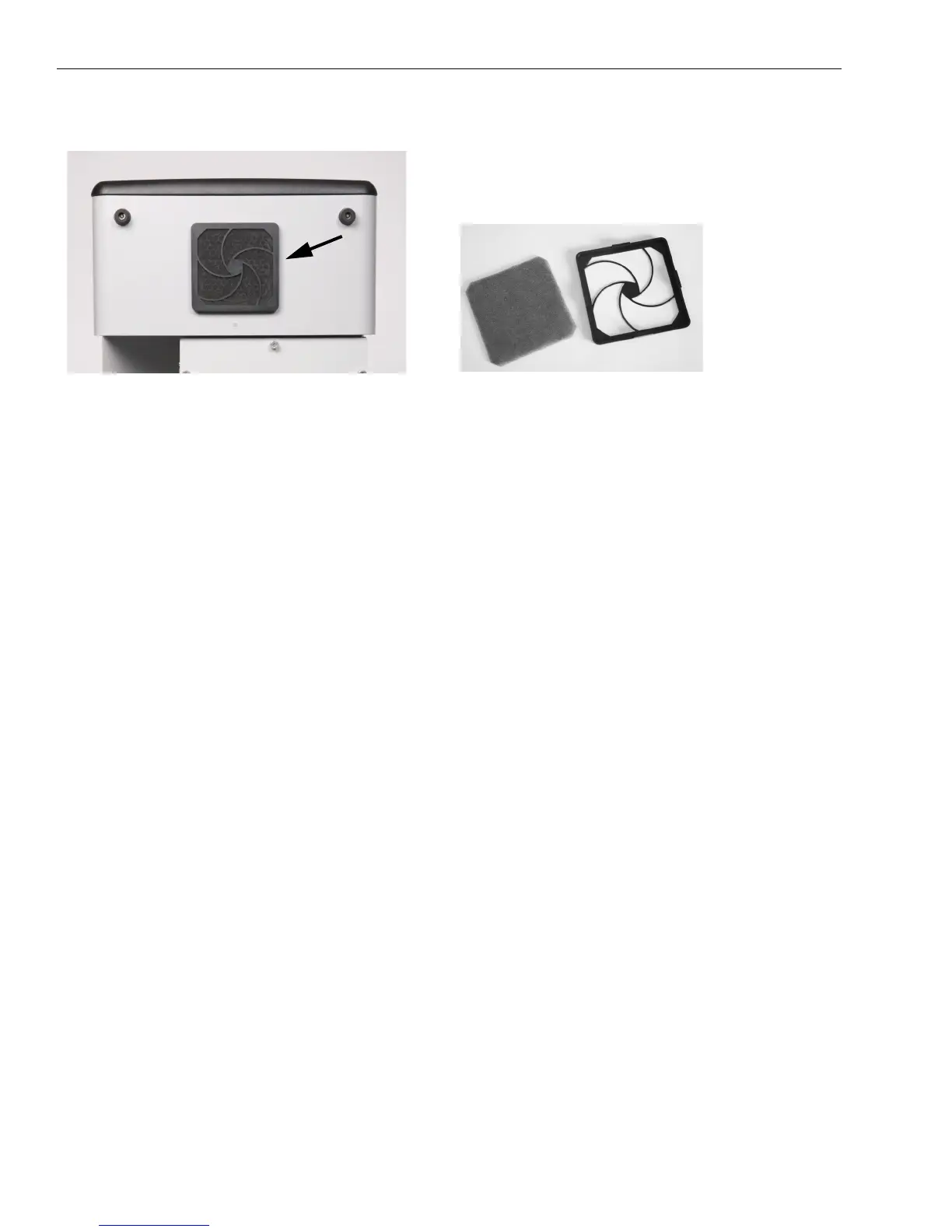
The back cover snaps off for access to the foam filter. The filter can generally be rinsed out, dried, and replaced if it is
only clogged with dust.
Front Panel Warning Light Indicates an Error
When the Odyssey
®
Fc Imager is unable to complete a task requested by Image Studio software, or some hardware fail-
ure is encountered, the red error indicator on the Odyssey Fc front panel (Figures 2-1 and 2-2) flashes and an audible
alarm sounds. This error condition is automatically cleared after a few seconds and a message dialog is displayed in the
Image Studio software to explain the error. The error message will instruct the user on any further required actions.
Resetting the Instrument
In the event that the instrument becomes unresponsive, reset the instrument by holding down the front panel power but-
ton (Figure 2-1) for at least 5 seconds until the instrument turns off. This procedure cuts power to the instrument and
should only be used when communication cannot be re-established by any other means. The Odyssey Fc Imager should
resume normal operation after the power button is pressed again to turn the instrument back on, though start-up may take
several minutes.
Desiccant Replacement
The Odyssey Fc Imager has a cooled CCD camera that uses a desiccant to prevent water condensation on the internal
cooled surfaces. Depending on the humidity of the environment, the desiccant in the camera may need to be replaced
periodically. Image Studio software will issue a warning if the desiccant needs replacement. A warning notice will first
be given that will provide at least a few weeks of normal operation. If not replaced in a timely fashion, an error will be
generated and the cooler will be disabled to prevent damage to the instrument. This will prevent any new image acquisi-
tions. The desiccant is user-replaceable. Please contact LI-COR Biosciences for a desiccant replacement kit to perform
this task.
Important: Do not remove the new desiccant cartridge from the shipping bottle until ready for installation.
Replacement Procedure
Figure 3-1. The foam fan filter on the back of the Odys-
sey
®
Fc instrument is accessible for cleaning by removing
the snap-on back cover.


 To Next Page