LS9 User Guide
Libre Wireless Technologies User Guide : LS9 / LS9AD, Ver. 5.3 Page 34 of 75
Libre Confidential
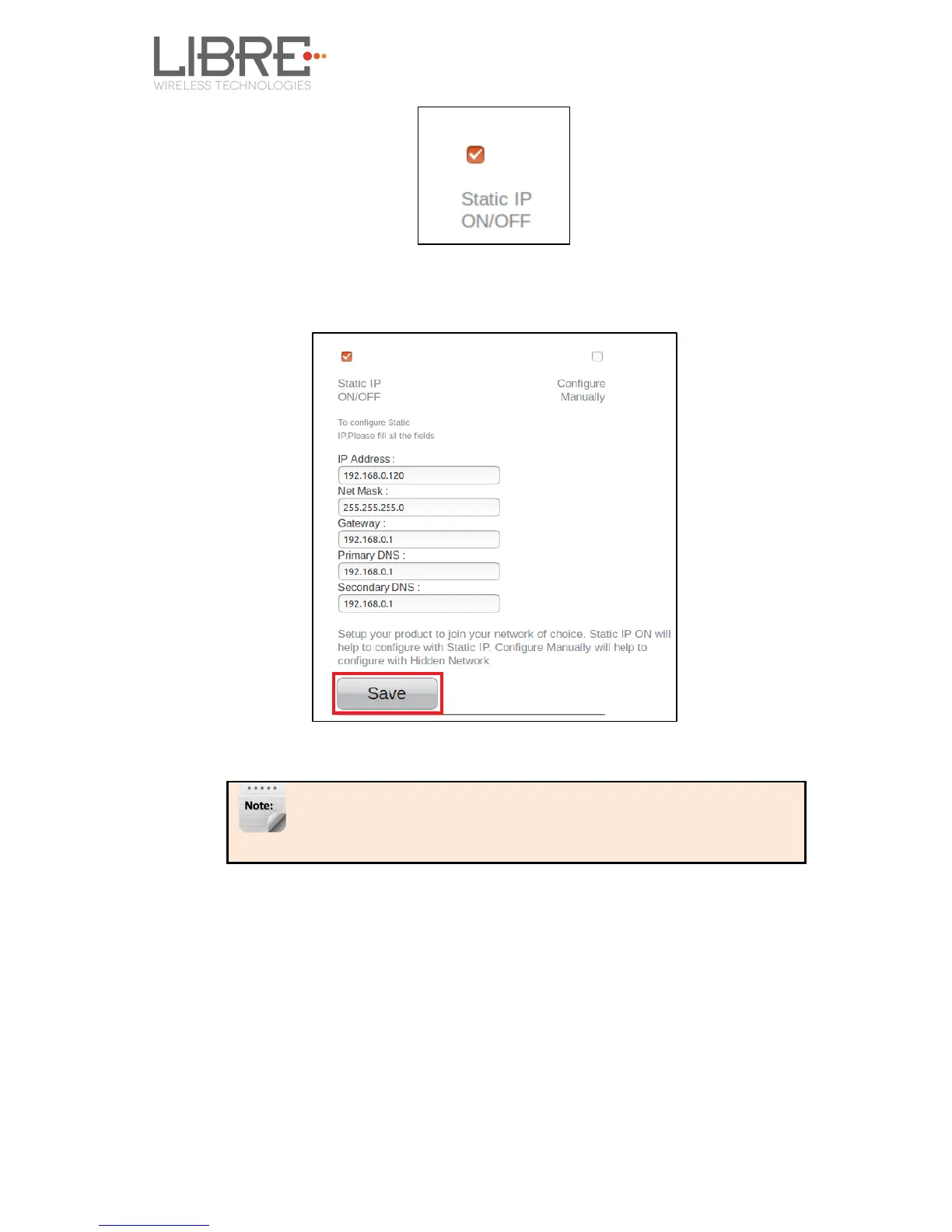
Step 3. Enter IP Address, Net Mask, Gateway, Primary DNS, Secondary DNS
details as shown in the below screenshot, and click Save
Use any IP address from the Access Point IP’s address range
which is not assigned to any client device already.
Device reboots and connects to the network and acquires the static IP as defined.
Step 4. To know the IP address of the device, execute command #netcfg in the
device terminal
End--



 To Next Page