17
Lifeloc FC10
www.Lifeloc.com | 303-431-9500
Prepare the wet bath simulator according to
its instructions on page 16.
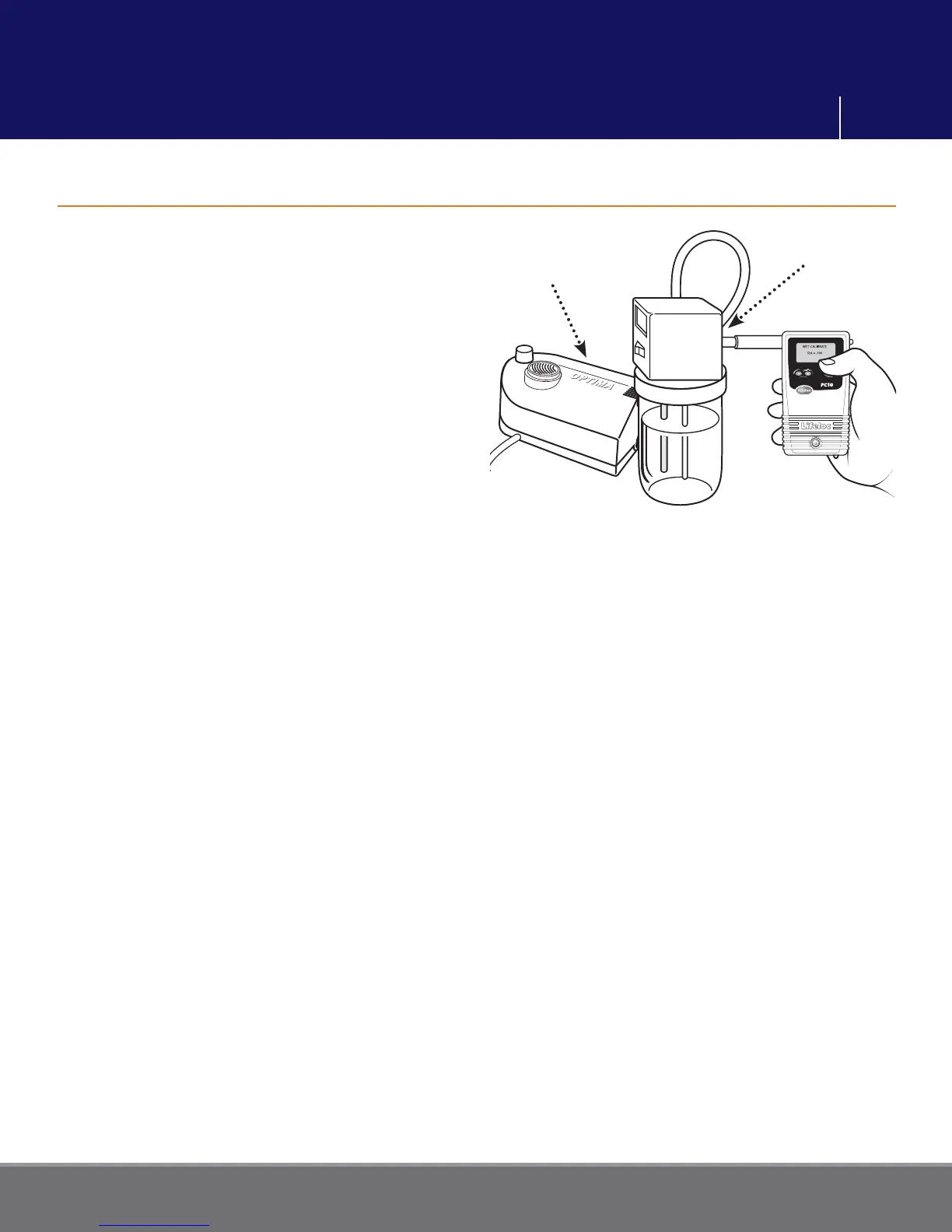
Disconnect long tube from the output port.
Attach a mouthpiece adapter securely to the
output port on the simulator lid. Refer to
your simulator manual for location.
Turn the FC10 on. Attach a mouthpiece to the
back of the unit.
Press the Function button until display reads
“CALIBRATION”, then press the Execute
button. Display reads “WET CHECK”.
Press the Function button until display reads
“WET CALIBRATE”.
Verify the “CAL STANDARD” is set to the concentration of certifi ed alcohol solution you
will be using when you calibrate. To select new Calibration Standard, see page 16.
Slide the FC10 mouthpiece over the mouthpiece adaptor on the simulator.
Be prepared to blow into the tube for up to 10 seconds.
Start blowing
• Blow through the input tube (or use a calibration pump) to create and maintain 1/2" of
bubbles on the surface of the solution.
• Press Execute to proceed and start a 3 second countdown.
• Press Execute to take a sample.
• Continue blowing for another 3 seconds.
Stop blowing
If successful, the display will read “CAL COMPLETE”.
If no alcohol is detected, display reads “INVALID CALIBRATION”. Please repeat
calibration setup and test, starting with wet bath simulator setup.
Disconnect the FC10 and wait at least two minutes before conducting a Cal Check to
verify the accuracy of your calibration.
Note: Following calibration, a Cal Check is required before the unit allows you to conduct
any tests.
(Calibration display fl ow chart is shown on p. 26)
Performing a Wet Bath Calibration
Calibration
Pump
Simulator
Wet Bath Calibration



 To Next Page